Greetings, fellow programmer! You’ve probably spent more late nights staring at a flickering screen than you’d like to acknowledge if you’re anything like me. I’m referring to those long sessions spent troubleshooting an uncooperative Python script or battling unbehaving Java loops. And if you’re just getting started, you know the drill: you need a laptop that won’t crash in the middle of compilation but also won’t break the bank. You might be a college student experimenting with computer science or a career-switcher learning web development on the side.
This guide can help with that. For programmers on a tight budget, India’s low-cost laptop market is a treasure trove as of November 2025. We’re talking about devices under ₹40,000 that can effortlessly run multiple terminals, VS Code, and even light IDEs like IntelliJ. These choices will keep you productive and sane for everyday coding (think Python, Java, C++, JavaScript, or even some SQL queries), but you won’t get a beastly RTX GPU for machine learning marathons (that’s for the big leagues).
I’ll break it down simply in this blog post: what to look for, my top five suggestions based on actual reviews and specs, and some straightforward advice to help you make a decision. To keep it current, I’ve looked through the most recent content from websites like 91mobiles, Bajaj Finserv, and even Reddit threads from Indian developers. Let’s get started; grab a cup of coffee and let’s find you an affordable coding partner.
Why a Good Laptop Matters for Coding (And Why Budget Ones Are Smarter Than You Think)

Imagine this: A straightforward git push causes your laptop to lag while you’re deep in a hackathon. Fuel for nightmares, huh? Coding is multitasking, not just typing. To keep the mood going, you’re juggling code editors, browsers with 20 tabs of Stack Overflow, a local server, and possibly Spotify. That becomes a city of frustration due to a poor machine.
The good news is as follows: In 2025, “budget” does not equate to “bare-bones.” You can get laptops with 8GB+ RAM and SSDs that boot faster than your morning alarm thanks to AMD’s Ryzen refresh and Intel’s 13th/14th generation efficiency tweaks. These are designed for contemporary workflows, such as Windows 11’s Copilot AI for short code snippets or, if you’re interested, lightweight Linux installs. They are not relics from 2020.
The secret? Put specs ahead of hype. While an eye-catching design may be appealing, a reliable processor and keyboard will keep you sane. Additionally, you’re getting value that far outweighs its cost for less than $40,000, which is ideal if you’re bootstrapping your development project without using ramen money.
What to Look For: Key Specs for Coders on a Budget
Let’s discuss specs before moving on to the recommendations. I don’t use a lot of jargon; I’m keeping it simple. When searching under $40,000, aim for these:
- Processor (CPU): Your beast’s brain. Choose the AMD Ryzen 3/5 or Intel Core i3 (12th/13th generation). They manage virtual environments and code compilation without choking. It’s like riding a scooter on a highway, so stay away from anything older than the eleventh generation.
- RAM: 16GB if you can afford it; 8GB is the minimum. Tabs, terminals, and tools are all part of coding; 4GB will have you swapping to disk like it’s 2015.
- Storage: Always choose SSD over HDD. You can use 256GB+ for projects, Node modules, and that one enormous dataset. SSDs speed up everything, eliminating the need to wait 30 seconds for Eclipse to load.
- Display: Full HD (1920×1080) resolution, 14–15.6 inches. For extended coding sessions in dim lighting, anti-glare is essential. Better colors when debugging user interfaces are a bonus if it’s IPS.
- Battery Life: over six hours. In cafes, libraries, or that dubious bus seat, you’re most likely coding while on the go.
- Keyboard and Construction: A comfortable keyboard with good travel (1.5mm+) that is resistant to spills. The NumPad? Excellent for data work. It weighs less than 1.8 kg, making it portable.
- Extras and Ports: SD slot, HDMI, and USB-C. Pre-installed Windows 11 and a webcam for Zoom pair programming to avoid setup hassles.
- OS Flexibility: The majority come with Windows, but if you’re a fan of Ubuntu, see if it works with Linux; many of these run it perfectly.
Bonus Tips: Consider upgradability. Some allow you to add more RAM at a later time, prolonging the life of your laptop as your needs and abilities change.
Let’s move on to the show’s stars. Based on current prices from Amazon, Flipkart, and official websites, these are my top choices for November 2025. Prices vary, so be sure to double-check, but as of this writing, they are all under 40,000.
Top 5 Best Laptops for Coding Under ₹40,000 in 2025
1. Acer Aspire Lite (AMD Ryzen 5 5500U) – The All-Rounder Powerhouse
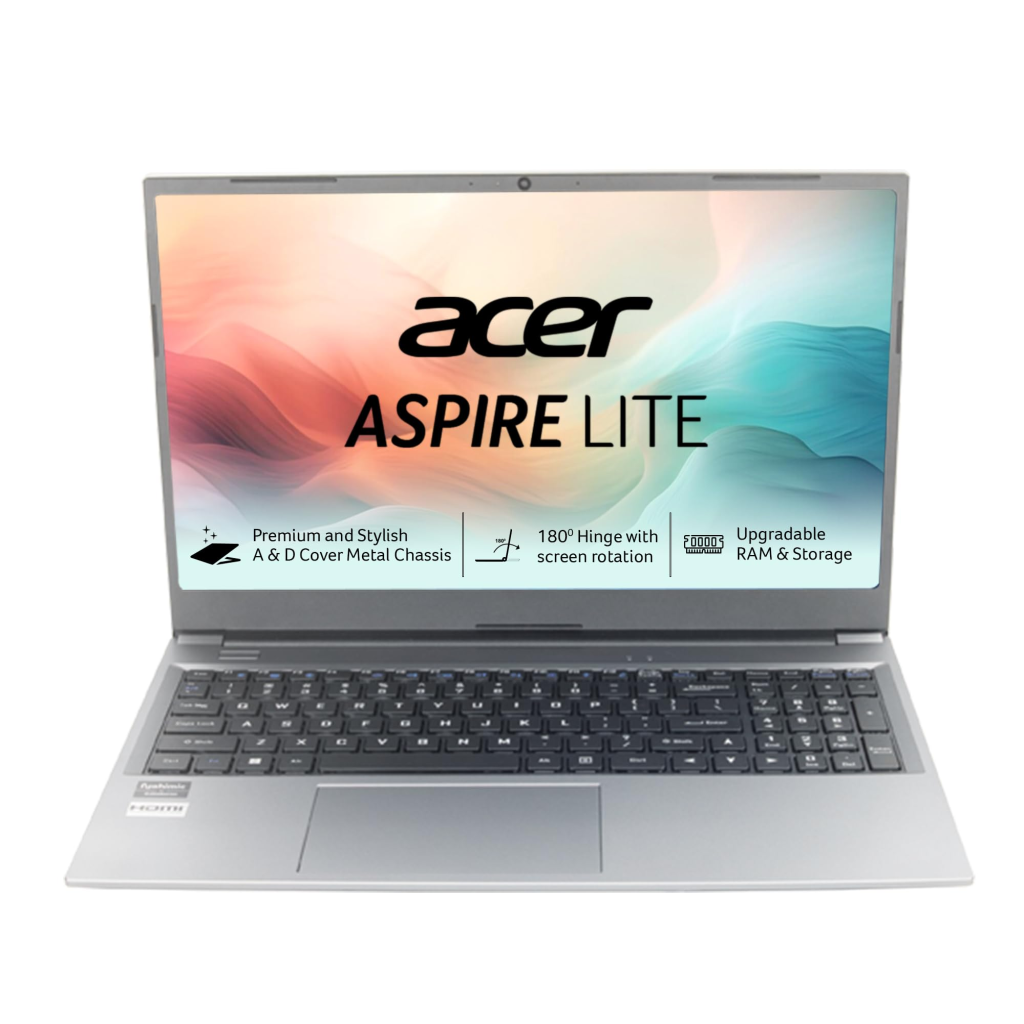
This is my choice for the “best overall” coder. The Acer Aspire Lite, which costs about ₹35,990, is similar to that dependable friend who arrives on time and packs snacks.
Key Specs
- Processor: AMD Ryzen 5 5500U (6 cores, up to 4.0GHz) – Blazes through Python scripts and Java builds.
- RAM: 16GB DDR4 (upgradable)
- Storage: 512GB SSD
- Display: 15.6-inch Full HD IPS, anti-glare
- Battery: Up to 8 hours
- Weight: 1.6kg
- Ports: USB-C, HDMI, Ethernet
Why It’s Excellent for Coding: The Ryzen 5 is an incredible multitasking machine that can effortlessly run Docker containers, Visual Studio Code, and a browser loaded with documents. That 16GB of RAM? Excellent for balancing terminals and IDEs. For those 100-line tasks, the keyboard’s good key spacing and speed make it ideal. Additionally, the FHD screen reduces eye strain during all-nighters by maintaining crisp text.
- Pros: Excellent value for the specifications; thin and light; maintains coolness under load.
- Cons: There is no backlit keyboard, and the speakers are poor (use headphones for tutorials).
- Who It’s For: Students or full-time developers seeking fuss-free future-proofing. Its “smooth Python and Java runs” for less than $40,000 are highly praised by NewTechMart users. This is an obvious choice if you frequently compile C++.
2. Lenovo IdeaPad Slim 3i (Intel Core i3-1215U) – The Student Special
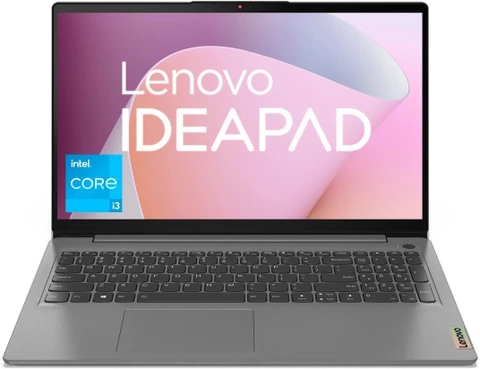
Lenovo has a talent for finding affordable gems, and the IdeaPad Slim 3i (₹34,990) is designed with college programmers in mind. It’s strong, stylish, and won’t give the impression that you’re carrying a brick.
Key Specs
- Processor: 12th Gen Intel Core i3-1215U (up to 4.4GHz)
- RAM: 8GB LPDDR4X (upgradable to 16GB)
- Storage: 512GB SSD
- Display: 15.6-inch FHD anti-glare
- Battery: 7-8 hours
- Weight: 1.62kg
- Ports: USB 3.2, HDMI 1.4, SD card reader
Why It’s Great for Coding: For routine tasks, the i3 punches like an i5; for novices, consider PyCharm or VS Code with extensions. You can start coding in a matter of seconds thanks to the SSD’s fast boot times. The webcam’s privacy shutter? For safe Zoom sessions, use a pro move. Additionally, Lenovo’s construction quality makes it resistant to backpack tosses.
- Pros: Comes with an MS Office trial, a comfortable keyboard, and an excellent battery.
- Cons: RAM starts at 8GB (upgrade ASAP); integrated graphics restrict side gaming.
- Who It’s For: Novices learning web development or algorithms. It’s “stylish and performance-driven for coding under 40k,” according to Analytics Insight. For lag-free Python and Java, Reddit developers in r/JEENEETards swear by it.
3. HP 15s (AMD Ryzen 3 7320U) – The Reliable Workhorse
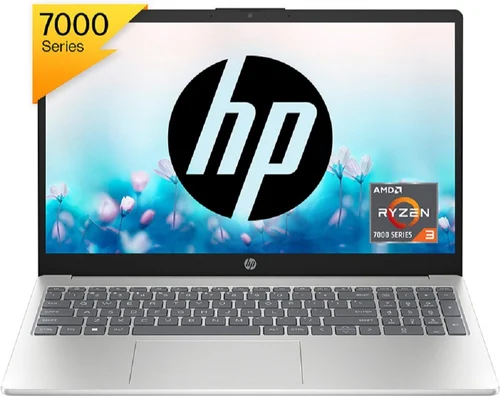
The 15s (₹36,490) is your everyday hero—tough, effective, and drama-free—because HP is an expert in low-cost laptops.
Key Specs
- Processor: AMD Ryzen 3 7320U (4 cores, up to 4.1GHz)
- RAM: 8GB DDR5 (upgradable)
- Storage: 512GB SSD
- Display: 15.6-inch FHD micro-edge, anti-glare
- Battery: Up to 7.5 hours
- Weight: 1.59kg
- Ports: USB-C, HDMI, headphone jack
Why It’s Excellent for Coding: The Ryzen 3 is an excellent multitasker; it can easily debug in Chrome DevTools, run npm installs, and compile Java. For side-by-side code and previews, the micro-edge display optimizes screen real estate. Less downtime results from fast charging (50% in 45 minutes).
- Pros: Eco-friendly construction, dual speakers for clear calls, and slim bezels for immersive viewing.
- Cons: Heat builds up during heavy compiles; no fingerprint sensor.
- Who It’s For: Professionals or independent contractors working on backend projects. It is a great coding option under $50,000, according to Bajaj Finserv, but it works well here. For “set it and forget it” dependability, it’s my first choice.
4. MSI Modern 14 (Ryzen 5 7530U) – The Portable Pro

Are you looking for something that fits easily in your bag? The lightweight, luxurious Modern 14 from MSI costs ₹36,990.
Key Specs
- Processor: AMD Ryzen 5 7530U (6 cores, up to 4.5GHz)
- RAM: 16GB DDR4
- Storage: 512GB NVMe SSD
- Display: 14-inch FHD IPS
- Battery: 6-7 hours
- Weight: 1.4kg
- Ports: USB-C Thunderbolt 4, HDMI, microSD
Why It’s Excellent for Coding: Buttery-smooth for Git, Visual Studio Code, and even light Android Studio runs with a Ryzen 5 and 16GB RAM. For coffee shop coding, the small 14-inch form factor is a blessing. For dual-screen configurations, Thunderbolt 4 enables simple docking to external monitors.
- Pros: Featherlight, high-end metallic construction, vivid display.
- Cons: Large projects may be cramped by a smaller screen; battery dips under high load.
- Who It Is For: Travelers or nomadic developers. Its “solid performance for everyday tasks like coding” is praised by 91mobiles. This is better than the others if portability is your thing.
5. Dell Inspiron 14 3430 (Intel Core i3-1305U) – The Brand Loyalist’s Choice
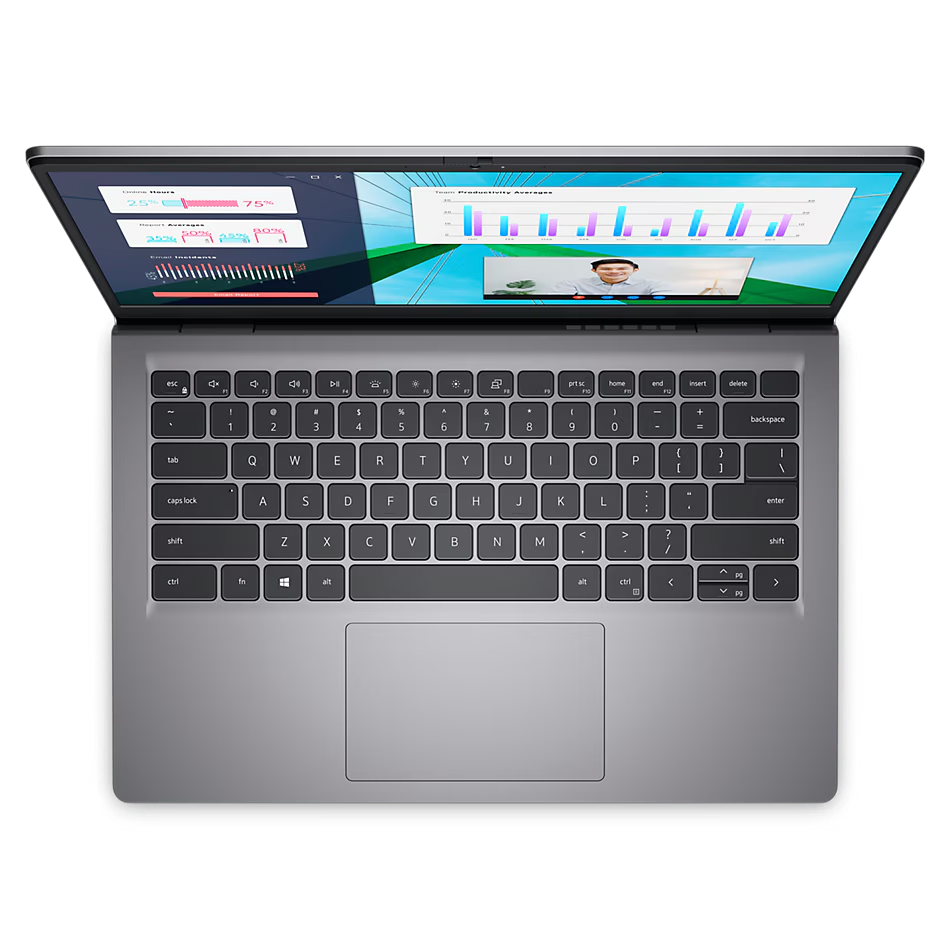
Dell enthusiasts, rejoice! With strong coding skills, the Inspiron 14 (₹35,490) delivers that ecosystem trust.
Key Specs
- Processor: 13th Gen Intel Core i3-1305U (up to 4.5GHz)
- RAM: 8GB DDR4 (upgradable)
- Storage: 512GB SSD
- Display: 14-inch FHD WVA
- Battery: Up to 8 hours
- Weight: 1.52kg
- Ports: USB 3.2, HDMI 1.4, wedge lock slot
Why It’s Excellent for Coding: It Has a Wide viewing angles for cooperative reviews are provided by the WVA panel, while the efficient i3 facilitates rapid compiles and scripting. The Command suite from Dell maximizes the performance of development tools.
- Pros: Easy service network in India; strong security features; backlit keyboard.
- Cons: Fans may complain under pressure; base RAM could be increased.
- Who It’s For: Office programmers or people looking for Dell assistance. According to Gadgets360, it’s the best productivity option under 40,000.
Tips to Maximize Your Budget Buy
- Shop Smart: Take advantage of sales at Flipkart or Amazon; the November Black Friday vibes could save you two to three thousand dollars. If money is tight, check Bajaj Finserv for EMI.
- Upgrade Early: For longevity, replace that extra RAM stick (₹1-2k). Crucial is dummy-proof thanks to tools like its scanner.
- Software Setup: For Linux-on-Windows magic, install WSL. Any of these can become a dev powerhouse with the help of free tools like Git, Visual Studio Code, and Anaconda.
- Maintenance tips: Use compressed air to keep vents dust-free; during the hot Indian summers, use a cooling pad. Back up to GitHub, of course.
- Actual Developers’ Talk: People on Reddit’s r/developersIndia agree that Ryzen outperforms Intel when it comes to battery life when coding. Quora forums? Acer/HP love for value, mostly.
Conclusion
Here are five incredible laptops for less than ₹40,000 that will support your coding aspirations without leaving you with debt regrets. My favorite shoutout? The Acer Aspire Lite for its affordable Ryzen magic, but choose according to your needs: build for daily grinders, battery for students, or portability for nomads. Keep in mind that the laptop you will actually use is the best one. Learn big, start small, and you never know. You might get hired to upgrade the first app you develop on this. Do you have any queries or personal recommendations? I read all of the comments, so please leave them.