Learning to code is probably one of the best things you can do these days. Want to build a website? Make an app just for you? Automate annoying tasks? Or maybe you’re just curious about how all this tech stuff actually works—or thinking about switching careers. Whatever the reason, programming opens up all those options.
Here’s the thing: you don’t need some fancy degree, a background in math, or any special hidden talent. Seriously. Anyone can learn this—students, career changers, freelancers, or folks just looking for a new skill. You can start at zero and move up from there.
This guide is here to help you take that first step. No confusing tech jargon. No complicated stuff. Just a simple, beginner-friendly plan.
1. What Is Coding, Really?
Let’s keep it simple: coding is just giving a computer instructions, one step at a time. It’s like following a recipe, but instead of food, you’re telling a computer what to do. The only catch? You write your instructions in a language the computer gets—think Python, JavaScript, or C++. To Learn More Visit Here
For example, if you type:
print(“Hello World”)
you’re just telling the computer, “Show these words: Hello World.” That’s it. It’s not magic, it’s just step-by-step directions and logic.
2. Is Learning to Code Hard If You’ve Never Tried It?
Honestly? Not really.
It all comes down to how you approach it. If you:
- Pick a language that’s good for beginners
- Follow a clear learning path
- Build small projects along the way
- Stick with it
You’ll make progress. Lots of people start from scratch and get the hang of it. You can too.
3. Why Coding Matters So Much in 2025
Here’s why it pays off to learn coding now:
- High salaries: Developers, data analysts, AI engineers, cybersecurity pros—they all need code.
- Flexibility: Tech jobs let you work from anywhere. Remote gigs are everywhere.
- You get to build stuff: Websites, apps, automations—if you can code, you can make your own tools.
- Sharper thinking: Coding actually helps you think more logically and solve problems better.
- Future proof: AI, robotics, automation, cloud stuff—none of it runs without code.
Coding isn’t just another skill. It’s about as close as you get to a real-life superpower.
4. Which Programming Language Should You Start With?
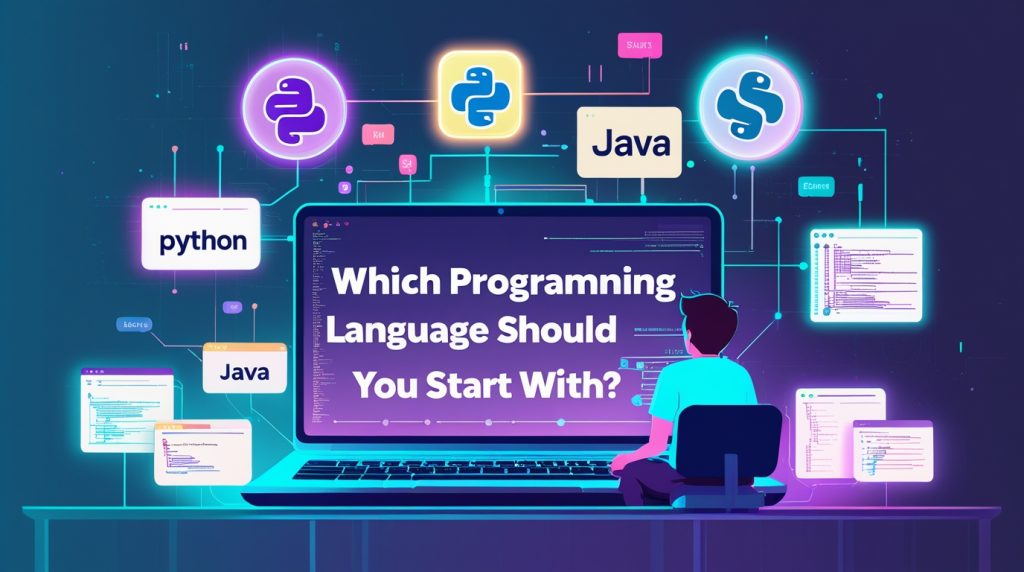
There are tons of languages out there, but don’t overthink it. Just pick one and jump in.
Here are some of the easiest languages to jump into:
1. Python — Hands down, the go-to for beginners
- Super simple, easy to read
- Shows up everywhere: AI, machine learning, web apps, automation, data science—you name it
- The code almost reads like plain English
Full Python Guide: Mastering Python in 2025: From Zero to Pro
Example:
print(“I am learning Python!”)
2. JavaScript — Perfect for web stuff
- Runs behind the scenes of just about every website
- Easy to get started
- Works for both the frontend and backend (thanks to Node.js)
3. HTML & CSS — The basic building blocks of the web
- Technically not programming languages, but you can’t make a website without them
- HTML handles the structure, CSS makes it look good
4. C- Solid if you want to dig deeper
- A bit tougher for newbies
- But if you want to really understand how computers tick, C gives you a rock-solid foundation
So, which one should you pick? If you want:
| Goal | Language |
| Web Development | HTML, CSS, Javascript |
| Data science / AI / Automation | Python |
| Cybersecurity | Python + Bash |
| Mobile Apps | JavaScript (React Native), Kotlin, Swift |
| Just Starting no Experience | Python |
Honestly, Best advice? Start with Python.
5. Step-by-Step Guide to Start Programming from Scratch
Let’s keep this simple. Here’s how to actually get started, even if you’ve never touched code before.
Step 1: Pick One Language (Yep, Python)
Don’t overload yourself. Just choose Python and stick with it until you get the basics down:
- Variables
- Data types
- If/else statements
- Loops
- Functions
- A couple of small projects
Once you’re comfortable with these, learning other languages gets way easier.
Step 2: Set Up Your Coding Space
Here’s how to kick things off with Python:
- Download Python from the official site.
- Install a code editor—VS Code works great.
- Make a new file called hello.py.
- Type this:
print(“Hello, Programmer!”)
Boom. You just wrote your first program.
Step 3: Learn the Basics (No Need to Rush)
Focus on the essentials first:
✔ Variables
name = “John”
age = 20
✔ Conditions
if age >= 18:
print(“You are an adult.”)
✔ Loops
for i in range(5):
print(i)
✔ Functions
def greet():
print(“Hello!”)
greet()
Once you get the hang of these, you can start putting together small programs on your own.
Step 4: Try Beginner-Friendly Courses
Some free resources worth checking out:
- freeCodeCamp
- W3Schools
- Kaggle (especially good for Python and data stuff)
- YouTube channels: Programming with Mosh, CodeWithHarry, freeCodeCamp
Want to invest a bit? Not a bad idea:
- Udemy Python courses
- Coursera Google IT certificates
- LinkedIn Learning
Pick a course and actually finish it. Don’t just jump around.
Step 5: Build Small Projects (This Is Where You Really Learn)
Projects are where everything clicks. Start tiny:
Easy ideas:
- Calculator
- To-do list
- Password generator
- Guess-the-number game
- Currency converter
- Simple website landing page
- Weather app (using an API)
Making things is honestly the best way to learn and remember.
Step 6: Join Online Communities
You’re not in this alone. When you hit a wall (and you will), these places are lifesavers:
- StackOverflow
- Reddit r/learnprogramming
- GitHub
- Discord coding servers
- Twitter/X dev community
Ask for help, share your projects, help someone else out—just be part of it.
Step 7: Practice Every Day (Even Just an Hour)
Coding’s like learning guitar or hitting the gym—it’s all about consistency, not cramming.
Try this 1-hour plan:
- 15 minutes: Learn something new
- 30 minutes: Write and practice code
- 15 minutes: Work on a mini project
Keep at it for a few months. You’ll surprise yourself.
Step 8: Check Out Real Projects
Once you’ve got the basics, explore things like:
- APIs
- Databases
- Libraries and frameworks
- Git & GitHub
These tools get you ready for real, job-level coding.
Step 9: Build Your Portfolio
A portfolio shows you mean business. Upload your projects to GitHub:
- Web apps
- Python scripts
- Automation bots
- Data visualizations
- Websites
When someone checks out your work, they see what you can do. That’s how you stand out.
Step 10: Keep Learning & Level Up
Tech never sits still. Seriously, blink and you’ll miss something.
Try picking up new tools along the way:
- Django or Flask for web stuff
- React for frontend
- Node.js for backend
- Pandas and NumPy if you’re into data analysis
- TensorFlow and PyTorch for AI and machine learning.
But don’t pile it all on at once. Add new skills as you grow.
6. Common Mistakes Beginners Make
Almost everyone stumbles at the start. Here’s what trips people up:
Switching languages all the time
Jumping from one language to another just slows you down. Stick with one until it feels natural.
Watching tutorials but not actually coding
You won’t learn to swim just by watching. Get your hands on the keyboard and start typing.
Trying to skip the basics
Get the foundations down first. The advanced stuff makes way more sense after.
Freaking out over errors
Everybody hits bugs. Don’t stress fixing them is where you really learn.
Comparing yourself to pros
Stop worrying about what experts can do. Focus on your own progress.
7. How Long Does It Take to Learn Coding?
It depends on what you want to do:
1–2 months: Basics programming, variables, loops, functions
3–6 months: Building projects, working with APIs, simple web apps, maybe some freelancing
6–12 months: Skills for jobs, a solid portfolio, deeper understanding
If you show up and put in the work, you can become a programmer in less than a year.
8. Becoming Job-Ready as a Self-Taught Programmer
You don’t need a computer science degree to get a tech job.
Skills matter more than paper.
Here’s how to get ready:
- Build real projects
- Learn Git and GitHub
- Get comfortable with web development or Python frameworks
- Make a portfolio website
- Share your work on GitHub
- Start applying for jobs — LinkedIn, Indeed, Upwork, wherever
There are tons of companies out there hiring self-taught devs.
9. Can AI Replace Programmers? (Real Talk)
AI tools like ChatGPT, Copilot, and Gemini can help you code faster. But they’re just that tools.
They can’t replace people who understand logic, how to debug, or how to build real solutions.
If you know how to use AI, you become even better at coding.
Bottom line? The future belongs to developers who use AI, not those replaced by it.
10. The Best Roadmap to Start Coding in 2025
Here’s a clear, no-nonsense path for beginners:
Month 1–2: Learn the basics
- Pick up Python or HTML/CSS/JavaScript
- Get comfortable with variables, loops, and functions
Month 3–4: Build stuff
- Make 10–15 tiny projects
- Figure out Git and GitHub
Month 5–6: Find your thing
- Web development
- Data science
- AI/Machine Learning
- Cybersecurity
- App development
Month 7–12: Go deeper and show your work
- Work on bigger projects
- Build a personal website
- Start applying for jobs or freelancing
Plenty of self-taught developers take this route and succeed.
11. Final Tips for Beginners
Here’s some quick advice to keep you moving:
- Practice every day — even if it’s just half an hour
- Jump into projects as soon as you can
- Don’t worry about mistakes — they’re how you learn
- Focus on actually understanding, not just memorizing
- Be patient — progress takes time
- Look at real-world examples
- Get involved in tech communities
- Stop comparing yourself to others
- Stick with it
- Celebrate every tiny win
Conclusion
Yes, You Can Learn to Code from Zero. Programming isn’t just for geniuses or math nerds. If you’re curious and you stick with it, you can absolutely do this.
With a plan, some daily practice, and patience, you can go from total beginner to capable programmer in under a year — even if you’re starting from scratch.
Coding opens doors: new careers, freelancing, cool projects, better problem-solving, and a new way to see how tech shapes everything. Start small. Keep going. Build stuff.
And don’t forget: every pro started out as a beginner just like you.