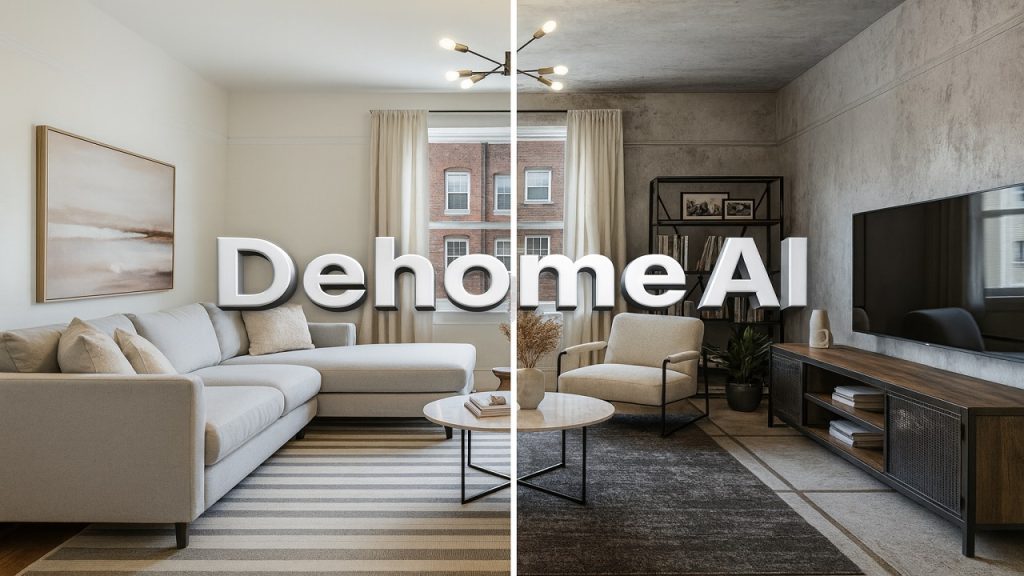
Let’s face it—tech has a way of showing up where you least expect it, and home design isn’t dodging the trend. Not long ago, if you wanted to redo your living room or plan a big renovation, you’d end up paying expensive consultants, ping-ponging emails for ages, and dealing with a pile of hand-drawn sketches. That’s all flipping on its head. Now, tools like DeHome AI put real design muscle in your hands—whether you’re a regular homeowner, an interior designer, or a real estate agent. You don’t need a degree or a fat wallet. Everyone gets a shot.
Ever caught yourself wondering what your living room would look like with a clean Scandinavian vibe? Or maybe you’ve got your eye on a backyard makeover, but you want a sneak peek before tearing up the grass. DeHome AI can show you exactly that.
Here’s the plan: We’ll run through what DeHome AI actually does, how it pulls it off, the headaches it solves, why design pros are paying attention, and how to use it for your next project.
What Is DeHome AI? Smarter Ways to Rethink Your Space
DeHome AI is basically your shortcut to pro-level design ideas—fast. Whether you’re reimagining your living room, giving your house a facelift, tackling the backyard, or even sketching out a whole new floor plan, it uses machine learning and a massive design image library to whip up solutions that used to take weeks.
It’s not just about slapping a filter on a photo. The software “looks” at your pictures with computer vision, pulls in design wisdom from thousands of real projects, and cooks up something that’s not just good-looking, but actually works in real life.
For homeowners, this means you get to see your renovation dreams on screen before you ever call a contractor. If you’re an architect, decorator, or developer, it’s a fast way to brainstorm and pitch new ideas—no more starting from zero every time.
How DeHome AI Works: From Snapshot to Showroom
Here’s the kicker—it’s dead simple. No tech genius required. Here’s how it usually goes:
- Snap a few photos of your space—living room, front yard, wherever you want a makeover.
- Pick your style. Modern, rustic, industrial—choose what you like, set your colors, throw in any must-haves.
- Hit go. The AI checks out your photos and spits out a handful of design options in seconds.
- Scroll through, compare, tweak. If you like something, run with it. Want to mix things up? Keep playing until you nail the look you want.
While you’re clicking around, the system is busy scanning every detail in your photo and leaning on its training from real-life projects. The layouts and visuals look like a pro did them—minus the drama.
DeHome AI is easy for beginners, but it can keep up with serious designers too.
AI Interior Design: Instant Makeovers
Most people first bump into DeHome AI through its interior design tools. Makes sense—hiring a designer used to cost a fortune and take forever. Now, you can test out ideas in seconds and see them come to life.
Here’s what the interior design feature actually gets done:
- It figures out your room’s shape and layout just by looking at your photos.
- Pick a style—minimalist, rustic, modern, whatever—and it drops in furniture, color schemes, lighting, and textures that match.
- Not wild about the first look? No worries. Keep generating new versions, swap out styles, fine-tune anything you want. No extra costs, no waiting.
That’s how DeHome AI is making home design faster, less stressful, and honestly, a whole lot more fun.
Exterior Design for Curb Appeal and Real Estate Value
Sure, decorating the inside of your home is fun, but let’s be real — the outside is what everyone sees first. Whether you’re getting ready to sell, trying to bump up your home’s value, or just want to make your place look great from the street, curb appeal matters.
That’s where DeHome AI’s exterior design tool comes in. Just upload a photo of your home’s front, and suddenly you can try out all sorts of redesigns — new paint colors, different window placements, fresh materials, even bold architectural accents. Instantly, you see what works and what doesn’t.
It’s a lifesaver if you’re:
- A homeowner thinking about renovations and want to see the payoff before spending money.
- A real estate agent trying to help buyers imagine what’s possible.
- A contractor or builder who needs to show clients exactly what the finished project could look like.
And let’s not forget — boosting curb appeal doesn’t just make your house look better, it can actually raise your property’s value. That’s a win you can see right away.
Landscape Design: Bringing Your Yard to Life
Design isn’t just about what’s inside. Your outdoor spaces — gardens, patios, yards — shape how you feel about your home. DeHome AI’s landscape design tool takes a photo of your yard and instantly creates professional-level plans, whether you want a peaceful garden or a lively space for gatherings.
What makes this tool genuinely helpful is that it’s not just about pretty pictures. The AI thinks about things like which plants work in your climate, where the sun hits, how people will move through the space, and what plants actually get along. You can dream up anything: a calm zen retreat, a wild tropical hideaway, or a cozy cottage garden packed with winding paths.
Suddenly, what used to be a stressful planning process turns into a creative, pretty fun experience.
Floor Plan Generation: Turning Ideas Into Reality
One feature people don’t talk about enough is DeHome AI’s floor plan generator. Whether you’re building from scratch, renovating, or just playing with ideas, this tool gives you professional-quality layouts fast. You just tell it how many rooms you want and any special requests, and the AI handles the rest.
It figures out:
- The best room sizes.
- How people will walk through the space.
- The smartest way to fit everything together so it feels natural to live in.
DIY homeowners, architects, builders, and real estate pros all benefit. Suddenly, you don’t need to be an expert to turn your ideas into a real plan. The gap between your imagination and what’s possible shrinks.
Customization and Style Flexibility: Make It Yours
One of the coolest things about DeHome AI is how much control you have. You’re not stuck with cookie-cutter templates. Want a minimalist look? Or maybe something industrial? Prefer soft colors, bold brightness, or something in between? Go for it. You can tweak individual design elements until everything feels just right.
You don’t just get a generic design — you get something that actually reflects your style and the way you live. Whether you like classic vibes or sharp modern lines, the platform can match your taste.
For professionals, this flexibility means you can move quickly, show clients lots of options, and get creative without hitting a wall.
Why DeHome AI Matters: Design for Everyone
At the end of the day, DeHome AI is about making design accessible to everyone.
Not long ago, if you wanted a professional design, you needed a big budget and a lot of patience. Now, with AI design tools, homeowners can play with ideas before spending a dime, and pros can speed up their process instead of feeling replaced by technology. Real estate agents get new ways to help buyers see a home’s potential.
But the real magic? AI lets you try out dozens of ideas in minutes. You don’t have to second-guess every decision — you can see what works, tweak it, and move forward with confidence.
This isn’t just about automating boring tasks. It’s about unlocking creativity for everyone. Now, anyone can reimagine their space and actually see what’s possible, no matter their experience or budget. That’s the future of design — and it’s already here.
Best Practices for Using DeHome AI Effectively
If you really want to get the most from DeHome AI, these simple tips make a big difference:
- Start with sharp, well-lit photos. Good images help the AI “see” your space and deliver better results.
- Figure out your style before you jump in. Whether you love cozy corners or sleek, modern lines, knowing what you like steers your choices.
- Treat the AI’s ideas as a jumping-off point. It’s great for inspiration, but when it’s time to build, run things by a pro to keep everything safe and up to code.
- Play around as much as you want. The beauty of AI is you can try out endless options—don’t just stick with the first thing you see.
Think of DeHome AI as a creative sidekick, not just a magic button. That’s how you’ll get designs that really work for you.
Conclusion: The Future of Home Design Is Powered By AI
With DeHome AI, home design feels faster, more fun, and way more accessible than ever.
It doesn’t matter if you’re updating your first apartment or helping someone dream up a custom estate. Tools like this are shaking up what’s possible, no matter your budget or experience.
And honestly, this is just the beginning. AI keeps getting better—soon, you’ll probably see it blending with AR/VR tours, letting you work side by side with others in real time, or even keeping your spending on track automatically. But even right now, these tools are game-changers.
So, are you ready to give it a try? Dive in, play with different looks, and start shaping your ideal space—one smart design at a time. For More Visit Here
To Explaore More ai Tool Visit our ai category


Very valuable content! Studioify also has many useful tools and tutorials, worth checking out.
Thank you! Really glad you found the content valuable.
Just discovered a bathroom design generator that actually makes sense. DeHome AI has the same tech but with zero hassle. No more flipping through endless Pinterest boards. bathroom design generator
Glad you found it useful! Really appreciate you taking the time to check it out and share your thoughts!
The part about skipping expensive consultants and endless email chains really resonates—AI design tools are finally making renovation planning accessible to regular folks. I’ve been experimenting with AI-generated visuals for room concepts, and pairing something like DeHome AI with FLUX 3 Video for quick visual mockups could be a game changer for anyone planning a backyard makeover before committing. FLUX 3 Video