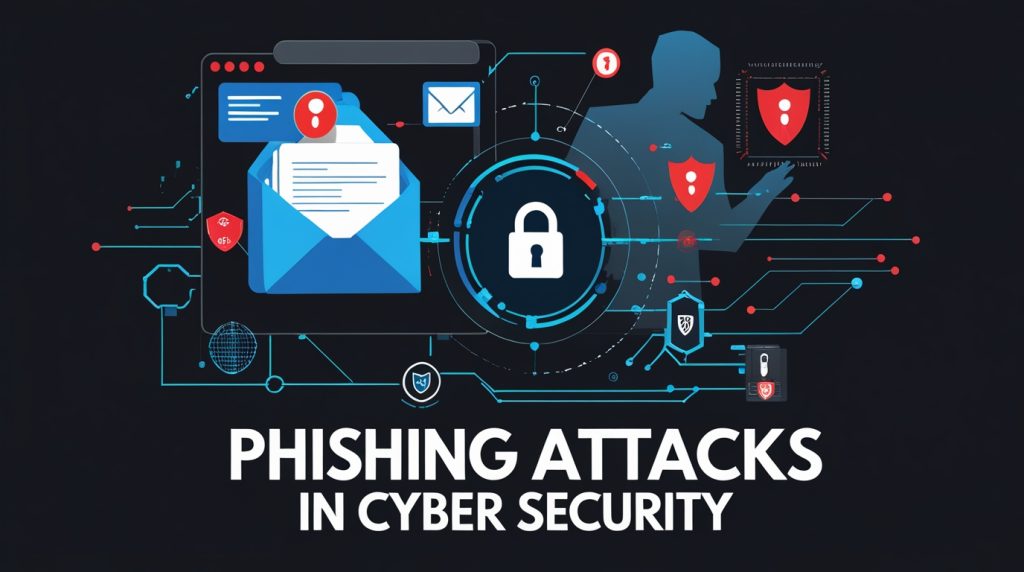
Phishing attacks are everywhere. Even with all the talk about cybersecurity and the latest protective tools, people and companies still fall for these scams every single day. Billions of dollars vanish, millions of accounts get compromised, and it just keeps happening. So, knowing what phishing looks like and how to stop it really isn’t optional anymore. It’s just part of living online.
This guide breaks down phishing from every angle: what it is, why it works, the tricks scammers use, and most importantly, how to spot and avoid it. Whether you’re just trying to protect your own inbox or you’re responsible for a whole company’s security, this knowledge can save you a world of trouble.
What exactly is phishing, anyway?
It’s pretty simple at its core. Someone pretends to be a trusted person or company maybe your bank, a coworker, or even your boss and tries to get you to hand over private info, click a shady link, or download something nasty. The name comes from “fishing,” because, well, attackers toss out bait and wait for a bite.
What’s sneaky is, phishing isn’t about breaking into computers through some genius hack. It’s about tricking people. Attackers use social engineering basically, manipulating your trust and your instincts. They craft emails or messages that look legit, often copying logos and writing styles, even faking sender addresses. All they want is for you to drop your guard and do something you shouldn’t.
How big is this problem?
Honestly, the numbers are staggering. Here’s what we’re dealing with:
- Over 3.4 billion phishing emails hit inboxes every day around the world.
- Ninety percent of all data breaches start with phishing.
- Each successful attack costs, on average, over $14,000.
- Phishing is behind more than a third of all cyber breaches.
- Eighty-three percent of organizations faced phishing attacks just last year.
- Depending on how well-crafted they are, about 10-20% of people will click a phishing link.
These aren’t just numbers. They mean real people losing their savings, companies getting hacked, and credentials being stolen. And the scary part? No matter how good our technology gets, it’s not enough. The human factor people staying alert and thinking twice remains the strongest defense.
So, how do these attacks actually work?
Let’s dig into the anatomy of phishing. The details change, but most attacks follow a familiar script and prey on the same instincts.
First up: the message.
Phishing usually starts with something in your inbox, a text, a social media DM, or even a phone call. It looks like it’s from someone you trust your bank, a major website, your company’s IT team, or a friend whose account got hijacked.
Attackers don’t just wing it. They go out of their way to make these messages look real. They copy logos, mimic the way real people write, fake email addresses, and drop in references to actual companies or events. Some even dig up personal info to make the message feel tailored just for you.
Here’s what most phishing messages have in common:
- The sender looks familiar or official.
- The formatting and branding seem professional.
- There’s a sense of urgency something bad will happen if you don’t act now.
- They ask for sensitive info or push you to act fast.
- The message includes links to fake websites that look almost identical to the real thing.
- Sometimes there’s an attachment loaded with malware.
- You’ll spot subtle typos in the domain name or sender’s address if you look closely.
The hook is always some call to action: click this link, download this file, reply with your password, call a number, or “verify” your account. That’s the trap. Once you take the bait, the attacker gets what they want.
why do so many people fall for it?
It comes down to psychology. Phishing works because it plays on human emotions, not computer bugs. Scammers know how to trigger the panic button in your brain.
They love urgency and fear. You’ve seen it: “Your account will be closed in 24 hours unless you act!” or “We’ve detected suspicious activity click here now!” When you’re scared or rushed, you stop thinking things through. That’s when mistakes happen. And that’s exactly what attackers are counting on.
Authority: When a message looks like it’s coming from someone in charge—your boss, the IT team, a government agency, or your bank it taps into that instinct to follow orders. If you get an email that seems to be from the CEO demanding urgent wire transfer details, it’s tough to just brush it off, even if something about it seems off.
Curiosity: Subject lines like “You’ve received a secure message” or “Package delivery failed” are bait for your curiosity. You want to know what’s going on, so you click the link to check. Attackers count on that urge curiosity usually beats caution.
Trust: When phishing emails look like they’re from someone you know or a company you trust, it’s easy to let your guard down. If your bank sends you emails all the time, spotting the difference between a real one and a fake gets tricky fast.
Types of Phishing Attacks
Phishing isn’t just spam anymore. Attackers keep coming up with new tricks, and each type has its own style and target. Knowing the difference helps you spot attacks, no matter how they’re disguised.
Email Phishing
Classic email phishing still leads the pack. Attackers blast out emails to thousands sometimes millions hoping a few people take the bait. These messages usually pretend to be from big names like PayPal, Amazon, Microsoft, or your bank.
It barely costs anything to send a ton of emails, so even if only a few people fall for it, the attackers win. If just one out of a thousand clicks the link and hands over their info, and the scammers emailed a million people, that’s a thousand accounts they’ve gotten into.
You’ll see things like:
- Fake password reset emails
- Phony shipping notifications from delivery companies
- Bogus alerts about your account being hacked
- Fake invoices or payment confirmations
- “You’ve won the lottery!” messages fishing for your details
- Tax refund emails pretending to be from the government
Spear Phishing
Now, spear phishing is a different animal. Instead of casting a wide net, these attackers pick specific people or companies and tailor their emails just for them. They dig up details from social media or company websites and use that info to make their messages seem legit sometimes eerily so.
A spear phishing email might mention a recent merger, a project you’re working on, or even pose as someone you actually know. That personal touch makes them way more convincing and way more dangerous than the usual random spam.
Spear Phishing Characteristics
- Messages feel like they’re written just for you think specific details about your job, your team, or even current projects.
- Hackers drop real names, actual events, or inside info to seem legit.
- They usually target people who have the keys to the kingdom anyone with access to valuable data or systems.
- Sometimes they don’t go in for the kill right away. They’ll send a few emails, build up some trust, and only then ask for what they want.
- These attacks work way better than normal shotgun style phishing.
- Companies see spear phishing used for things like corporate espionage and targeted data theft all the time.
Whaling
Whaling is just spear phishing, but the stakes are even higher. The targets? Big shots CEOs, founders, celebrities, or anyone with power and money. Attackers do their homework here, digging up anything they can to make their stories convincing.
Picture this: Someone pretends to be the company’s lawyer and urgently asks a top exec for a wire transfer. Or maybe a fake board member emails the CFO demanding sensitive financial info. These attacks stand out because they come loaded with authority and feel incredibly personal. That’s what makes them so dangerous.
Smishing (SMS Phishing)
Smishing swaps out email for text messages. It’s booming because everyone’s glued to their phone, and, honestly, people trust texts more than yet another email.
These texts usually look like they’re from your bank, a delivery company, or a tech brand. The message almost always comes with a link click it, and you land on a fake site built to steal your passwords, or you accidentally download malware right onto your phone.
Common Smishing Examples:
- “Your package couldn’t be delivered. Click here to reschedule.”
- “We spotted unusual activity on your account. Verify now at [fake link].”
- “Congratulations! You’ve won a prize. Claim it before it’s gone.”
- “Payment failed. Update your info immediately.”
Vishing (Voice Phishing)
Vishing is all about phone calls. Scammers call and pretend they’re from somewhere official maybe tech support, the IRS, the police, or your bank. That human voice? It adds a layer of trust that emails just can’t match. And if you hesitate, they’ll adjust their story right on the call.
They’re sneaky, too they spoof caller IDs so it looks like the call comes from a real company. Then they create a sense of panic: “Your account’s at risk! Act now!” They might ask for remote computer access, demand payment with gift cards or cryptocurrency, or even threaten you with arrest.
Vishing Tactics:
- Fake caller ID showing real company numbers
- Scripts about urgent account problems
- Requests for remote computer access to fix made-up issues
- Demands for payment via gift cards or crypto
- Scare tactics: threats of account closure, legal trouble, even arrest
Clone Phishing
Clone phishing is crafty. Attackers take a real email you’ve already received maybe about a meeting or a report then copy it, swap out the safe links or attachments for dangerous ones, and send it again. It looks almost identical to the original, so it’s easy to get fooled.
Imagine someone intercepts a meeting invite, copies the entire message, replaces the meeting link with a fake login page, and sends it back to you: “Here’s the updated link for today’s meeting.”
Angler Phishing
This one plays out on social media. Attackers set up fake customer service profiles that look just like the real deal Twitter, Facebook, wherever people complain about companies. When someone posts a problem, the fake account jumps in, offering help. Next thing you know, the victim’s following instructions from a scammer, clicking phishing links, or handing over personal info in a direct message.
Angler Phishing Process:
- Someone complains about a company on social media.
- A fake customer service account responds, offering help.
- The user, thinking it’s real, follows their instructions.
- The scammer grabs their info or login credentials.
Real-World Phishing Examples
Let’s look at how phishing actually plays out, because real stories show why these scams work even when people know the risks.
The Google and Facebook Scam
From 2013 to 2015, a guy from Lithuania pulled off a surprisingly basic scam and made off with over $100 million from Google and Facebook. Here’s what he did: he set up a company using the same name as a real Asian electronics supplier that both tech giants used. Then he emailed fake invoices to Google and Facebook employees.
These emails looked completely legit. They referenced real contracts, used convincing paperwork, and didn’t set off any alarms. Employees paid the invoices, no one double checked, and boom millions landed in the scammer’s accounts. What really made this work? People trusted familiar names and didn’t bother verifying payments.
Target’s Data Breach
Remember Target’s huge data breach in 2013? Hackers stole info from 40 million credit cards, and it all started with a single phishing email. Attackers sent a malicious email to workers at an HVAC contractor that handled some of Target’s systems. One employee clicked a bad attachment, and that gave the attackers a foothold on the contractor’s network.
From there, since the contractor had remote access to Target’s systems, the hackers jumped right in. They planted malware on checkout registers across Target stores and scooped up credit card data from millions of shoppers.
This one proves how a weak link outside your company like a vendor or contractor can take down the whole chain. Even if your own network’s locked down, someone else’s mistake can open the door.
COVID-19 Phishing Surge
Then there was the COVID-19 mess. Scammers went wild, using the chaos to launch wave after wave of phishing attacks. They sent out emails pretending to be from health organizations, government agencies, or employers, all loaded with urgent pandemic news.
Common COVID-19 Phishing Tricks:
- Fake CDC or WHO outbreak alerts
- Bogus vaccine sign ups or appointments
- Phony stimulus payment notifications
- Made-up “security updates” for remote work tools
- Scammy charity asks for pandemic relief
People were desperate for reliable information, so they trusted these messages more than usual. That urgency made everyone less careful, and scammers took full advantage.
How to Spot Phishing Attempts
Learning to sniff out phishing attempts helps you avoid falling for them. Attackers keep changing their methods, but you can still watch for some classic warning signs.
Look Closely at the Sender
Sometimes the sender’s email or phone number tells you all you need to know, but you have to pay attention. Scammers love to use addresses that look almost right just off by a letter or two.
Sender Red Flags:
- Misspelled domains (like support@amaz0n.com)
- Wrong endings (support@amazon.net instead of .com)
- Generic “official” addresses that don’t match the company
- Completely unrelated email addresses
- Free email services (Gmail, Yahoo) for work messages
- Display names that say one thing, but the actual address says another
Don’t just trust the display name. Hover your mouse over it (without clicking) to see the real email address hiding underneath. It might say “PayPal,” but the real address could be something like noreply@secure-verify-paypal-account-2024.ru. That’s a clear sign to delete and move on.
Analyze the Content
The message itself usually gives things away, even when scammers really try to cover their tracks. If you spot a generic greeting, weird wording, pushy language, or someone urgently demanding sensitive info, take a step back. That’s a red flag.
Here’s what you should watch out for:
- Greetings like “Dear Customer” instead of using your actual name
- Odd grammar or sentences that just feel off
- Messages that try to rush you, like “respond in the next hour”
- Requests for passwords, Social Security numbers, or banking details
- Threats about closing your account or taking legal action
- Offers that sound way too good to be true
- Attachments or links that show up out of nowhere
Real companies almost never ask for sensitive info through email, and they won’t threaten to shut down your account suddenly without plenty of warning and a clear reason.
Inspect Links Before Clicking
Now, about those links scammers love including them. They’ll try to trick you into handing over your credentials on a fake website. Before you click anything, make sure the link really goes where it says it does.
Here’s how to check:
- Hover your mouse over the link to see the real URL before you click
- Spot misspellings or weird looking domain names
- Watch out for shortened links that hide the real destination
- Make sure the URL starts with “https” and shows a padlock (but remember, that’s not a guarantee)
- If you’re not sure, type the address yourself instead of clicking
Phishing sites often use URLs that look almost right like paypa1.com, microsoft security.com, or amazom.com. When you’re in a hurry, these small differences are easy to miss.
Question Unexpected Requests
If you get a message asking for something unusual, don’t just do it even if it looks like it’s from your boss or a friend. Double-check first.
Here’s how to make sure it’s legit:
- Reach out to the company using their official phone number or website
- Don’t trust the contact info inside the suspicious message
- If it’s a work request, confirm it through a different communication channel
- Check the company’s official site for any security alerts
- When you’re stumped, ask your IT or security team to take a look
Spotting phishing isn’t enough on its own. You need layers of protection to lower your chances of getting caught and to limit any damage if something slips through.
Protecting Yourself and Your Organization
A few good tools can block most phishing attempts before you even see them, and they’ll soften the blow if you do click something you shouldn’t.
Here’s what you need:
- Email filters: Good spam filters keep most phishing messages out of your inbox
- Antivirus software: Catches malware from sketchy attachments
- Web filters: Block access to known phishing sites
- Two-factor authentication: Even if a hacker steals your password, they can’t get in without that second code from your phone or security key
- Password managers: Create strong, unique passwords and warn you about fake login pages
- Security updates: Close loopholes that phishing attacks try to exploit
- DNS filtering: Stops malicious domains before you can visit them
Pay extra attention to two-factor authentication. It’s a lifesaver. Even if someone grabs your password, they still can’t log in without that second step, which usually means your phone or a special device only you have.
Behavioral Best Practices
Behavior matters more than any tool when it comes to stopping phishing. Sure, technology helps, but your own habits are what really protect you.
Safe habits? Here’s what works:
- Don’t click on links or open attachments from emails you weren’t expecting.
- When you need to visit a site, type the URL yourself don’t just click the link in the email.
- Double-check requests by reaching out through a separate channel, not just replying to the email.
- Pause before sharing anything about yourself on social media.
- Treat urgent or threatening messages with suspicion.
- Use a different password for every account.
- Check your account activity now and then to catch anything weird early.
- If something looks off, report it to IT or the company being impersonated.
Organizational Measures
Organizations aren’t immune if anything, they’re prime targets, since attackers see employees as the way in. To keep the company safe, it takes more than just firewalls and filters. People play a huge role.
What should companies do?
- Train everyone regularly on security awareness.
- Run fake phishing tests to keep people sharp.
- Make it easy and clear how to report dodgy messages.
- Set up strict procedures to double check any financial or sensitive requests.
- Separate different parts of the network, so if something gets in, it can’t go everywhere.
- Have a plan ready for when something goes wrong because sometimes it will.
- Get pros to run security audits and penetration tests regularly.
Training makes all the difference. When people know what to watch for and how to report it, they go from being the weakest link to the strongest defense.
What to Do If You’ve Been Phished
If you get phished, don’t panic just move fast. Acting quickly can stop things from getting worse.
Here’s what to do right away:
- Change your passwords, and use a device you know is safe.
- Turn on two-factor authentication if you haven’t already.
- If you gave away banking info, call your bank or credit card company fast.
- Run a malware scan with updated security software.
- Keep an eye on your accounts for anything odd.
- Report the attack to the right people authorities, your company, whoever needs to know.
- Let your contacts know if your email or social media got compromised, so they don’t get caught too.
- Write down everything that happened; you might need it for legal or insurance reasons.
The sooner you react, the less damage you’ll face. Changing passwords right away can stop attackers before they even log in.
The Future of Phishing
Phishing just keeps getting smarter. As hackers change up their tricks and security teams work to keep pace, the whole thing is turning into a high stakes chess match. Lately, artificial intelligence has thrown fuel on the fire. Now, anyone with the right tools can whip up emails that look like they’re written just for you, crank out deepfake audio or video for voice scams, and switch up their tactics on the fly. Stuff that used to take serious know how is suddenly much easier for even amateur scammers.
But it’s not all bad news. AI is also helping the good guys. Security teams are using it to spot weird patterns, flag suspicious messages, and share threat intel automatically. It’s an arms race, and honestly, things are just heating up.
There’s another twist: phishing isn’t just about sketchy emails anymore. As people move to chat apps and work tools like Slack, Teams, and Discord, hackers are right behind them. Wherever you go to talk, you can bet a scammer is already looking for a way in.
Conclusion: Stay Sharp
Phishing works because it messes with people, not computers. No piece of software can block every trick, since the real target is human trust. That’s why paying attention actually stopping to think before you click or reply is your best defense.
If you know how phishing works, what to look for, and how to double check anything that feels off, you’re way ahead. Mix that awareness with smart security habits and tools, and you make life a lot harder for scammers.
So next time you get a weird email, text, or call, remember: it could be a phishing attempt. Will you spot it? With what you’ve learned here, you’re ready to say yes and keep yourself (and your info) safe out there.
Explore Our Cybersecurity Category