We love to imagine hackers as mysterious figures, hunched over keyboards in pitch-black rooms, hammering out cryptic code to smash through digital defenses. But real cybercriminals? They’re way more subtle and honestly, more dangerous. Most of them aren’t even interested in the technical stuff. They’re master manipulators, running complex mind games. Their main target isn’t some fancy firewall; it’s your trust.
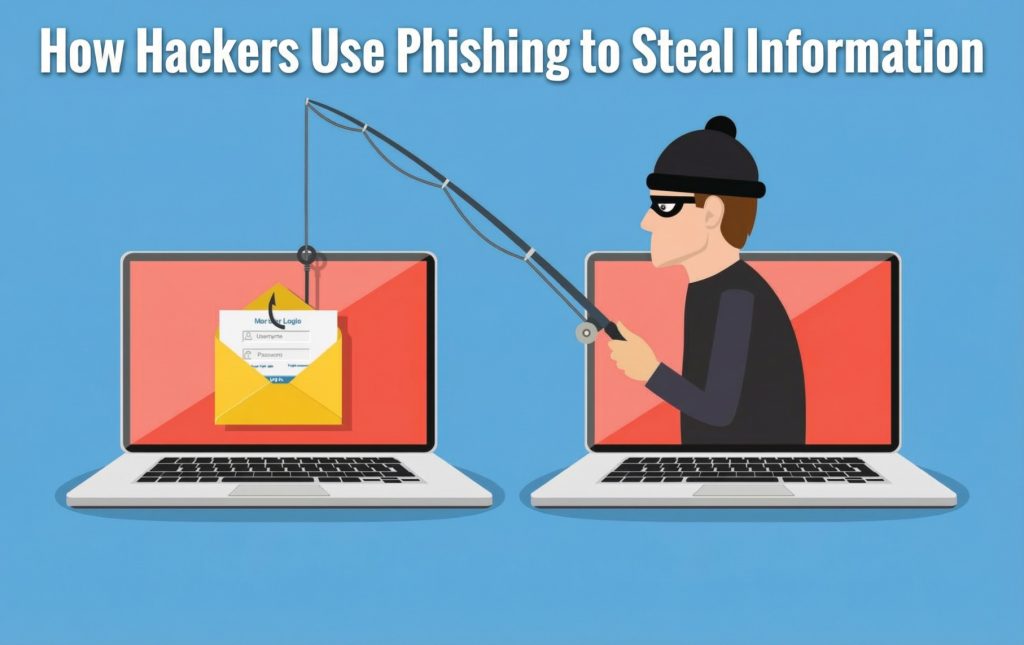
Their favorite trick? Phishing. Not some clumsy tool, but a precision instrument. If you still think phishing is all about those clunky “Nigerian prince” emails, you’re missing the point. This is a slick, billion dollar business constantly evolving and always a step ahead. Let’s take a closer look at how these hackers actually use phishing to snag information, from the big, messy scams to the perfectly tailored attacks that feel almost personal.
Part 1: Deconstructing the Illusion – What Phishing Really Is
At its core, phishing is just social engineering dressed up for the digital age. It’s a performance—a con, really—playing out in your inbox, your text messages, and all over your social media. The phisher crafts a story that feels real enough to make you drop your guard, then waits for you to hand over something valuable. That could be passwords, company secrets, your money, or even direct access to your systems.
Picture it: A bank robber could smash their way through a vault (that’s your typical cyberattack), or they could show up in a security guard’s uniform, tell a convincing story, and walk right out with the keys. Phishing is all about the disguise and the con.
So, what are these folks actually after? Usually, it’s one (or more) of these:
- Credential Harvesting. The classic. Usernames and passwords for email, banking, social media or, if you work in a company, access to VPNs, Microsoft 365, Salesforce, and all those business tools.
- Financial Theft. Straight-up stealing cash fake wire transfers, stolen credit card info, raided bank accounts.
- Identity Theft. They’re after your personal info: Social Security numbers, birth dates, home addresses, your mom’s maiden name. With enough details, they can pretend to be you and pull off more scams.
- Malware Deployment. They trick you into installing something nasty a keylogger to watch what you type, ransomware to lock you out, or hidden tools to spy on everything you do.
- Lateral Movement. This is where things get sneaky. Once they’re in, hackers poke around, looking for juicier targets in the company like the finance team or R&D.
Part 2: The Hacker’s Production Studio – Anatomy of a Modern Phishing Campaign
Whether it’s a massive spam blast or a laser focused attack on a CEO, most phishing campaigns follow the same basic playbook. Once you see how it works, you can spot the cracks and that’s where you can protect yourself.
Stage 1: Pre-Production – Recon & Weapon Design
This is the slow build-up nobody notices until it’s too late.
- Intelligence Gathering:
- For Big, Broad Attacks: Phishers snap up huge email lists from sketchy corners of the internet usually stolen in old data breaches. Then they hunt for patterns: Who uses which bank? Who shops where? Which software crops up the most?
- For Spear Phishing (the targeted stuff): Here’s where things get creepy. Hackers go full detective, scouring LinkedIn to map company org charts. They lurk in public Slack channels, grab conference attendee lists, read press releases, and stalk executives on Twitter and Instagram. That tweet “Heading to Vegas for a tech conference next week!” is a gift. It tells them exactly when someone’s distracted and out of the office.
- Weapon Selection & Crafting:
- The Lure: Attackers start by picking a story that makes sense for their target. If they’re going after a bunch of people, they’ll use something everyone might fall for like a fake Amazon delivery issue or a warning about a Netflix payment problem. But when they want to hit a specific company, they get creative. It could be a fake memo that looks like it’s from HR about new policies, a bogus invoice from a real vendor the company actually works with, or even a reply to a real email thread, just to make everything feel legit.
- The Bait: This is where the danger really kicks in.
- The Link: Usually, this means sending someone to a fake login page. The attacker builds this page by copying the look and feel HTML, CSS, images from the real thing. The site address will look convincing too, like “microsoft office auth.com” or “secure apple.verify info.com.” Sometimes, they even swap out letters for similar-looking ones from other alphabets to trick you at a glance.
- The attachment looks innocent enough maybe it’s a PDF, a Word file, or an Excel sheet. You’ll see names like “Q4 Financial Report_DRAFT.docx” or “Employee Benefits Update.pdf.” But hidden inside, there’s often malware tucked away in macros, just waiting for you to hit “Enable Content.” Sometimes, it slips in through a software flaw that hasn’t been fixed yet.
Stage 2: The Performance – Delivery and Illusion
Here’s where things get real. Modern phishing isn’t about clumsy emails from a sketchy address anymore it’s all about realism.
Spoofing and Impersonation: Hackers don’t just blast messages from some random Gmail. They spoof the “From:” field so it looks exactly like support@paypal.com or CEO.FirstName@YourCompany.com. Sometimes, they’ll even hijack a real email account maybe a small vendor with weak security and send the phishing note straight from there. That’s a nightmare for filters. It looks legit. It is legit, in a way.
The Psychological Trigger: Every phishing email is designed to spark an emotion and rush you into action.
- Fear and Urgency: “Your account will be suspended in 2 hours!” or “We detected a strange login from another country!” Panic overrides common sense.
- Curiosity and Greed: “You have an unclaimed tax refund.” “Congrats, you’ve been chosen for an exclusive beta test.” Or just, “Can you look at this document?” (which, of course, is packed with malware).
- Authority and Social Proof: A message from “IT Security” demanding a password change. A text from “HR” about a new policy. Or something from a colleague about a real project you’re working on.
Multi-Channel Attacks: Now, phishers double down. You’ll get a phishing email from “your bank,” and then, ten minutes later, your phone rings. It’s someone claiming to be from the bank’s fraud department, “just following up on the alert we sent.” Suddenly, the whole thing feels real. The scammer now has you looking over your shoulder.
Stage 3: The Payoff – Exploitation and Monetization
This is the moment. You take the bait, and the trap snaps shut.
- The Credential Harvest: You click the link applemusic verify[.]com, maybe and up pops a flawless Apple login page. You enter your details. Instantly, those credentials shoot off to some server halfway across the world. To make things weirder, you’re redirected right to Apple’s real website and logged in like nothing ever happened. You don’t even know you’ve been hit.
- The Malware Execution: You open that attached “Invoice.zip” file. Inside is a JavaScript file disguised as a PDF. You run it now you’ve got info-stealer malware like RedLine or Vidar rooting through your computer, grabbing saved passwords, crypto wallets, browser cookies, you name it. All that data is gone before you can react.
- The Business Email Compromise (BEC): This is the big leagues. Sometimes the phisher spends weeks hiding out in a compromised mailbox first, learning the patterns. Then, using the CEO’s spoofed address, the scammer emails finance: “Hi Sam, I need you to process a confidential payment for an acquisition. It’s urgent. Please wire $485,000 to this account today. I’m tied up in meetings, just email me once it’s sent.” The message sounds normal. The context fits. No red flags.
Stage 4: The Exit – Cash Out and Evasion
Now it’s all about making the money and slipping away.
- The Funnel: Stolen credentials go into bots that hammer away at bank, crypto, and email accounts draining them if they can. Any logins that don’t pay off fast get bundled up and sold in bulk on the dark web 10,000 Bank of America accounts at a time.
- The Clean-Up: Those fake login pages and throwaway email accounts don’t last long just 12 to 48 hours before they vanish. It’s a moving target. By the time anyone catches on, the hackers have already packed up and moved on to the next scheme.
Part 3: The Phisher’s Evolving Toolkit – Beyond the Generic Email
To really defend ourselves, we need to know what we’re up against. The threats go way beyond those old, generic spam emails.
- Spear Phishing & Whaling: This is where things get personal—and dangerous. Instead of casting a wide net, attackers pick a specific person or a small group. Whaling is even more targeted, going straight for the big fish: CEOs or other top execs. The criminals do their homework. They know your schedule, your contacts, your business. Here’s how it plays out: Hackers break into a mid-level associate’s email at a law firm. They read messages for weeks, learning everything about a sensitive merger. Then, they strike. The managing partner gets an email: “Per our call with [Merging Company’s CFO] this morning, attached are the revised, final versions of the closing documents for your review before the 5 PM signing.” Those “documents” are actually malware, ready to steal every confidential detail about the deal.
- Clone Phishing: Devious and subtle. The attacker grabs a real email you’ve already received maybe a shipping update, a project note from a coworker, or a newsletter. They make a perfect copy, but swap the safe link or file for something malicious. It hits your inbox with a subject like “Re: [Original Subject]” or “Updated: [Original Subject].” It looks familiar. You click, thinking it’s safe. That’s when they get you.
- Smishing (SMS Phishing): Phishers move to text messages because people trust them more and react quickly. You might get something like: “[USPS]: Your package is on hold due to an incomplete address. Please confirm delivery here: [malicious link]” or “[BankName] Alert: A $1,250.00 charge at Walmart.com is pending. Not you? Call now: 1-800-[fake number].” That “support” number? It connects straight to the scammer’s call center.
- Vishing (Voice Phishing): Some attacks come over the phone, often working alongside other scams. Picture this: Someone calls, says they’re from “Microsoft Windows Security Center,” and claims your computer is sending error messages. They sound convincing, toss around tech jargon, and walk you through downloading their “fix” which is really malware or ransomware. Suddenly, your files are locked or stolen.
- Search Engine Phishing / Malvertising: Not all traps land in your inbox. Hackers set up fake websites for popular stuff tax software, concert tickets, that sort of thing and use tricks to push these sites to the top of Google. Sometimes they even pay for ads. You think you’re downloading Adobe Reader or TurboTax, but it’s actually a virus in disguise.
- QR Code Phishing (“Quishing”): This one’s clever. Security on phones isn’t as obvious as on computers. A phishing email drops a QR code with a message like “Scan to update your multi-factor authentication settings” or “Scan to view the secure document.” You scan it, thinking it’s routine, but your phone opens a site controlled by the attacker. Just like that, you’re exposed.
The bottom line? Phishers keep evolving. Their tricks get smarter, more convincing, and way more personal. If you don’t pay attention, it’s easy to fall for the bait.
Part 4: Building an Impenetrable Human Firewall – Defense in Depth
You can’t beat phishing with just one trick. It takes layers: smart tech, clear policies, and people who know what to look for.
For Individuals: Habits That Make You Unphishable
1. Start with Zero Trust.
Treat every unexpected message like it’s out to get you, unless you can prove otherwise. Always verify before you trust.
2. Get good at inspecting the details:
- Links: Always hover before clicking. Check where that link really leads. Is it amazon.com, or is it amazon security account.com? That little difference matters.
- Email addresses: Don’t trust the display name. Hit “reply” and look at the real address. Watch for sneaky spelling mistakes.
- Grammar and tone: Even slick phishing emails slip up. Does the message sound odd for this sender? Too stiff, or strangely chatty? Trust your gut.
3. Use Password Managers and Multi-Factor Authentication (MFA):
- A password manager won’t autofill on a fake site. If your credentials don’t show up, something’s off.
- MFA isn’t optional. Go for an authenticator app (like Authy or Google Authenticator) or a hardware key (like Yubikey). Avoid SMS codes—they’re way too easy to hijack. And if you ever get a random MFA push on your phone, don’t just approve it. That’s a giant red flag: someone has your password and they’re trying to get in.
- Always verify through official channels. If “IT” calls about a virus, hang up and call the real IT number from your company’s website. If “your boss” emails you about wiring money, call or talk to them in person. Don’t just reply.
For Organizations: Building a Real Security Culture
1. Technical Controls – The Automated Net:
- Advanced email security: Go beyond basic spam filters. Use tools that check sender behavior, domain age, and link reputation, all in real time.
- DNS security (DMARC, DKIM, SPF): Turn these on to make it tough for criminals to fake your company’s domain.
- Web and DNS filtering: Block access to sketchy or newly created sites.
- Endpoint Detection and Response (EDR): Put software on every company device that can spot and stop weird activity like a fishy macro running or someone sneaking out data.
2. Human Controls – The Last Line of Defense:
- Ongoing, engaging security training: Forget the once a year, snooze worthy videos. Use short lessons, games, and regular phishing simulations. When people fall for the fake emails, give them quick, helpful feedback.
- Make reporting easy: Give employees a big, obvious “Report Phish” button in their inbox. Celebrate the people who use it. They’re your early warning system.
- Least privilege and segmentation: Only give people access to what they need. If one account gets hacked, this keeps the damage small.
- Strict financial controls: Always require a second signature or a separate call for wire transfers or payment changes. No exceptions.
Conclusion: The Vigil Never Ends
Phishing is a cat-and-mouse game between human curiosity and criminal creativity. It’s not going away, because it works. It just keeps evolving. The “Nigerian prince” didn’t disappear he learned better tricks, mastered business lingo, and now runs high-end scams.
You can’t defend against phishing once and call it done. Staying safe means staying skeptical, always. The more you understand how these attackers operate how they stalk LinkedIn, how they cash out on the dark web the less mysterious they seem. They’re not magicians. They’re patient, stubborn, and looking for easy mistakes.
So be the sharp eyed critic who spots the plot holes. Be the security guard who doesn’t just trust the uniform. And if something in your inbox seems too urgent, too perfect, or just a little weird take a step back. Odds are, there’s a hidden hook waiting for you.
Explore Our Cybersecurity Category