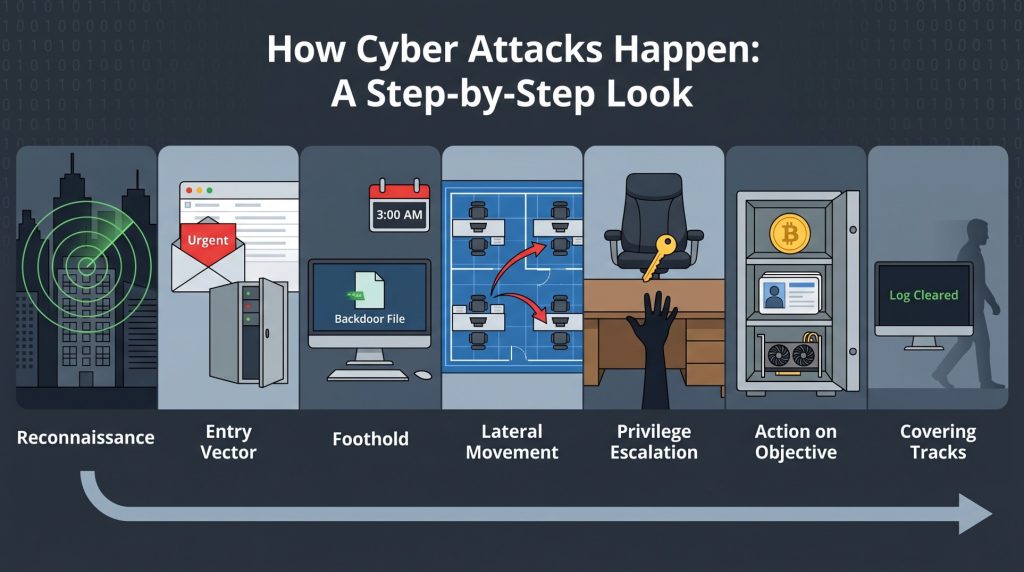
We hear about cyberattacks all the time: hospitals locked out of systems, social media leaks with millions of stolen emails, small businesses losing funds. Yet, for many, the nuts and bolts of it remain mysterious. You go to your device one minute, and everything seems fine. Then suddenly, the next moment you see a ransom note or notice weird charges on your card.
It actually comes down to more than fancy tech tricks; it involves human behavior, tiny missed details, and straightforward strategies. Hackers aren’t always super smart guys in hoodies using crazy complex methods. Frequently, they are simply patient and crafty, waiting for someone to let their guard down with a simple thing like a basic password, outdated software, or a person falling for a fake link in an email.
Let’s reveal what’s really going on. I’ll lay out how most attacks work, right from when hackers first snoop around to when they pull off their final hit.
Phase 1: The Reconnaissance—Learning Your Digital Layout

Before striking, attackers always spy around first. It’s like a thief checking out a neighborhood, tapping on car windows and seeing what they can notice at night. Maybe an alarm sticker, maybe nothing. This peeking in the digital world is called reconnaissance, or “recon” for short.
Hackers employ both quiet watching and more noticeable tricks during this phase.
- Passive recon involves gathering info without ever directly touching your systems. They could be scraping your company’s LinkedIn for employee names—handy for guessing passwords. Maybe they’re looking up domain registration details or checking public social media for pics of office whiteboards and computer screens.
- Active recon is different—it involves sending probes to your network. For example, tools like Nmap (Network Mapper) quietly scan IPs to see which ports are open. If Port 22 is open, that means SSH (remote access) is there. An open port 443 signals a web server, possibly full of vulnerabilities.
An attacker gets a “Support” email address from a company website. Now they have a contact point and know the email server provider too (from the email headers). This info is enough to plan a targeted phishing attack—so they do.
Phase 2: The Entry Vector—Choosing the Door
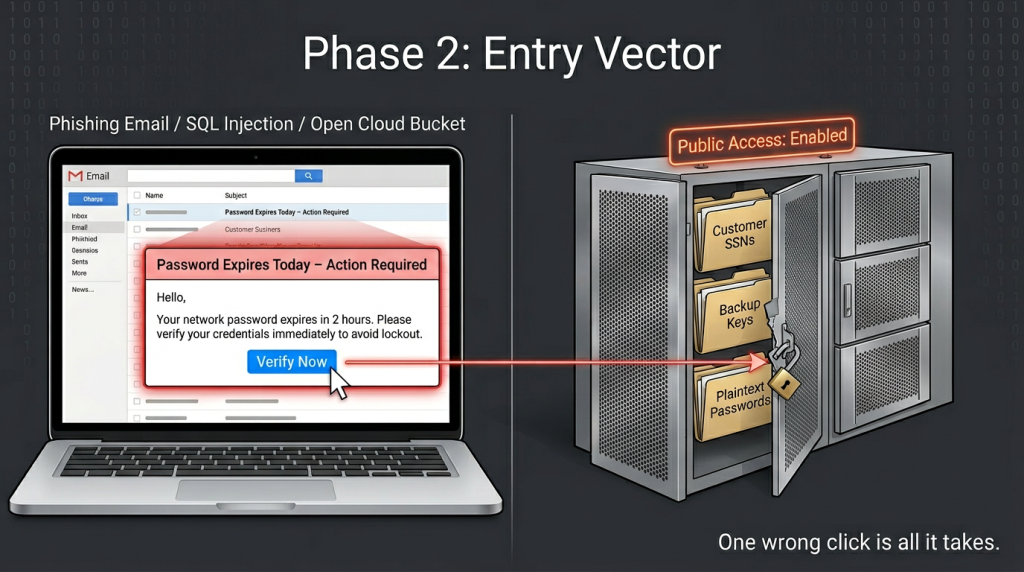
After figuring out the layout, an attacker picks a door to enter. There are heaps of ways to do this, yet almost all fit into social engineering, software weaknesses, or configuration mistakes.
Social engineering—targeting people, not firewalls—leads to most attacks. Over 70% begin this way. Methods include phishing, smishing (that’s SMS phishing), and vishing (or voice calls).
- Phishing email: You get an urgent email from “IT Support” saying your password expired. It tells you to click a link for a new password. But it leads to a phony login page that mimics Outlook or Gmail. If you enter your details there, you’re really just giving them to the hacker.
- Pretexting: Then, someone calls claiming to be from the bank’s fraud department. They’ve got part of your account number and pretend they need you to verify the rest. Of course, giving them the digits gets you robbed, not verified.
Software Vulnerabilities (The Code Flaw)
Software isn’t flawless. Hackers love zero-day vulnerabilities, which are basically unknown flaws, but even known bugs often go unfixed.
- SQL Injection: In a website search box, instead of asking for “blue shoes,” a hacker could input a database command that makes the server spill out way more than it should—like user info, passwords, and credit card details.
- Buffer Overflow: There’s complexity here, but imagine overflowing a glass. This excess data writes over nearby areas, enabling the hacker to execute their code.
Misconfigurations (The Open Window)
This is super common. A developer makes a cloud storage bucket, like AWS S3, public for testing and just forgets to secure it afterwards. Hackers constantly look for these open buckets. They’ve even found whole databases of customer records this way.
Radio analogy: Think about a store keeping their walkie-talkies on the same channel as the police scanner, but with the volume muted. The hacker can just listen in on all the conversations—figuring out sales stats, seeing inside quarrels, learning customer locations, without picking any locks at all.Phase 3: The Foothold—Establishing a Presence
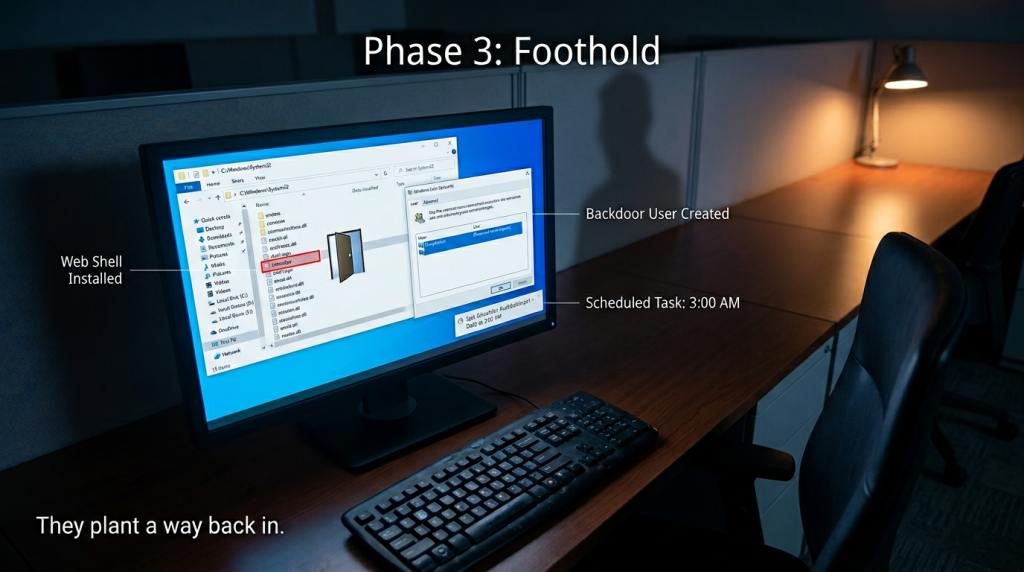
Getting in is just the start. Staying hidden while you remain inside is next. After breaking in, attackers set up a way to stick around. It’s like having a secret rope ladder; they can get back in even if their entry method is found out.
Some popular tricks for this are:
- Web Shells: A hacker uploads a tiny, malicious script to a web server. They can then browse to it to run system commands, upload additional tools, or erase logs.
- Backdoor User Account: Next, they make a new user account on the hacked system—something harmless-sounding like “tempadmin” or “service_account_02” for a clean login.
- Scheduled Tasks: The hacker sets up a script to run every night at 3 AM. This way, even if they disconnect, the malware will reinstall itself automatically.
Practical example: A phishing attack lets hackers take over a receptionist's computer. They quickly install a remote admin tool using a script. In no time, they control the PC from somewhere else – like a cafe across town. The hackers move files and log keystrokes as if they're right there at the desk.Phase 4: Lateral Movement—The Inside Hunt
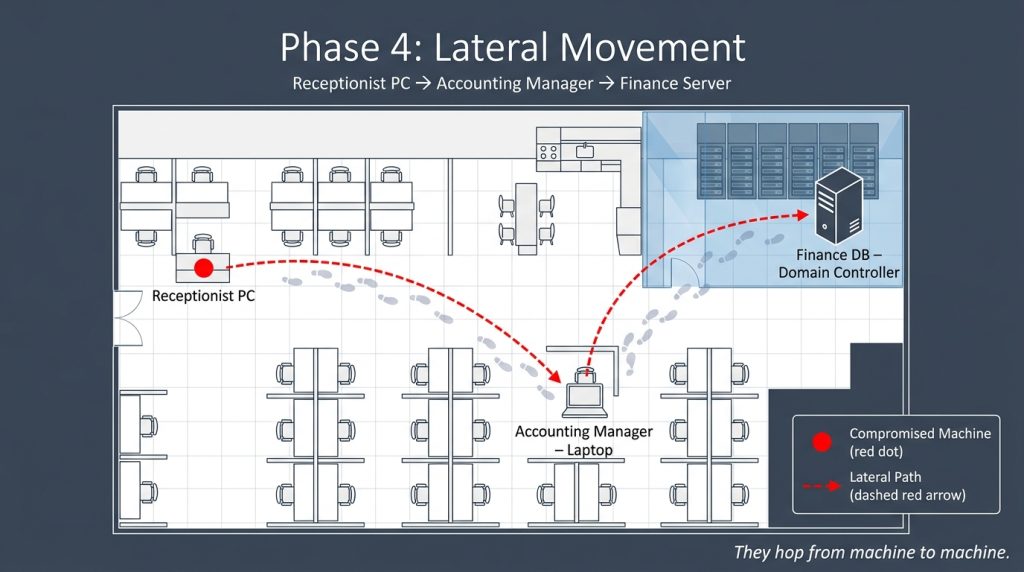
This is where the damage ramps up. The receptionist’s PC may be seen as low-value, but it’s just the starting point. Hackers aim for bigger prizes like the finance server, customer database, or domain controller—that’s the master key to the whole network.
Hackers use stolen credentials to hop from one machine to another.
- Pass the Hash: They don’t try to crack your password; instead, they steal the cryptographic hash from memory and use it for authentication on other systems. No need to know the actual password this way.
- Internal Phishing: The bad guys then send a phishy email from the hacked receptionist account to accounting. Since it appears to come internally, the accounting manager trusts it completely.
- Exploiting Trust: Many internal networks trust devices automatically. So, a hacker could easily look for outdated printers or file servers that haven’t seen an update in ages while moving around inside.
It’s like a bank heist. The hacker didn’t destroy the vault; instead, they bribed the janitor—phishing for his keycard. With that, they walked into the break room for a foothold, moved through the employee corridor to the counting room, and never set off any alarms. They did it by using legitimate access, so it looked official.
Phase 5: Privilege Escalation—Becoming the Admin
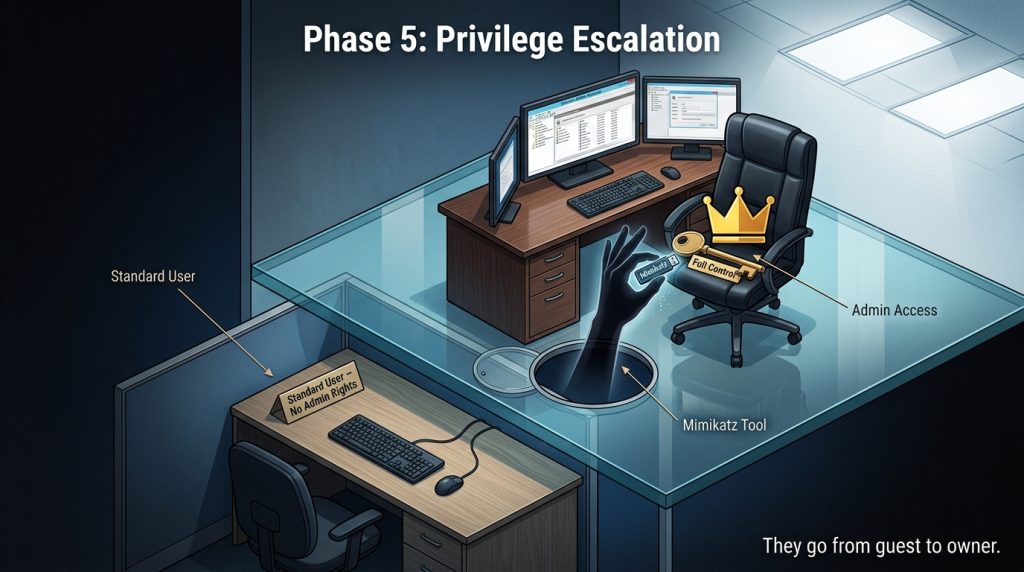
By now, the hacker can access five regular user accounts. That still isn’t enough to shut down antivirus or logging, though. They really need admin or root access.
So how do they manage that?
- Dangling credentials: An admin left a script on a shared drive that includes their password in plain text. A hacker finds it in ten seconds.
- Kernel exploits: They use tools to exploit flaws in the operating system, gaining full control right away. For example, Mimikatz grabs plain text passwords straight from Windows memory.
- Abusing services: If antivirus or backup software has high privileges, hackers can make those services run their custom code.
With admin rights, they win. Logging can be disabled, evidence deleted, and endpoint detections turned off.
Phase 6: The Action on Objective—Why They Came
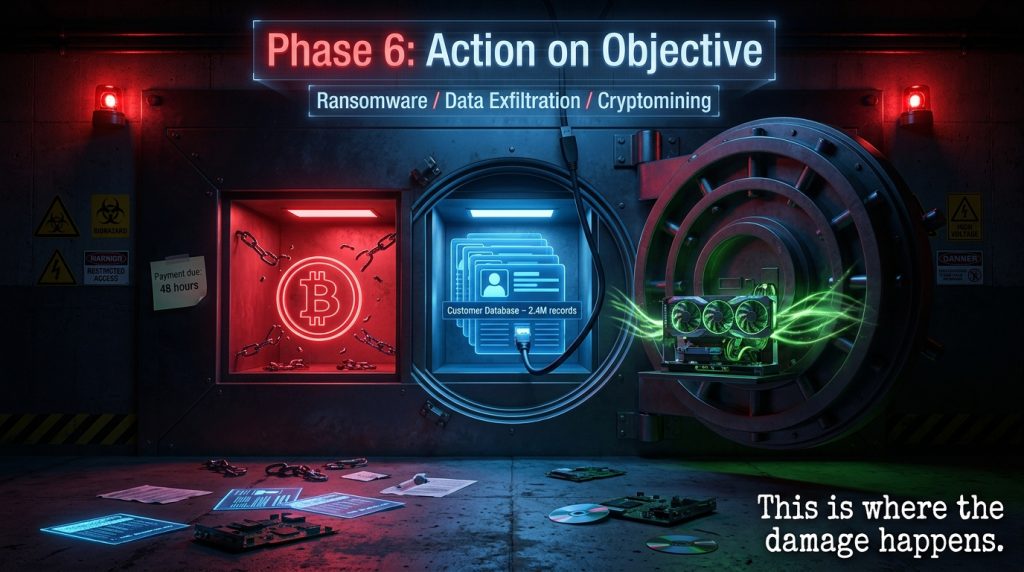
The real deal. The attack only gets noticed by the victim at the end—but usually after it’s too late.
Here’s how success looks for various attackers:
- Ransomware gangs: They use encryption software on all drives and backups, then pop up a demand for Bitcoin. By then, they’ve already taken your sensitive data to extort you more—pay up or we’ll leak your files.
- Data Thieves: They move slowly too, downloading your entire customer database over a few days. To not raise alarms, they hide the upload traffic by tying it to regular backup times.
- Cryptominers: Next, they hook up crypto-mining software using your servers’ CPU power. You’ll see higher bills and slower performance, yet no instant data loss.
- Nation-state actors: Sometimes, they make tiny changes. Like tweaking an update’s code or leaving a “logic bomb” timer to tick for months, maybe even years, before going off.
Practical example: In 2021, Colonial Pipeline got hit by an attack that started from a simple compromised password on a VPN without multi-factor authentication. Even though the account lacked admin rights, the hackers navigated around, located the billing system, and installed ransomware. As a result, critical fuel services stopped, not due to some big cyber assault but because of that weak password.
Phase 7: Covering Tracks—The Cleanup
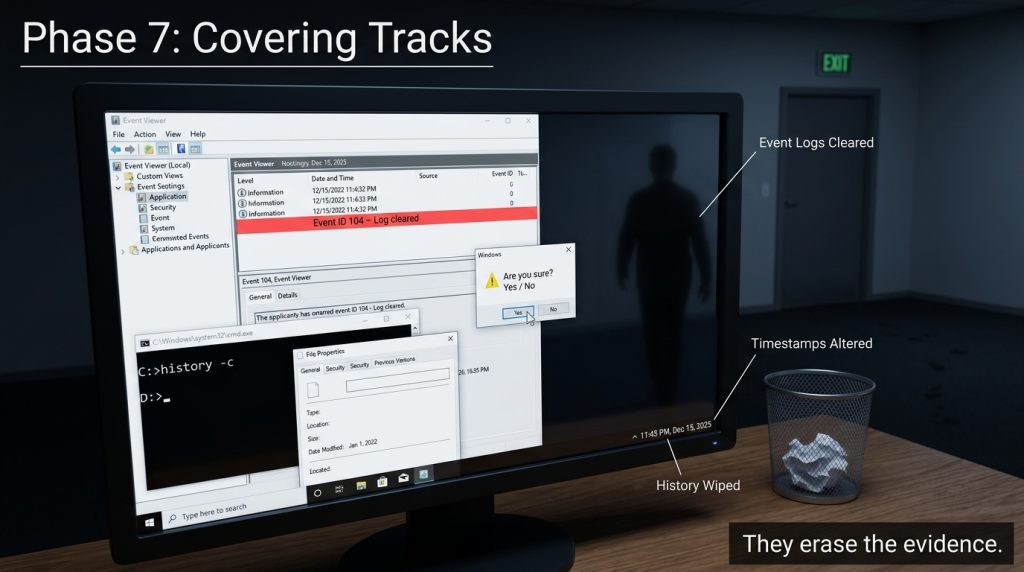
Professional hackers don’t leave a business card. After achieving their objective, they systematically erase evidence.
- Clearing logs: They delete event logs from Windows Event Viewer or flush Linux shell history.
- Uninstalling tools: That remote administration tool gets removed.
- Timestomping: Hackers can change file modification dates to make them seem months old and hide malicious files among normal ones.
- Deleting command history: PowerShell and Bash keep history files, which some hackers erase entirely or just wipe specific lines from.
When done carefully, victims might not catch on for six to nine months—this is how long it typically takes for many mid-sized companies to detect such breaches.
Why This Matters to You (Practical Takeaways)
This isn’t meant to freak you out and make you ditch the internet. Still, knowing how things work shows you where the vulnerabilities lie.
For individuals:
- That crucial email saying your Netflix account will expire? Don’t click the link. Just go straight to the site using a bookmark.
- Using a password manager helps a ton. When all your passwords are random strings, hackers can’t easily guess them.
- Turn on 2FA everywhere you can. It blocks about 99% of robot attacks with just that text code.
For businesses:
- Don’t settle for annual phishing training; send monthly fake tests instead. Learning happens when people make safe mistakes and then get corrected.
- Also, segment your network. The receptionist’s computer shouldn’t ping the finance server. Consider every device a possible threat.
- Lastly, keep patching systems. Most breaches use old vulnerability bugs with existing fixes.
Final Thought
Cyber attacks occur due to convenience. It’s easier to reuse passwords than create new ones. Update reminders get ignored because it’s quicker that way. Skimping on a security audit can save money too. Hackers often exploit ease, not just tech weaknesses. So, close simple entry points, and they’ll likely look for simpler targets.
Explore Our Cybersecurity Category

