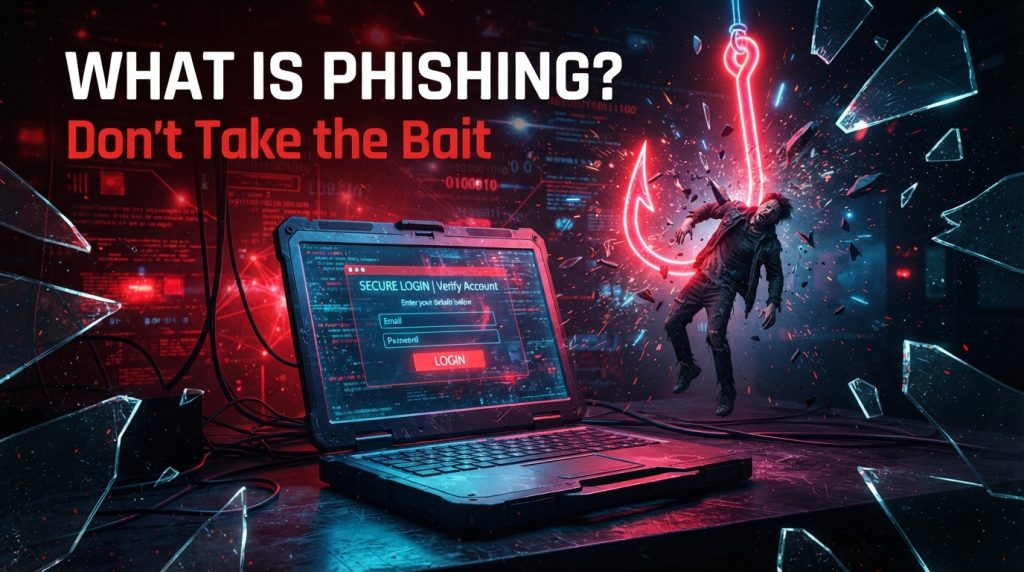
Let’s say you receive an email from your bank that threatens to lock down your account unless you click on a provided link and verify your credentials immediately. You panic, follow the instructions, type in your password, and… bang. Congratulations! You just gave the criminal access to your bank login credentials! This is how phishing works.
Phishing is a technique used by cyber criminals who pose as trustworthy entities to deceive you into sharing your personal data such as usernames, passwords, and even credit card information. This practice does not involve hacking into computers by writing some sort of malicious code.
Why Does Phishing Work So Well?
Phishing works due to emotional manipulation of people. The phishers know exactly what buttons to press. Think about it. If someone informs you that your account will be closed within a minute, the first thing you will think of is trying to solve the issue, not doubting the legitimacy of the message.
Common emotional triggers used in phishing:
- Fear: “Your account has been compromised!”
- Urgency: “Take action within 24 hours or risk losing access!”
- Curiosity: “An unauthorized person tried to log into your account using an unknown device.”
- Greed: “You have won a gift card!”
- Authority: “This is your CEO. Transfer the money now!”
Such techniques are so effective that an alarming 76 percent of all security breaches are a result of human error. Moreover, during the first quarter of 2025 alone, security specialists identified more than one million phishing attempts. This is not a minor issue. It is widespread.
How Phishing Actually Works?
Let me walk you through a typical phishing attack so you can see exactly what happens behind the scenes.
Step 1: The Attacker Does Their Homework
A criminal selects a victim. It may be millions of people who receive typical spam mail or just one individual from the organization they have selected as the target. In case it is targeted, the hacker can study the individual on LinkedIn or social networks in order to make it sound authentic.
Step 2: They Make an Attractive Offer
The attacker creates a seemingly legitimate offer. He duplicates the logo, makes up a similar email address, and writes in an official manner. All these messages have something in common: a reason to take immediate action.
Step 3: You Bite the Hook
The victim clicks the link from the mail. Instead of visiting the actual website of the bank, he visits its imitation and enters the credentials there. Now the attacker owns his login and password. Alternatively, you could have an attachment sent to your computer, and it would look like an invoice, but it is malware and it would install itself onto your computer and begin to steal files or lock you up for a ransom.
Step 4: It’s All Over
The scammer has what they were after. Your bank account could be cleaned out, your identity could be stolen, or your email could be used to phish your contacts. In business, the cost could run into millions.
The Different Faces of Phishing
Phishing is not a single activity. It has taken on many different forms that each have their own unique methods. Allow me to describe them to you in simple terms. These are just a little explanations of each type of phishing; in the next blog, we’ll dive deep into it.
Email Phishing
Here, you will receive emails from companies such as Amazon, PayPal, and your bank or any business you have ever done with, which ask you to verify or update your account details by clicking on the provided link.
These emails have a generic salutation such as “Dear customer” since they were sent to many individuals at one go, and hence, the attacker cannot have time to customize each email according to an individual.
Spear Phishing
It’s the same concept, except here the attacker will be well aware of you, as he will conduct research regarding you. He will be aware of what job you do, who your superior is, and what the tasks you handle currently are. He will send you an email with the salutation. “Hi Sarah, can you please help me with the quarterly report?”
Whaling
What happens when the attacker tries to get the bigger fish in the company? Whaling occurs. The attackers pretend to be the CEO and send emails to the financial team requesting an urgent wire transfer to “a new vendor.” It works because the employees feel obliged to respond as their boss demands it.
This type of attack led to losses of more than $25 million from a single employee after he received instructions from the fake CEO via deepfake video conferencing call.
Smishing (SMS Phishing)
It uses the texts that you receive on your cell phone. For example, you may get a text saying, “Package delivery delayed. Click here to schedule a new delivery time.” We all are used to receiving delivery updates.
Voice Phishing
This type of attack is carried out over the telephone. The attacker pretends to be calling from the fraud department of your bank and says that there is some suspicious activity in your account. He asks you to confirm your account number or PIN “for security reasons.”
With advanced AI technologies nowadays, the voice of the person can be cloned using only a seconds-long audio clip of him from social networks. Imagine receiving a call from somebody whose voice is the same as your boss’ voice.
QR Phishing
This relatively new technique is based on the usage of QR codes. It may look like a QR code attached to a parking meter, placed at a table in a restaurant, or even sent to your email address.
Angler Phishing
Have you ever posted a complaint to a business via Twitter about its poor customer service? The attackers wait for such posts on the social networking sites and respond by creating phishing accounts that appear genuine in order to offer help.
The AI Revolution in Phishing
This is where things start to get scary. Phishing has been made almost impossible to detect because of artificial intelligence.
Perfect Grammar
Can you recall the time when phishing emails were quite easy to detect because of bad grammar and spelling mistakes? Those times are no more. AI software is now capable of sending emails that are completely grammatically correct.
Deepfake Voices and Videos
It is now possible to clone voices with the help of AI. Hackers can call an employee and speak to them as if they are speaking to the boss. The worst-case scenario is creating deepfake videos.
One case of deepfake video fraud occurred in 2024 when an employee from a multinational company was fooled into transferring $25 million in a video conference involving fake AI versions of the company’s executives.
Device Code Phishing
It’s a very sneaky method that even fools our security protocols. In this type of phishing scam, the hackers fool us into entering a code on the authentic Microsoft login page, and then they access our account. All these security protocols that were considered foolproof have been cracked already!
How to Spot a Phishing Attack?
You do not have to be an IT pro to stay safe online. The only thing you need to do is teach yourself how to recognize the tell-tale signs. Keep in mind that attackers often use more than one indicator at a time.
Below are the indicators you should be looking for:
- High-pressure language: Communications that force you to act right away. Any legit company is never going to do that. It’s the most telling sign of all.
- Questionable links: Never click on any link until you have hovered over it. Does the displayed URL match the one on the screen? Look for typos such as “amaz0n.com” or “paypal-security.net.”
- Impersonal greetings: Anything addressed to you as “Dear customer” without your name is likely a scam. Any legit firm knows who you are.
- Unusual attachments: Be wary of unexpected attachments, especially .exe, .zip, or .iso files. Even .pdf files might carry malicious code.
- Request for personal information: Never will your bank, the IRS, or any other organization contact you for asking for passwords, social security numbers, or complete credit card information via e-mail.
- Fraudulent sender’s addresses: It may happen that the “from” address is a fraudulent one. Verify carefully. “support@amaz0n.com” is not the same as “support@amazon.com.”
Simple Ways to Protect Yourself
It’s not about having a college education in cybersecurity. Here are some tips that everyone can follow.
For Everyone Else
- Question everything: Assume that any unforeseen communication is potentially malicious. It’s always better to err on the side of caution.
- Never click on links in unexpected e-mails: When you receive a legitimate e-mail from your bank, do not click on the link. Rather, launch your web browser, enter your bank’s web address, and visit their site manually. You can be sure of the legitimacy of the website.
- Use a password manager: This is a must-have tool. A password manager stores all your passwords for you and fills them automatically on certain websites. But there’s a neat trick about password managers: if the URL does not match the legitimate one, the password manager will not automatically fill in your password.
- Use passkeys: Passkeys are being developed as an alternative to passwords. Passkeys are cryptographically tied to a specific website, so even if you end up on a fake website, your passkey won’t help you there.
- Enable two-factor authentication: It provides an additional level of security. If anyone manages to steal your password, he/she still cannot enter the account without the second factor. For maximum protection, consider using physical security keys, such as YubiKeys, that are phishing resistant.
- Update everything regularly: Updates often address potential vulnerabilities, so do not neglect these messages about updates.
- Use the safe word trick: You may choose a special safe word with your close relatives or co-workers. If they ever call and ask you for something suspicious, ask for the safe word. If they fail to provide it, just hang up.
For Businesses
However, if you are in charge of a company or a team, you should go further.
- Provide regular training for employees: one session is not enough. Do phishing simulations and keep your people informed about the newest tricks. Practice makes perfect.
- Implement email authentication: use SPF, DKIM, and DMARC. These technical approaches protect your business from any attempt to spoof emails from your company’s domain.
- Go phishing-resistant: get rid of all the passwords and SMS two-factor authentication. Passkeys and FIDO2 security keys will do better.
- Make an incident response plan: what is going to happen if there is a report of a phishing attack? Who is going to be informed about it? How to control the situation? Be ready for such cases.
- Restrict device code flow: if you work with Microsoft products, restrict the ability to use device code authentication flow. It will save you from device code phishing attacks.
- Keep track of possible breaches: monitor the suspicious logins, OAuth authorizations, and so on.
What to Do If You Fall for a Phishing Attack?
It is quite common even for smart people. Do not freak out. Take action.
- Change your passwords: Begin with the compromised account, then change any others that use the same password.
- Use multi-factor authentication: if you have not done this yet, do it right now on all of your important accounts.
- Contact the company directly: if you gave away your banking information, contact the fraud department at your bank using a telephone number from its website.
- Report it: In the United States, you should report this to the FTC via ReportFraud. ftc.gov. If it is work-related, report to your IT department.
- Check for malware: Perform an antivirus scan on your computer.
- Watch your accounts: Keep a close eye on your bank statements, credit reports, and other accounts for unusual activity in the coming weeks.
Conclusion
Phishing is a reminder of the weakness that still persists in cybersecurity: the human aspect. It is an attack that makes use of trust, urgency, and carelessness. Nevertheless, by knowing how it works, by seeing through its warning signs, and by having the right approach to defend yourself from it, you will be able to keep yourself safe. Cybersecurity is about much more than just knowing the technological aspects of it.
Explore Our Cybersecurity Category.
and if you are reading it up to here, leave a sweet comment to motivate us to write blog everyday.

