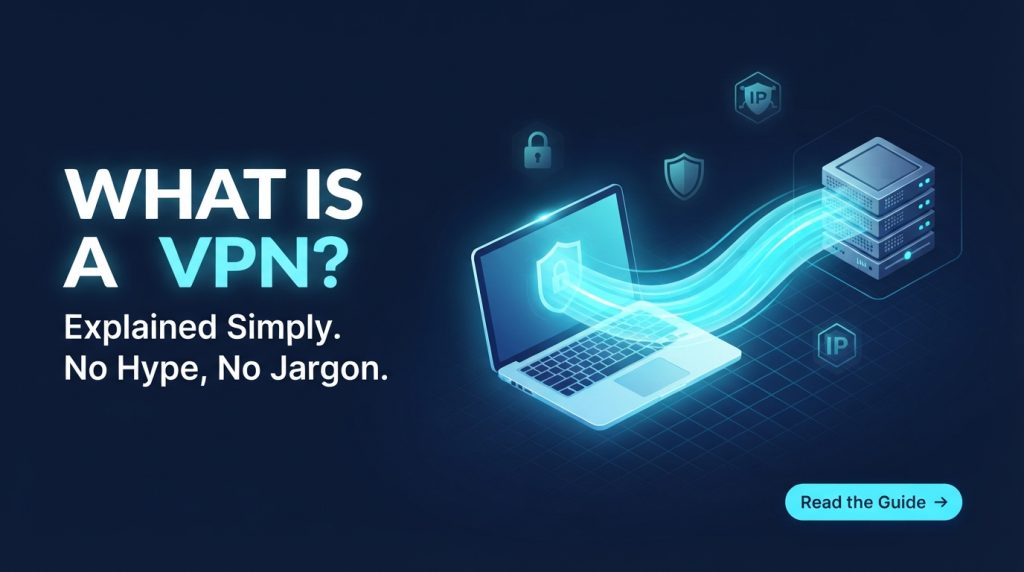
Little bit of warning upfront: this is only for educational purposes. In this article, we will be learning about the working principles of VPNs so that you can use them intelligently for your own security and privacy. Nothing shady is intended here. Of course, you have seen those advertisements. “Military-grade encryption.” “Anonymously browse.” “Unblock everything.”
VPN companies invest millions of dollars to convince you about your need for a VPN and the dangers lurking on the internet. However, the one thing they hardly ever tell you about is what really goes on behind that toggle. So let’s change that today. No more marketing, no more scare tactics. Just an honest answer to what a VPN really is, how it does its job, and if you really need it or not.
The Short Answer
A Virtual Private Network (VPN) is an instrument that allows for creating a secure tunnel between your device and a remote server located somewhere around the globe. All the data passing through the internet via your device passes through that secured tunnel, thus keeping it away from any interference on behalf of your internet service provider and concealing your actual IP address from the sites you visit.
The very name “Virtual Private Network” can be regarded as a historical artifact of some sort. Indeed, originally the concept was designed for use in business when corporations used virtual private networks in order to allow their workers to access corporate networks while being out-of-office. The commercial VPNs we keep seeing advertisements for used the very same technology, but instead of directing it at just one single private network, they directed it at the whole internet.
What Makes It Relevant at This Moment in Time?
Your ISP knows everything you do online. Every single website that you browse, application that you launch, and search that you make. No, it’s not a conspiracy theory; it’s the way things work. Your internet traffic needs to go through their devices to get to the Internet itself.
In many countries, such an organization as an Internet Service Provider has the right to gather your browsing data and sell it to advertisers and data brokers. Even in places where such a thing is forbidden, the capability exists.
Next, there’s the problem of public Wi-Fi networks. Coffee shop internet, internet at the airport or hotel—this one is usually not encrypted, which means that any person connected to the same network as you will be able to spy on your browsing activity. With a VPN, your traffic is encrypted, which makes it impossible for anyone to see what you do.
Finally, there’s the problem of geographical restrictions. Streaming websites have different offers depending on the country that you’re in. Sometimes, some websites are banned by certain governments. A virtual private network allows you to bypass those restrictions.
What Actually Happens When You Connect
Here’s what really goes down, in order. This is where most explanations cut corners, but that’s where everything actually starts to make sense.
Step 1: The Handshake
You tap the connect button on your VPN app and say “Connect.” Your device and the remote server do a little handshake and exchange encrypted keys to confirm who they are and how they’ll be encrypting data from here on out. This all happens in milliseconds. It’s like two strangers meeting in a dark alley, agreeing on a code first, and then talking.
Step 2: Your Device Sends a Request
Now let’s consider how it works if you have a VPN running. Instead of sending your request directly to the ISP and onwards to the internet, your device sends an encrypted request in a separate packet addressed to the VPN server. This process is called encapsulation; your initial data is packaged into a bigger container and now serves as its payload.
Here’s an analogy to help understand the process better: imagine you are trying to send a postcard. It is clear for everyone who touches it what your message is about. However, now imagine that you write a message on it, enclose it in a sealed envelope addressed to your friend, and ask him to forward it to its destination. The mail service only sees your postcard being sent to your friend, but not the content of your message.
Step 3: The Tunnel
Now your encrypted data passes through your ISP, the public Internet, and reaches the destination VPN server. That is what people understand when speaking about “the tunnel.” It is not a real tunnel; rather, it is a logical one. And your data is protected within this tunnel.
ISP knows that you have an established connection to some VPN server (as they know that there is encrypted traffic sent somewhere). However, they do not know what you actually do. They have no clue about destination sites you visit, search queries you perform, and content you view.
Step 4: The VPN Server Works
After that, your request is decrypted by the VPN server and sent to the real destination site example.com. The important thing is that the request is sent with an IP address of the VPN server, not yours. So when example.com replies, it replies to the IP address of the VPN server. It has no clue about who actually performed this query.
Step 5: The Return Journey
The reply from example.com comes back to the VPN server, which encrypts it and passes it through the tunnel back to your computer. You then decrypt it, and the web page shows up. From your point of view, nothing seems out of the ordinary. From the outside, no one knows what’s going on inside the tunnel.
What Does a VPN Actually Hide?
Let’s be precise about this, because vague claims like “browse anonymously” don’t help anyone.
What Does a Virtual Private Network Conceal?
Your IP address. Websites, services, and any other entity on the internet see the IP address of the virtual private network server rather than yours. It is the starting point for all the rest. Your location. As IP addresses correlate with geographical regions, concealing your IP means concealing where you are located when browsing.
Your browsing activities from your internet service provider. An internet service provider will notice that you use a virtual private network, but they won’t know what you are doing while using the network tunnel, which websites you visit, what you are searching for, and what you are downloading.
Your traffic contents on an unreliable connection. In case of a public Wi-Fi network, somebody using the same network might potentially capture your information. All the traffic goes through encryption when using a virtual private network service.
Your traffic from a network administrator in your location. In the case of a public place such as a café or office, the network administrator won’t see what you are doing in the virtual private network tunnel.
What Does Not Get Hidden by a VPN
Your identity when logging into accounts. As soon as you log in to Google, Facebook, or your bank while using a VPN service, these services will have full information on who you are. The fact is that a VPN conceals your IP, but not your identity. Your device fingerprint. Your browser reveals quite a lot of data: your screen resolution, fonts you use, time zone, language preferences, etc. A VPN does nothing about it.
Amount and frequency of traffic. Even if your data is encrypted, the observers can get information on how much traffic you are transmitting and when. They will not know what you are doing but will see the pattern. DNS requests (if no leak protection is applied). If a user fails to take care of DNS requests, there is a possibility that his device will make them visible to your Internet provider.
Encryption: Lock and Key
Encryption is the method of jumbling the data such that only those having the correct key can decipher the information. When using a VPN, the traffic being sent via the tunnel is encrypted by a process called encryption.
The encryption standard that most of the available VPNs follow is AES-256. Without going into technical details, this encryption protocol is the one used by militaries and governments. This protocol cannot be broken using today’s technology because the time required to break it will surpass the time existing in our universe.
Various VPN protocols employ various methods for encryption, but the objective remains the same; that is, to make it inaccessible for others who do not have the key.
The Important Disclaimers: Whom Do You Trust?
That’s when the time comes for me to tell the truth, as many VPNs don’t want to mention this aspect while advertising their services. Using a VPN will not make you anonymous but rather shift your trust from your Internet Service Provider to a new entity, your VPN provider.
Your ISP is able to monitor your web activity. The same applies to your VPN provider since he or she also sees your traffic, at least the encrypted one that is processed through the provider’s servers. Moreover, if the provider keeps logs of your traffic, then these logs may be accessed by law enforcement, hackers, or bought from the provider. Thus, the whole concept of privacy is based on the reliability of the service.
That’s why the most advanced providers release their no-logs policy and pass the audits of other independent organizations. They try to prove that in case of necessity, the provider does not have anything valuable to reveal. However, you will still be trusting the provider. And this problem has no technical solution. The thing is whether you trust the provider more than your ISP.
The Speed Issue
VPNs slow down your internet connection. Just a basic principle of networking.
It’s because your data needs to be routed via the VPN server first before reaching the intended target. The further away that server is located, the more time the data takes for a full round trip. Add on top of that additional processing needed due to encryption and multi-user traffic on a VPN server, and there comes the latency issue.
How much does a good VPN slow down your internet? It varies by the provider, the distance from your location of the server that’s being used, and your initial internet speed. Good ones will slow it down by only 10 to 20 percent; bad ones will cut it in half. It won’t matter too much if you are just surfing the web or watching videos, but it will become noticeable in games or any work where low latency is crucial.
VPN Protocols: The Complete Picture
VPNs have different protocols, which are rules for the connection, encryption, and wrapping of packets for transmission. Different protocols vary in terms of security, speed, and compatibility.
Selecting the proper protocol is crucial and more important than one can imagine. No matter how efficient your service is, the poor protocol will make your experience less efficient.
WireGuard
Modern protocol. This is a relatively new protocol created from scratch to provide users with a fast and efficient service. The WireGuard protocol code consists of about 4,000 lines, while OpenVPN consists of 100,000+ lines, so the risk of errors decreases.
Advantages:
- Very fast (faster than 2-3x OpenVPN)
- Modern crypto (ChaCha20, Curve25519)
- Small, auditable code base
- Good at handling network events (ideal for mobile devices)
- Kernel-level integration on Linux
Drawbacks:
- Still fairly new in some situations
- Lacks native TCP support (which can be problematic for restricted networks)
- Allocates static IPs to peers, which is considered by many to be a privacy issue
- Good for: The majority of people. If you have a WireGuard-compatible VPN, use it.
OpenVPN
Time-proven solution. OpenVPN was released back in 2001 and is open-source software that is extensively audited and incredibly flexible. It works both via UDP (faster) or TCP (reliable).
Pros:
- Used for more than two decades
- Open source and well audited
- Passes through most firewalls (TCP mode)
- Highly configurable
- Cross-platform
Cons:
- Slower than WireGuard
- A bigger code base provides more opportunities for attacks
- Configuration may become complicated
Best for: People who require stability and compatibility, particularly in restricted networking environments.
IKEv2/IPSec
The network change-friendly protocol. The combination of IKEv2 (Internet Key Exchange v. 2) and IPSec is especially effective when there is a need for transition between Wi-Fi and cellular networks without losing the connection.
Advantages:
- Good for mobile devices
- Faster reconnections after network changes
- High speed
- High security level (if configured correctly)
Disadvantages:
- More difficult to configure
- More limited cross-platform support compared to OpenVPN
- History of NSA participation in IPSec development concerns some privacy advocates
Recommended for: Mobile users who change network connections regularly.
L2TP/IPSec
The older one. L2TP (Layer 2 Tunneling Protocol) doesn’t have an inherent encryption feature because it uses IPSec for encryption purposes. L2TP is supported on most operating systems, making it quite convenient.
Advantages:
- Natively supported on most platforms
- It’s easy to implement
- Has good security when used together with IPSec
Disadvantages:
- Less efficient than WireGuard and OpenVPN
- Firewall blocking is possible because it works through fixed ports
- Considered somewhat outdated
PPTP
Do not use this. PPTP stands for Point to Point Tunneling Protocol. It was introduced in the 1990s. It has some vulnerabilities that render it useless for security purposes.
Reasons for its existence: Legacy support. Some systems may still use it. If you can avoid it, do so.
What a VPN Does Not Do
It is important to keep in mind this fact since a lot of the information presented about VPN in marketing implies much more protection than it really provides.
Firstly, it does not protect you from viruses, malware, phishing, or fraud. If you open an infected file on purpose, then the encryption provided by the service will not protect you. All it can do is encrypt the data being sent and received.
Secondly, it does not provide you with complete anonymity. If you log into a service such as Google or Facebook and leave any trace of what you have done, then there will be no anonymity provided. You may use a fake email, name, and so forth, but the connection is still being traced.
Thirdly, a VPN cannot protect you from yourself. If you overshare personal data on social media, if you use easy passwords, or if you become a victim of fraud, there is nothing a VPN can do about it.
Do You Actually Need One?
Honest answer: it depends.
You definitely need a VPN if:
- You are always on the go, using public Wi-Fi in cafes, airports, and hotels
- You do not want your internet activity to be monitored by your ISP
- You travel and would like to have access to your home streaming services and banks
- You live somewhere that some sites are restricted
- You telecommute and access company resources
You probably don’t need a VPN if:
- You only search at home on a trusted connection
- You do not mind ISP tracking
- You are content with the content available in your area
- You have no worries about public Wi-Fi safety.
There is no one-size-fits-all solution. The VPN is a tool, and as all tools, it comes handy sometimes and other times not.
The Free VPN Trap
Free VPNs are attractive. The thing about them is that they offer the same features as premium VPNs but with no monthly charge involved. Well, it turns out that providing VPN service is costly. Servers need money. Data transfer needs money. Programming and maintenance require money too. Therefore, if you don’t pay for it, it must mean something else.
Many of the free VPN providers collect and share personal information of their clients. Some are full of advertisements; some have poor encryption; others are just malware. Of course, there are good free VPN providers with decent privacy policies and reasonable restrictions (caps on transferred data, fewer number of servers, etc.), but in general, you should treat any free service with caution.
Key Features That a Good VPN Must Have
All VPNs are not the same. Here are some features that distinguish a good, effective VPN from a mediocre one.
Kill Switch
A kill switch is a security feature. When the connection between you and the VPN server gets terminated unexpectedly for any reason, the kill switch will block all internet traffic until the connection is re-established.
Why is this important? There is a small window when the data may flow without any protection. Your actual IP address may be leaked for a brief period of time. This is simply not acceptable.
Different types of kill switches:
- System-wide: Stops all traffic on the device
- App-specific: Stops selected apps
- Network-specific: Stops traffic on selected network interfaces
All good-quality VPNs should have this enabled by default. If not, enable it now.
Split Tunneling
Split tunneling allows you to decide what traffic will go through the VPN and what traffic won’t use the virtual tunnel.
Reasons why you might need it:
- Send streaming traffic via local connection for faster connection speeds
- Send banking traffic via regular Internet connection (banks usually block any login from the VPN)
- Send work traffic via the tunnel and keep other traffic outside
Possible problems: Split tunneling may leak your traffic if you’re not careful. Use it consciously and carefully.
Implementation of split tunneling: It is done either on the application level, on the IP range, or on the domain level. The decision about what traffic will enter the tunnel is made by the client itself.
Protection from DNS leaks
When you enter a domain name in the browser, you need the IP address to be found for the website you are accessing. The process when your computer looks for the IP address for a website is known as a DNS request, and usually, it goes to the DNS servers of your ISP.
If the DNS handling is not properly handled by the VPN, your DNS requests will be going to your ISP while all other traffic is going through the tunnel. That will be called a DNS leak, and it exposes the websites you are accessing. The DNS leak protection makes sure that your DNS requests pass through the tunnel along with all other traffic.
Multi-Hop
A multi-hop (or dual/second-layer/cascading/double-VPN) connection tunnels your traffic through two or more VPN servers rather than just one.
The mechanism is as follows: you connect to Server A, which connects to Server B, which connects to the Internet. The thing is that each server knows nothing more than the previous and following ones; thus, none of the servers has the whole picture.
Reasons for choosing such a connection:
- Additional anonymity factor (none of the providers knows both your identity and destination)
- Protection from the vulnerability of any single server
Compromise: Speed. More hops mean more delay. Multi-hop will be slower than one-hop, sometimes noticeably so.
When to use: When you are in an environment where you really need extra security for journalism, activism, or sensitive research, then multi-hop provides real added security. Otherwise it is often unnecessary.
Conclusion
A Virtual Private Network (VPN) is one of those technologies that may seem quite confusing before you figure out how it works. The truth of the matter is that once you do, it isn’t all that difficult to comprehend: your traffic travels through an encrypted connection to a different server where it is then forwarded to the internet.
However, what it is is a very effective and useful tool that can help you protect your privacy when using public networks, access geographically limited material, and keep ISPs from building extensive profiles on your online activities.
Resources
For those who wish to learn more:
- WireGuard (wireguard.com): the new VPN protocol. A good read of the white paper if one is technologically savvy.
- That One Privacy Site: an objective comparison of the best VPN services on the market using verified facts instead of marketing.
- Privacy Guides (privacyguides.org): an open-source community resource for privacy tools, featuring VPN recommendations with explanations.
- Mozilla VPN: an excellent choice if one wants a product from a respected company.
- Proton VPN: has a surprisingly good free version with unlimited bandwidth (but limited server locations).
Keep yourself open-minded. Know the technology that you are using. And one more thing: privacy is not about having secrets; it is all about your control over information.
Explore Our Cybersecurity Category. And if you are reading it up to here, leave a sweet comment to motivate us to write blog everyday.



The plain-English breakdown of what VPNs can and can’t do is especially helpful, particularly alongside the warning about marketing claims like “military-grade encryption” and “unblock everything.” I also appreciate the reminder that a VPN is a privacy tool, not a magic cloak for complete anonymity.
Thank you! Glad you found the explanation helpful. Understanding both the benefits and limitations of VPNs is essential for making informed decisions about online privacy and security.
The explanation of “military-grade encryption” and “unblock everything” marketing was especially useful. I also appreciate the reminder that understanding how a VPN works is more valuable than blindly trusting dramatic privacy claims.
Thank you! I’m glad you found it useful. Knowing what a VPN can and cannot do helps you make better choices and stay safer online.
The warning about VPN marketing claims like “military-grade encryption” and “unblock everything” is especially useful. Explaining what a VPN can and cannot protect against makes the topic much less confusing for beginners.