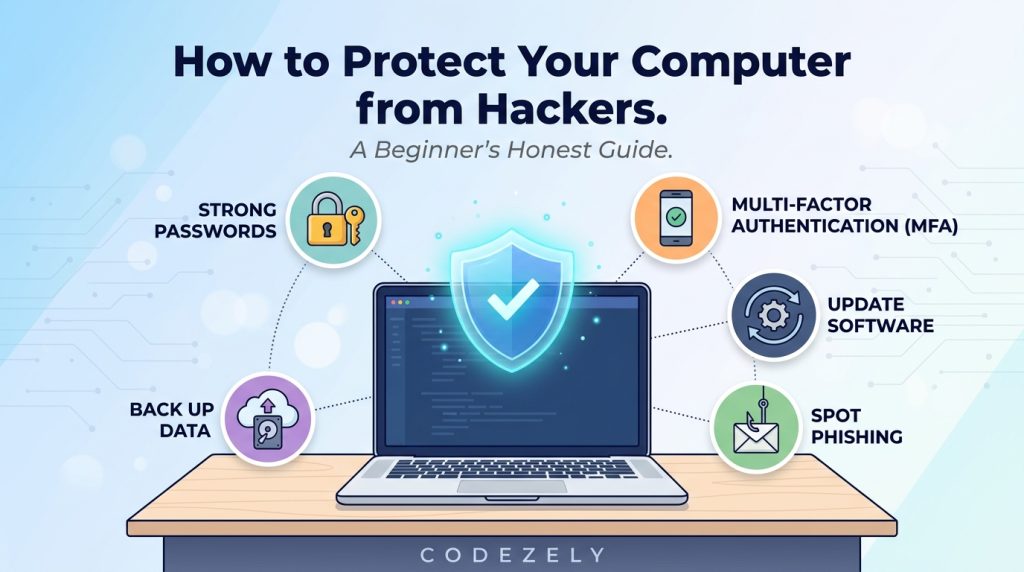
Over the last few years, I have been gaining experience in securing my own gadgets. When I started out, I did not understand what a firewall was and why my passwords were weak. Either guides were making assumptions that I knew everything, or they were treating me like I was incompetent. Here is the guide that I wished I had then.
Here’s the deal: no single application will protect you from all possible threats. Security has different layers. Fortunately, the most important steps are free, do not take much time to be implemented, and prevent the vast majority of attacks. Allow me to explain what really matters.
What “getting hacked” actually means
First things first, let’s look at the problem. “Hacker” is not a single entity. Attacks you are likely to encounter are mostly automated in nature. Bots run scans looking for vulnerable passwords, outdated software, or any other entry points available. They do not have any interest in you personally. Everything you have connected to the network can become a victim of such a hacker.
Primary ways an attacker may gain access include:
- Use of stolen or weak credentials. Password leaks from a data breach or easily guessable passwords became the most common way of breaking in.
- Phishing. Emails, SMS, or fraudulent websites trying to steal your login information or installing malicious code on your computer.
- Unpatched software. Vulnerabilities in the operating system or application software that was not yet patched.
- Public Wi-Fi snooping. Using an unprotected network to intercept your traffic.
Knowing all of this helps better understand the solutions.
Start with your passwords (and a manager)
This is probably the biggest change that anyone can do. Good passwords are nowadays long and unique passwords. The latest recommendations by NIST place great emphasis on the use of length over forced password complexity. No more need to create complicated passwords such as P@ssw0rd!. Passphrases such as correct-horse-battery-staple-dust are way harder to guess and still easy to remember. Try using 16+ character passwords whenever possible.
The real trouble is that you have lots of accounts. It’s impossible to use different, long, and unique passwords for all of them. Thus, you need a password manager.
Password managers generate complex passwords, keep them encrypted, and enter them automatically for you. All you have to remember is a single master password. Some good password managers include free and open-source Bitwarden and fully offline KeePassXC. There was an excellent report issued in 2026 by the Spanish CCN (Centro Criptológico Nacional), which included best practices and recommended passphrases and password managers. The CISA also puts password managers among their four basic security practices.
Key takeaway: Never use the same password across all your accounts. If any one of the sites is hacked, they get access to everything else too! Use a password manager to make unique passwords easy.
Turn on multi-factor authentication (MFA) everywhere
As far as passwords act like keys, MFA is another lock. So even if someone manages to steal your password, without the second factor, they cannot gain access.
According to Microsoft’s peer-reviewed study, MFA was shown to reduce the likelihood of account compromise by 99.22% for Azure Active Directory accounts and by 98.56% even in cases where the password was known to be compromised.
However, here’s something that most guidebooks will not mention: not all MFA is created equally. The most vulnerable type is SMS codes, which could easily be intercepted through SIM swapping or phishing attacks. Authenticator apps (such as Google Authenticator and Microsoft Authenticator) are more secure. The most secure one is phishing-resistant MFA hardware security keys or passkeys (FIDO2). Google has reported zero success in phishing attacks against their employees with the help of hardware security keys.
In case you could do just one thing: Enable MFA with an authenticator app on your email account first. Why? Because email is the key to everything else: password resets, account recovery, everything!
Update everything (and turn on automatic updates)
Unpatched software ranks among the major sources of cybersecurity breaches. Once a vulnerability is discovered and fixed, hackers immediately begin scanning for those devices that have not installed the patch.
Enable automatic updates for:
- Your operating system (Windows, macOS, Linux)
- Your browser (Chrome, Firefox, Edge)
- Your apps (any program that accesses the Internet)
- Firmware of your router
A popular fallacy: “I will update my system later.” By the time you get around to updating, a window of opportunity has existed for days or even weeks. The point of automatic updates is to eliminate that window for you.
For Windows: The 2026 update schedule (versions 24H2, 25H2, 26H2) provides patches against various vulnerabilities, including the BitLocker exploit (CVE-2026-45585). Updates are mandatory.
Learn to spot phishing (because it will hit you)
Phishing is the most common type of social engineering attack. It doesn’t require sophistication; it’s meant to exploit the human tendency to fall prey to scams in moments of distraction. The NHS, CISA, and every other security organization publish the same warning: think twice before clicking anything.
Common red flags include:
- The urgency factor: “Your account will be closed within 24 hours.” Any company with a customer will not use such language.
- Mismatched sender addresses: the display name is “PayPal,” but the actual address of the sender is paypal-security@randomdomain.xyz.
- Generic greetings: “Dear Customer” instead of your name.
- Suspicious links: hover over the link (do NOT click on it), and check the destination URL.
- Unsolicited attachments: especially those from strangers or familiar persons who wouldn’t usually send you a PDF file.
Phishing doesn’t stop at emails; there’s also smishing (SMS phishing), vishing (phishing by phone call), or even identical-looking login pages to familiar websites. The rule here is very simple: when in doubt, contact them separately, e.g., calling the customer support department from a different line.
Back up your data (the 3-2-1 rule)
Ransomware encrypts your files and then asks for a ransom. Antivirus will not be able to protect you, while the best strategy is having backups so that you do not care about the copy that was encrypted.
3-2-1 approach: 3 copies of your data in 2 forms of media with 1 of those backups located offsite (cloud or an external hard drive kept elsewhere). That is how you protect yourself from loss due to hardware failures, thefts, ransomware attacks, and accidental deletions.
Do it:
- Copy 1: Computer (original)
- Copy 2: External hard drive (local backup)
- Copy 3: Cloud storage (Google Drive, OneDrive, Backblaze, etc.)
Test restoring procedure. Backup, which has never been restored, is no backup at all. Making and testing backup copies is specifically recommended by NIST’s guidelines for small businesses.
Use antivirus and a firewall (but understand their limits)
The antivirus and firewall capabilities in Windows and macOS are actually decent. For instance, Windows Defender is highly rated by independent testing labs and is turned on by default.
The antivirus detects malware known to the database. The firewall prevents any unauthorized connection through the network. Both are helpful defenses, but none is sufficient on its own. An antivirus cannot detect a new zero-day malware or phishing sites that steal your passwords. The firewall will not prevent you from downloading any malware.
It is a common misunderstanding that a firewall in the router makes the one in your computer superfluous. Not really. While the router firewall defends against external threats, the computer firewall regulates which software running in your computer is allowed to access the internet.
Common myths that put you at risk
| Myth | Reality |
| “I’m not important enough to be hacked.” | Automated attacks target everyone indiscriminately. |
| “Antivirus is all I need.” | It’s one layer. MFA, updates, and phishing awareness matter more. |
| “Strong passwords are enough.” | Passwords can be phished or leaked. MFA adds critical protection. |
| “Only .exe files are dangerous.” | Malware hides in documents, scripts, and zip archives. |
| “I don’t need updates if I’m careful.” | Unpatched systems can be exploited without any user action. |
| “Public Wi-Fi is always dangerous.” | Risk exists, but using HTTPS and a VPN mitigates it significantly. |
The order of operations (if you’re overwhelmed)
Do this, no matter what else:
- Enable MFA on your email account. Right now.
- Use a password manager and change your old passwords. This week.
- Enable auto-updates everywhere. Set it and forget it.
- Enable some basic backup to an external device or cloud service. This week.
- Know how to detect phishing. This will probably be the type of attack you encounter the most.
You don’t have to be an expert in security. You only need to lock down the low-hanging fruit. Hackers will always attack a window rather than a safe.
Limitations to be honest about
No system is ever completely safe. Zero-day exploits are a way of attacking vulnerabilities that haven’t been patched yet. Social engineering tactics can deceive anyone, no matter how careful, on a bad day. Anyone who gains physical access to an unlocked computer can cause harm.
This guide significantly lowers the chances of any danger that you would encounter. This guide won’t make you infallible. It’s all right not to be perfect. The point is being tougher than the other guy.
References
- NIST, Small Business Information Security: The Fundamentals (NISTIR 7621 Rev. 1). https://csrc.nist.rip/CSRC/media/Publications/nistir/7621/rev-1/draft/documents/nistir_7621_r1_draft.pdf
- Microsoft, Windows Message Center — Security Updates. https://learn.microsoft.com/en-us/windows/release-health/windows-message-center
- Microsoft Research, How Effective Is Multifactor Authentication at Deterring Cyberattacks? https://www.microsoft.com/en-us/research/publication/how-effective-is-multifactor-authentication-at-deterring-cyberattacks/
- Google Security Blog, New research: How effective is basic account hygiene at preventing hijacking. https://security.googleblog.com/2019/05/new-research-how-effective-is-basic.html
- CCN-CERT, Uso y gestión de contraseñas (BP-35, 2026). https://angeles.ccn-cert.cni.es/es/docman/documentos-publicos/informes-de-buenas-practicas/432-ccn-cert-bp-35-informe-contrasenas/file
- NJCCIC, Don’t Take the Bait! Phishing and Other Social Engineering Attacks. https://www.cyber.nj.gov/guidance-and-best-practices/email-security/phishing-and-other-social-engineering-attacks
Conclusion
To defend yourself against hackers, you do not need to become a cybersecurity expert. You only need to make it more difficult for the hackers. Start with your email account. Switch on multi-factor authentication, use a password manager, keep your software up to date, learn how to recognize phishing emails, and regularly back up your critical files. And that is all you need to stop virtually all potential threats. None of the mentioned actions requires any technical skills or knowledge, and they cost nothing.
The point is not to be perfect; you should simply become a harder target than others. Automated attacks will target open doors. If you secure yours, attackers will go to somebody else. It does not matter which step you take first. Start with whatever you can today. Cybersecurity is a routine, not a single action. The more you do it, the easier it gets. You are not alone, and you do not have to be perfect; just safer than before.
Also Explore Our Cybersecurity Category. And if you are reading it up to here, leave a sweet comment to motivate us to write blog everyday.


