To begin with, let us consider a statistic that will definitely shock you. IBM’s 2024 Cost of a Data Breach Report reported a global average of $4.88 million. However, the situation can get far worse for organizations that try to tackle security issues at the last stage of the development process. They usually pay 30 times more for fixing vulnerabilities than those teams that detect and fix security issues during the development stage.
Yes, thirty times.
I have seen many such cases during my long experience in software development. Teams develop quickly, make mistakes, and spend the whole quarter trying to find vulnerabilities in their solutions, which could be detected earlier, while the solution is still in a developer’s laptop. It is not because these teams are less competent or do not have enough money they just did not learn to integrate security issues into the process of developing a solution.
DevSecOps is all about this. And now, I think you might be wondering whether it is worth implementing, how this approach works, and how to start. Let me explain.
Why DevSecOps Is Needed Now More Than Ever
Software development has evolved dramatically over the past several years. With the advent of code generation using artificial intelligence algorithms, the amount of generated code increased significantly. At first glance, that looks great until one realizes that the rate of changes within modern development processes makes the end-of-cycle security evaluation approach outdated.
It’s impossible to perform a manual check on millions of lines of code generated with the help of AI. Also, running a quarterly penetration test cannot be called security when your developers deploy code fifty times a day.
Another point of the matter is the growing interest of hackers in the software development supply chain. The recent incidents, such as the SolarWinds compromise, the Codecov breach, and the Log4Shell vulnerability, clearly demonstrated one thing: attackers don’t attack just an application; they attack the whole process of its creation. It means that the CI/CD pipeline has become a valuable asset that needs protection as well.
Here is some data that will support this claim: by 2026, DevSecOps has reached a stage where businesses have started to hire DevSecOps engineers whose annual salary is anywhere between $150K to $300K+. It is not that the companies are doing it for the sake of putting fancy job listings on paper; it is simply that the alternative is much costlier.
Central Premise: The Shift to Left… and Further
What “Shift to Left” Really Is
The phrase “shift to left” is tossed around so much that it’s been completely forgotten what it actually means. Allow me to elucidate on this concept.
Consider your software development life cycle as a horizontal timeline. On one end of it, there is the time when a developer comes up with an idea and begins to code. On the other end, there is production, where actual users interact with the software and where any security incidents can be particularly detrimental.
Historically, the process of securing software was placed at the right end of the spectrum. You were building everything, testing everything, and just before shipping, some member of the security team was coming up and checking things out.
Moving to the left implies performing security activities at earlier stages on that timeline. Rather than delaying the security analysis until the pre-release phase, the developer performs automatic security analysis while writing the code. The detection of the vulnerability within an IDE plugin or a pull request analysis is fixed using just one line of code because the context is still very much fresh in the mind of the developer.
Detecting the same vulnerability after some months during a pre-production analysis implies having to understand the context again, coordinate the fix, and, more often than not, delay a release.
Beyond Shift Left: Continuous and Context-Aware Security
That’s where things get really exciting. The industry has discovered that shifting left on its own is not sufficient. The best companies have started to go beyond it into something that can be described as continuous and context aware security through the whole software development lifecycle.
How does it manifest itself?
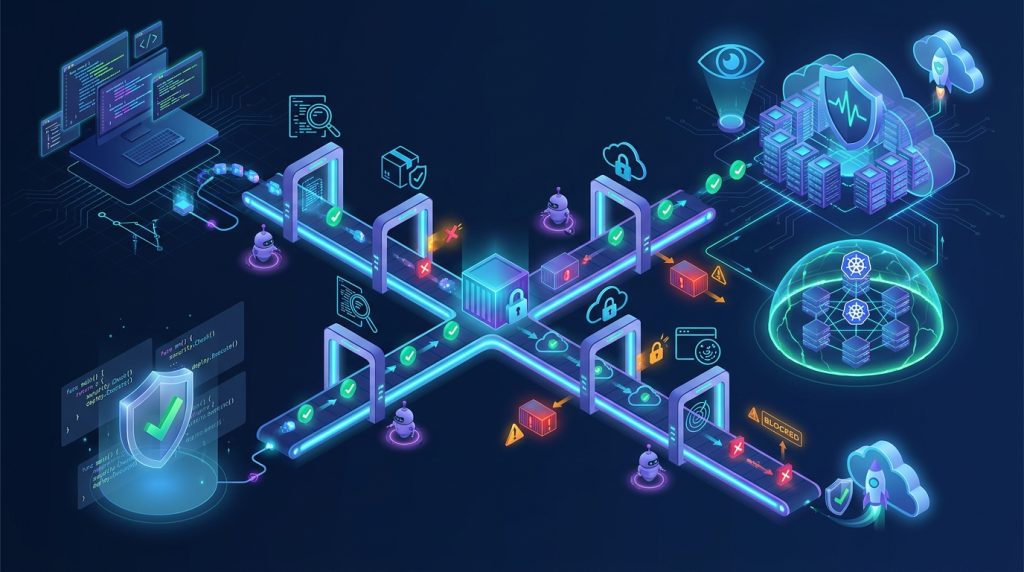
Security controls are applied at each decision point andfrom the time a commit is made to dependencies added, containers built, infrastructure provisioned, up to the runtime of the application. There are different security concerns at each step, which need to be addressed with their own controls.
- During coding: SAST and secret scanning detect the most obvious problems before code ever gets committed to the repo.
- When using third-party components: SCA tools ensure there aren’t any known vulnerabilities in third-party packages.
- While building containers: Image scanning detects vulnerabilities in the base operating system and application layers.
- While deploying infrastructure: IaC scanning eliminates the risk of misconfiguration in cloud environments.
- When the application is live: DAST and runtime protection identify vulnerabilities that emerge in live systems.
This is not about introducing additional scanners. This is about putting security decision-making at the appropriate level, where the people will know what to allow, what to promote, what to observe, and what to use as audit evidence.
DevSecOps Toolchain: What You Actually Need
The available tools can be intimidating, with hundreds of offerings all promising solutions for DevSecOps. The fact of the matter is that very few organizations actually purchase just one tool but instead piece together two or three that fit well together.
Here’s how the major categories work.
Static Application Security Testing (SAST)
SAST analyzes your source code without running the code. It scans for code that indicates vulnerabilities such as SQL injection, insecure deserialization, secrets hardcoded, and more.
This can be considered as spell checking of security patterns. It checks your code just like a compiler would check for known bad patterns.
Where it belongs: In the IDE and as part of pull requests. The earlier the better.
The caveats: SAST tools usually have a false positive rate ranging from 30% to 70%. The default sets of rules will generate too many false positives to be taken seriously by developers. The winning teams spend time fine-tuning the rules based on actual source code.
Useful tools: Semgrep is the go-to tool for a speedy engine that allows you to create your own custom rules. SonarQube is still popular when it comes to ensuring code quality and security. CodeQL by GitHub offers powerful semantic analysis if you work on GitHub.
Software Composition Analysis (SCA)
SCA solutions detect open source and third-party libraries within your code base and scan them against vulnerability databases. Why is it important? Because most of the vulnerabilities in contemporary applications lie in the dependencies, rather than in first-party code.
Example: The Log4Shell vulnerability impacted millions of applications, as nearly all Java applications were directly or indirectly using a vulnerable version of Log4j. SCA would have detected this dependency and provided a straightforward solution.
When to use: In build time, at the pull request level, and for continuous monitoring of the deployed applications.
Points to consider: Reachability analysis is required to avoid getting alerts about vulnerabilities in code paths that are not executed by your application at all. The key difference between the tools lies in how well they prioritize their findings and tell whether or not certain vulnerabilities are reachable and exploitable for you.
Notable Tools: Snyk dominates when it comes to developer experience. Trivy shifted from container scanning to full-fledged SCA. OWASP Dependency-Check stands out as an open-source solution.
Scanning of Containers and Images
If you are using containers and it is 2026, then you definitely need to scan your container images for vulnerabilities. This will include OS packages and language-specific libraries, as well as configuration flaws in the images.
Where this comes into play: Before pushing images in the build pipeline.
Tools that can be helpful: Trivy and Grype are the two most popular open-source scanners for containers. The platform from Aqua Security can help with scanning and protecting containers and Kubernetes if these are central to your architecture.
Infrastructure as Code (IaC) Scanning
Infrastructure as code allows for programmatic management of environments. However, this also means a misconfiguration in a Terraform file can propagate across accounts, regions, and environments. IaC scanning identifies such misconfigurations prior to applying the infrastructure changes.
When to use it: Prior to the deployment of infrastructure, preferably during pull requests.
Tools of interest: Checkov is an example of an open-source solution. You can use Open Policy Agent (OPA) to define custom policies for your organization’s security needs.
Dynamic Application Security Testing (DAST)
The shortcomings of SAST and SCA do not end here. Flaws in business logic, authentication mechanisms, and runtime configuration usually become apparent only when the application is in use. DAST solutions essentially attack your running application, just like a real-world attacker, to detect the exploitable vulnerabilities.
When it applies: In a staging environment, prior to production deployment.
Top Tools: OWASP ZAP is the most popular open-source DAST solution. Nuclei is another very fast template-based scanning tool.
DevSecOps Build Pipeline Walkthrough
This is how it works in practice. I will give you an example using GitHub Actions since that is something that everyone can access and understand, but it can be applied to any CI/CD tool.
Stage 1: Pre-Commit (On Developer’s Local Environment)
The first point when we can do a security check before anything else occurs is during the pre-commit stage, where we can run some secret detection and basic SAST checks.
yaml
# .pre-commit-config.yaml
repos:
  - repo: https://github.com/gitleaks/gitleaks
    rev: v8.18.0
    hooks:
      - id: gitleaks
  - repo: https://github.com/semgrep/semgrep
    rev: v1.50.0
    hooks:
      - id: semgrep
        args: ['--config', 'auto']
This helps detect any hardcoded API keys, passwords, and anti-patterns related to security issues even before anything gets pushed into the repo. However, this is not a substitute for CI-based scanning.
Step 2: Pull Request (CI Security Gates)
During the process of opening a pull request, the CI process should perform all the security checks against the code.
yaml
# .github/workflows/security.yml
name: Security Checks
on: [pull_request]

jobs:
  sast:
    runs-on: ubuntu-latest
    steps:
      - uses: actions/checkout@v4
      - name: Run Semgrep
        uses: semgrep/semgrep-action@v1
        with:
          config: p/ci

  sca:
    runs-on: ubuntu-latest
    steps:
      - uses: actions/checkout@v4
      - name: Run Trivy SCA
        uses: aquasecurity/trivy-action@master
        with:
          scan-type: 'fs'
          scan-ref: '.'
          format: 'sarif'
          output: 'trivy-results.sarif'

  secrets:
    runs-on: ubuntu-latest
    steps:
      - uses: actions/checkout@v4
      - name: Run Gitleaks
        uses: gitleaks/gitleaks-action@v2
The critical issue here is the criteria for blocking on. It is advisable to gate merge based on the high-confidence and high-severity findings with a clear solution, while lower-severity findings would be flagged as visible but not blocking. This will avoid developers ignoring security findings altogether.
Stage 3: Build and Artifact Security
After passing the pull request check, the build phase builds artifact container images, binaries, and packages. They require their own security checks.
  yaml
    container-scan:
    runs-on: ubuntu-latest
    steps:
      - uses: actions/checkout@v4
      - name: Build Docker image
        run: docker build -t myapp:${{ github.sha }} .
      - name: Scan image with Trivy
        uses: aquasecurity/trivy-action@master
        with:
          image-ref: 'myapp:${{ github.sha }}'
          format: 'sarif'
          output: 'trivy-image-results.sarif'
          severity: 'CRITICAL,HIGH'
          exit-code: '1'
This is also the point at which you would be creating an SBOM, a machine-readable list of all components that make up your artifact. Syft is an open-source tool that is widely used for SBOM creation.
Stage 4: Infrastructure as Code Security
Before any infrastructure changes are implemented, they have to pass security policy checks.
yaml
  iac-scan:
    runs-on: ubuntu-latest
    steps:
      - uses: actions/checkout@v4
      - name: Run Checkov
        uses: bridgecrewio/checkov-action@master
        with:
          directory: terraform/
          framework: terraform
          output_format: sarif
With Policy as Code products like OPA or Kyverno, one is able to write custom policies that ensure that your organization’s particular requirements are enforced. Examples include “All S3 buckets must be encrypted” or “No security group can have 0.0.0.0/0 access on port 22.”
Stage 5: Pre-Deployment (Staging)
DAST scans performed in the staging environment will be able to identify runtime problems not identified by static analysis.
yaml
  dast:
    runs-on: ubuntu-latest
    needs: [deploy-staging]
    steps:
      - name: Run OWASP ZAP Baseline Scan
        uses: zaproxy/action-baseline@v0.10.0
        with:
          target: 'https://staging.myapp.com'
          rules_file_name: '.zap/rules.tsv'
Stage 6: Runtime Security
This isn’t the end of security, as security must be done at runtime as well. Runtime monitoring identifies problems that appear only during runtime: such as unexpected network traffic, container escape, and abnormal process behavior.
The likes of Falco rely on eBPF to monitor system calls and catch any suspicious behavior during runtime. This is your last resort after everything else has been compromised.
The Advanced Corner: Going Deeper
Now that you’re here, it’s time for the advanced parts of DevSecOps.
Threat Modeling in Reality
Threat modeling involves analyzing all the possible threats that can affect your system. Threat modeling does not attempt to anticipate each and every attack that can take place in your system. The aim is to understand the attack surface of the system and to make intelligent decisions about the security investments.
There are several threat modeling frameworks, but one of the most common ones is the STRIDE framework. In this framework, threats are classified in six categories:
- Spoofing: Impersonating someone or something
- Tampering: Changing information without consent
- Repudiation: Denying the occurrence of some event
- Information Disclosure: Releasing information to unauthorized people
- Denial of Service: Disabling a system
- Privilege Elevation: Gaining access to unauthorized privileges
In considering each of your system’s components, you ask yourself, “What could go wrong here in terms of each of the following?” “How will it impact us?” and “What can we do to control it?”
The end result is not a guaranteed security plan but a ranked list of possible risks and mitigations to guide your decision-making process.
Zero Trust in CI/CD
The conventional security paradigm is based on the premise that all that is within the corporate network can be trusted. Zero Trust turns that premise upside down: trust nothing; always verify.
Applying Zero Trust to CI/CD pipelines requires:
- Continuous verification: The identity and authorization of every element in the pipeline, developers, build runners, artifact repositories, and deployment destinations must be verified continuously.
- Least-privilege access: Each element in the pipeline is granted only those privileges it needs.
- Explicit trust validation: Artifacts are cryptographically signed and validated prior to deployment.
- Build validation: Build environments are isolated and checked for any signs of tampering.
It matters because supply chain attacks target the trust relationships among pipeline components: once a build runner is compromised, the attack can infect every single artifact built by that runner.
Security Supply Chain: SBOMs and Digital Signatures
An SBOM, or Software Bill of Materials, is a machine-readable list of all components in the software. In other words, it is an ingredient list of the software. In case of a new vulnerability such as Log4Shell, the list will help you quickly discover all applications that use the vulnerable component.
However, SBOMs are only helpful if they are valid and linked to certain artifacts. It is best practice to generate an SBOM during the build process, cryptographically sign it, and then associate the SBOM with the artifact. There are tools such as Syft for generating and Cosign for signing the SBOMs.
AI as Both Defense and Threat
AI is disrupting DevSecOps from two ends at once.
On the defensive end, AI-powered tools are becoming increasingly capable of spotting problems that cannot be discovered using a static rule set, ranking the discoveries by exploitability, and even proposing fixes in pull requests. The industry is moving from “shift left” to “shift smart” context-aware security that only discovers what’s important.
On the offensive end, the sheer amount of AI-generated code complicates the usual security efforts. AI models themselves become assets that need protection, and the emergence of new attack vectors such as prompt injection and training data attacks is becoming more commonplace. Autonomous AI agents that can commit changes, provision infrastructure, and deploy code open up attack vectors that have never been seen before in traditional security products.
The practical implication: you need governance for AI-generated code, and you need security that is tailored for AI-powered automation.
Common Mistakes (And How Not To Make Them)
There are certain pitfalls that I have noticed time and time again from experience. Here they are:
Seeing DevSecOps through the lens of a tooling challenge. Purchasing tools is not a guarantee of security. The architecture underlying those scans becomes more important than the tools themselves. Two development teams can scan their projects using the same Snyk plan and the same Trivy release but arrive at very different outcomes depending on how those tools are embedded into the CI/CD pipeline and how issues identified are triaged.
Drowning developers in alerts. There is no quicker way to ensure that developers will simply ignore any security issues than to bombard every pull request with alerts that are both low-confidence and low-severity.
No ownership assigned. A discovery without owners is a discovery that won’t be fixed. All security issues should go to the owners of the affected codebase with SLAs for remediation.
No threat modeling. Executing scans without threat models means locking the door without knowing what you want to lock. Threat modeling will help you determine which findings are relevant.
Disregard for runtime security. Scans are good at catching most things, but they cannot anticipate everything. Identity misuses, drifts in configurations, and unwanted exposures are visible only in runtime.
Where to Go from Here?
Here’s what to do if you’re a novice in DevSecOps.
Begin with visibility. Before you start making any changes, it’s essential to know what you’re dealing with. Create an SBOM for your apps. Scan secrets in your code repositories. Have an initial picture of your current security state.
Choose one thing and do it right. It’s impossible to implement all security measures at once, so begin with something simple. Start with scanning secrets in pre-commit hooks and pull requests. After you manage to make it work, continue with SAST. Then proceed with SCA and container scanning.
Measure the important. Measure Mean Time to Remediation (MTTR) of critical vulnerabilities. Measure the growth rate of discoveries over time. Use DORA metrics to gauge the impact of your security practices on your delivery velocity. Organizations with a DevSecOps practice measure how long critical vulnerabilities are left open, not whether the last scan was completed.
Invest in developer experience. The most important indicator of the success of a DevSecOps initiative is developer experience. If security discoveries are too noisy, badly timed, or difficult to address, engineers tune them out. If they are accurate, contextually relevant, and integrated into the workflows, they will be addressed quickly.
Create the culture. DevSecOps is as much about the cultural change as the technical one. Security no longer becomes an issue for some other teams but rather a responsibility of everybody.
Further Learning Resources
These are some of the resources that have actually been helpful to me. These are not affiliate links but just a compilation of those that have been of any help to me and my team.
Learning websites and courses:
- OWASP offers free learning materials regarding the basics of application security
- The Canadian Centre for Cyber Security provides a course on threat modeling, which includes STRIDE and DREAD
- SafeGuard.sh shares opinionated guides on implementing DevSecOps.
Open-source software worth looking into:
- Semgrep: rapid, configurable SAST that leverages a powerful open-source foundation
- Trivy: versatile scanning solution for containers, filesystems, and dependency scanning
- Checkov: infrastructure-as-code scanning for Terraform, CloudFormation, Kubernetes, and many more
- OWASP ZAP: the most popular open-source DAST solution
- Gitleaks: secret scanning for git repositories
- Syft & Grype: SBOM generation and vulnerability scanning
- Falco: real-time security monitoring using eBPF
Books:
- Julien Vehent. “Securing DevOps”: practical guide on implementing security in CI/CD.
- Gene Kim et al., “The DevOps Handbook”: a foundational book that helps to understand cultural aspects of DevSecOps.
One more point to remember. DevSecOps is not an end destination to reach but rather an ever-evolving approach to cybersecurity. Winning teams understand that cybersecurity is a journey of continuous improvement and not just checking boxes on a list. Begin with what you have and where you are, and continue moving forward.
The above article is strictly meant for educational purposes. All techniques and tools mentioned in this article are for defensive purposes and authorized security testing. Security testing should be conducted only on systems owned by the tester, and no system without proper authorization should be targeted with any of these techniques and tools.
Explore Our Cybersecurity Category. And if you are reading it up to here, leave a sweet comment to motivate us to write blog everyday.



The point that vulnerabilities can cost 30 times more to fix when found late in development makes a strong case for shifting security left. I also appreciate how the $4.88 million breach figure connects DevSecOps practices to a concrete business risk.
Thank you! Finding security issues early can save both time and money. That’s why making security part of development from the beginning is so important.