Introduction
Want an AI image generator that doesn’t have a watermark and is free? If you’re searching for such a thing, you would likely want to generate images for your blog, video thumbnails, social media, presentations, or other purposes without having to pay each time you use the tool.
It is good to note that there are many AI image generators available for free use. The only catch here is that while a free AI image generator may sound like it, it does not mean it is a guaranteed watermark-free AI image generator. The terms and conditions for downloading images from such platforms vary depending on the platform in question.
Here, you will get some guidelines on how to do all of that successfully.
What Is a Free AI Image Generator Without a Watermark?
An AI-powered free image generator is software that generates images using descriptions provided by a user, known as prompts. In other words, you may write down:
“Generate a realistic photo of a wooden cabin on a mountainside surrounded by a lake with sunrise and a golden glow.” Then, the software analyzes the description and creates an image according to the prompt.
Watermarking an image means adding a watermark, which can be a visible mark added to an image in the form of a logo or some text. Sometimes the term is used in a broader sense to refer to invisible watermarks and information about AI-generated images.
Not all of these are the same:
- Visible watermark: It is a logo, text or graphic that appears on the image.
- Invisible watermark: It is data that is embedded in an image and is not visible normally.
- Provenance metadata in AI: It is data that is added to the file indicating how the image was made or which tool was used.
For example, Adobe Firefly adds Content Credentials automatically to some fully AI-generated assets, where Content Credentials refer to data related to the generation of the asset and do not constitute a visible logo on the image.
Hence, while looking for an image generator without a watermark, you first need to know whether you are referring to an image without a visible logo or a file without any AI provenance data.
Best Free AI Image Generators to Consider
Which tool to choose is determined by the type of images that you need, how many images are needed, and if you will use the images commercially.
These tools below offer the official information regarding their free access or image generation functions. But they don’t give enough official proof for me to assure you that every free download does not include a visible watermark. Make sure to review the downloaded files.
1. Microsoft Image Creator
Microsoft Image Creator helps you describe an image through text prompts. The official documentation of Microsoft about the free access to their image creation services should be noted, as this may differ according to the experience.
Good for: Newbies to make general images and concept sketches.
Getting started:
- Check out Microsoft Image Creator.
- Log into the site using the necessary account.
- Explain what kind of picture you would like to create.
- Create your choice of images using the account.
- Download the image you like most.
- View the downloaded file to see if there is any logo or text on it.
Key restriction: It is possible that Microsoft’s picture-generating services will feature varied terms and settings. Make sure you study the terms of the particular service you are working with and check the settings regarding any visible watermarks prior to downloading the picture.
2. Adobe Firefly
Adobe Firefly is a generative artificial intelligence service capable of creating images using textual prompts. The company offers a free tier of access with a certain number of free generations; this figure may vary.
Best suited for: Individuals interested in AI-generated imagery and creative processes.
Getting Started:
- Go to Adobe Firefly.
- Log in and find out what features you have access to.
- Select the image-generation feature.
- Give a thorough prompt.
- Create the image and save it if possible.
- Examine the saved image and study the related terms of use.
Critical limitation: Adobe mentions the application of Content Credentials in certain AI-generated assets with Firefly. The content credentials will allow users to know how a particular image was generated; they do not work as a visible watermark. This alone does not mean that all free downloads will be unbranded.
3. Ideogram
Ideogram provides text-to-image generation services and outlines its plan specifics on its official pricing page. The free plan is offered with limited access, where the qualified accounts will receive weekly credits. The quantity and the specific features will need to be verified on the current pricing page.
Best for: Those who wish to experiment with AI image generation, including those that incorporate texts.
Steps to use:
- Go to Ideogram.
- Create an account and check the current free plan specifics.
- Insert your image description.
- Generate the results.
- Download the image, provided you are allowed to do so.
- Check whether there is any visible branding on the image and consider the allowed usage.
Important restriction: Ideogram notes that the Plus and Pro plans will provide users with private-generation options, while the images will be published by default according to the service free-plan specifics. Do not insert any confidential information or expect a free generation to be private.
The official pricing page will also discuss the commercial use. You will need to check the current specifics and service conditions prior to any commercial usage of an image. service-free-plan
Which Tool Should You Choose?
There is no one generator that works best for everyone. It is important to consider how you intend to use the generator before you even think about watermarks.
| Your goal | A reasonable starting point | What to check |
| Beginner-friendly image creation | Microsoft Image Creator | Current account limits, export appearance, and usage terms |
| Exploring creative AI workflows | Adobe Firefly | Available free generations, export options, and content credentials |
| Creating designs that include text | Ideogram | Text accuracy, free credits, image visibility, and export appearance |
| Publishing images on a business website | Any candidate that meets your requirements | Commercial-use terms, intellectual-property risks, and privacy |
This is just a start and does not provide a confirmed ranking of free images without watermarks.
Before choosing any software application for yourself, try downloading one image sample. This will be more helpful than using the list with an assumption that all services listed are free from watermarks.
How to Check Whether an AI Image Has a Watermark
This is the most critical step if you require a clean image for your blog, website, presentation, or social media post.
Step 1: Create a sample image.
Create a prompt about something very simple, such as a mountain landscape, a coffee mug on a table, or a house surrounded by trees.
Step 2: Download the original image.
Use the normal download/export function of the service. You cannot rely on just how the image looks in the preview for your final decision.
Step 3: View the downloaded image
See the image in its true dimensions and zoom in on the edges and corners to see:
- Service logos/brand names.
- Text and small symbols.
- Any marks that are placed over the image.
- Unwanted borders or branding.
- Generated text within the image itself.
Step 4: Look at the image properties if needed.
If there is a need to figure out if an image has metadata, then one should utilize the appropriate metadata checking software. Ordinary viewing of images will not be able to prove that an image has no watermark or provenance metadata.
Moreover, keep in mind that metadata removal is different from visible watermark removal, and none of these actions gives the right to use the image.
Step 5: Read the terms of the service.
Make sure that downloading the image is acceptable according to your needs. For commercial websites, advertisements, clients, and product use of an image, a visible watermark is not proof of the right to use an image commercially.
How to Write Better Prompts for AI Image Generators
A good prompt helps the generator to understand better what kind of image you require. However, the image might not come out perfectly, so assess it and adjust your prompt accordingly.
A prompt can consist of five different parts:
- Theme: What should be there in the image?
- Context: In which setting does your subject reside?
- Styling: What is the desired outcome of your prompt—a photo, an illustration, or a 3D render?
- Lighting and colors: What lighting and color combination would you want?
- Object placement: How should the objects be positioned?
Example 1: Blog featured image

Prompt:
“Create a wide editorial illustration of a modern computer on a clean desk, with a subtle blue background, soft lighting, a professional technology-blog aesthetic, and clear empty space on the left for a headline. Do not include text or logos.”
Example 2: YouTube thumbnail background
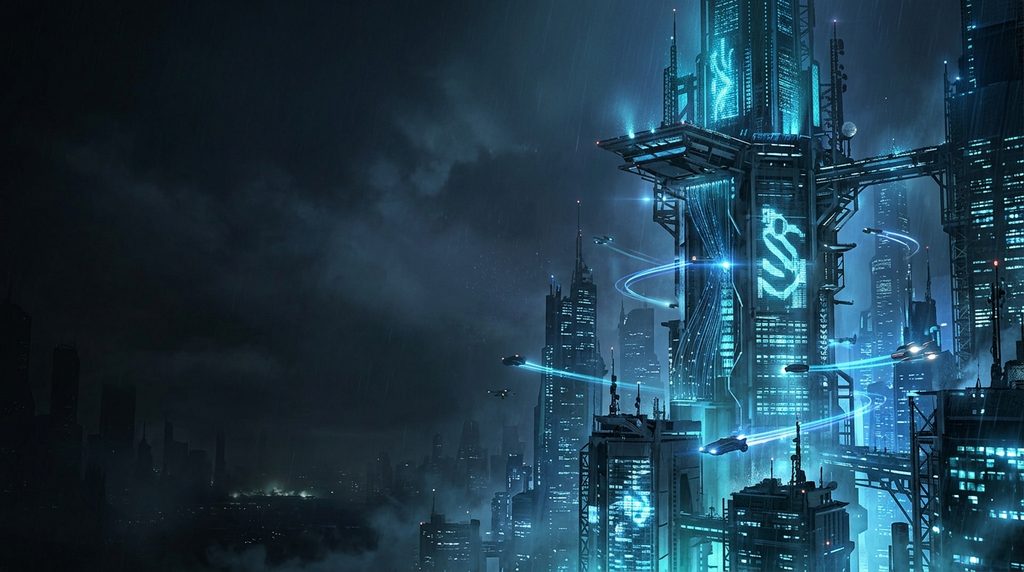
Prompt:
“Create a dramatic digital illustration of a futuristic city at night, with glowing blue lights, a dark background, high contrast, and the main subject positioned on the right. Leave clear space on the left for a title. No text, logos, or watermarks.”
Example 3: Educational illustration
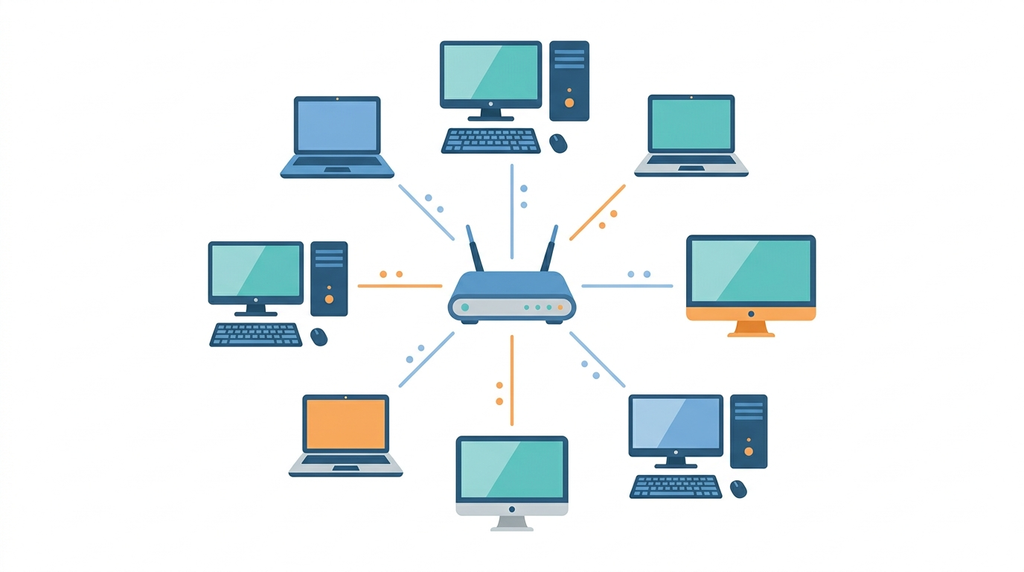
Prompt:
“Create a clean, beginner-friendly illustration explaining a computer network, showing several computers connected to a central router. Use simple shapes, a white background, clear spacing, and a consistent color palette. Do not add labels or decorative text.”
These prompts are only examples for you to modify according to your needs in your project. In case the generation process results in any misspelling or creation of an inaccurate object, you may want to modify the prompt or create another one using a different design tool.
Are Free AI-Generated Images Safe for Commercial Use?
The solution varies depending on the software, its license, the contents of the picture, and your intentions in regard to it.
Availability of free software does not automatically imply its commercial use. There may be certain restrictions or limitations of a software license.
Before you publish the picture created with the help of AI software, you should consider the following points:
- Terms of commercial use: Is the particular software and its plan appropriate for your intended use?
- Rights of third parties: Does the picture contain any recognizable characters, logos, artworks, or other elements that may pose any problems?
- Privacy: Have you uploaded any personal or confidential pictures and documents to the software?
- Disclosure obligations: Is it necessary to disclose the origin of the picture?
- Uniqueness: Is there a possibility of generating the similar picture by anyone else? You can’t consider your picture unique if it was created with the help of the software.
- Accuracy: Can the picture mislead the audience about some person, event, place, or product?
For Example, there is a great difference between using an AI illustration for a personal presentation and advertising a certain product.
Common Mistakes to Avoid
Mistake 1: Thinking all free services have no watermarks
The free plan could support picture generation but not allow to use certain export options. Make sure that you have checked the actual download.
Mistake 2: Thinking watermark means AI metadata
The image could appear clear while its file would be filled with data about its creation process. These are two distinct characteristics.
Mistake 3: Thinking “free” equals unlimited
Some services use credits, queues or any other type of limitations on the free plan. Learn about your current limitations.
Mistake 4: Ignoring the privacy settings
Some services make images from the free plan public by default. You should make sure that the image will be private when creating it.
Mistake 5: Using images without checking them
AI-generated pictures could include weird hands, mistakes in details, unreadable text or wrong objects. Examine the image before publishing it.
Mistake 6: Thinking the absence of watermarks equals copyright safety
The absence of a logo does not mean the picture is owned by you. The third party rights still should be taken into consideration.
Frequently Asked Questions
Is there any totally free AI image generator without a watermark?
There are a number of free generators available online; however, from the official documentation reviewed, I was unable to find confirmation that all the free plans and downloads available from the generators above are not accompanied by any watermarks. Test the output file.
Is it possible to use the AI image generator without creating an account?
The requirements for account creation may vary between different generators and be changed over time. Please review the generator’s official website to check whether the generator works and downloads images without account creation.
Is it possible to use AI-generated images on my blog?
In theory, yes. But again, it depends on the tool you use and on the content of your images. Please check the commercial-use license.
Does the lack of a visible watermark mean that there is no watermark?
It does not always work like this. Watermark, invisible watermark, and copyright information can be three separate things. From just looking at the image, you cannot prove that there are no watermarks hidden in the file.
Is there any way to remove a watermark from an AI-generated image?
The image should be yours and have sufficient rights for you to opt for the clean export through the service or get a copy without the watermark. Do not remove another person’s watermark in order to use it without paying for it or avoiding copyright.
What is the best AI image generator for beginners?
Microsoft Image Creator is an acceptable choice for beginners who wish to try prompt-based image creation. Adobe Firefly and Ideogram are two more options to think about. It all depends on what type of image you are looking for and what conditions will suit you in a free plan.
Conclusion
Getting a free AI image creator without watermark means not only searching for a website which generates images at no cost. It requires you to examine the downloaded file, learn the conditions of its use, and ensure that the image could be used for your needs. Use Microsoft Image Creator, Adobe Firefly, or Ideogram to generate an image and examine it. Download and analyze the file before publishing your content.
The bottom line is clear check the downloaded file and its terms of use rather than a non-verified claim of watermark-free service.
Explore Our AI Category. And if you are reading it up to here, leave a sweet comment to motivate us to write blog everyday.


