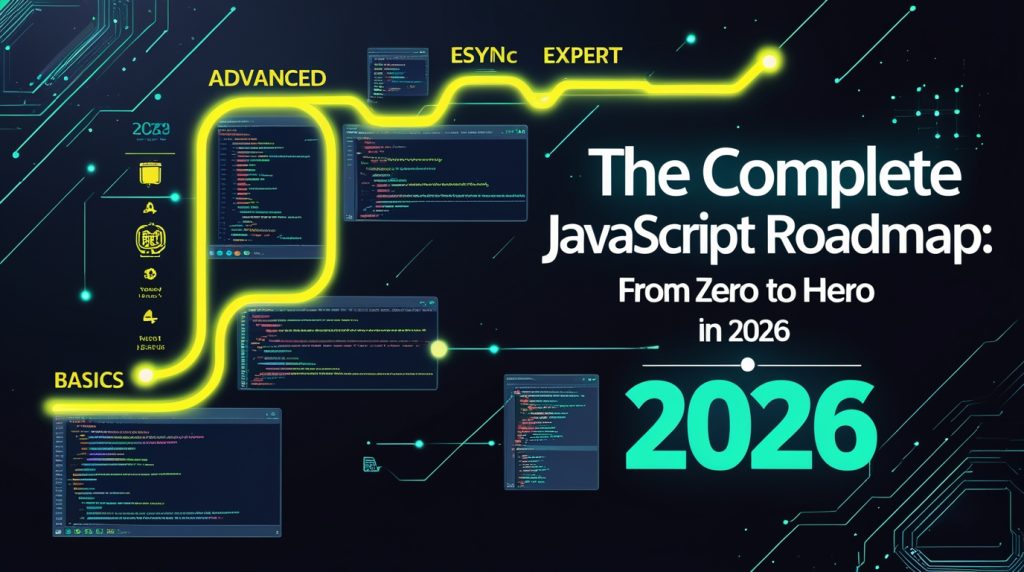
Introduction: Why JavaScript Rules the Web
Learning to code feels like staring at a giant, tangled map. There are way too many roads, and honestly, it’s easy to get lost before you even start. If that’s where you are right now, take a breath. You’ve landed in the right place.
JavaScript isn’t just another tool in the shed. It’s the engine that powers the web. Every time you scroll through Netflix or watch Google Docs update in real time, JavaScript is working behind the scenes. Back in 1995, it was just a way to make web pages a little less boring. Now? It’s the most used language out there, period.
When I first dipped my toes into JavaScript, I built the classic to-do list app you know, that rite of passage. The first time I clicked “add” and my new task popped up without the whole page blinking out and reloading, I just sat there and grinned. That spark, that tiny bit of magic, is why people fall in love with JavaScript. You write a few lines, and suddenly, the page listens to you.
This guide isn’t just a checklist of topics. I want to walk you through a real, practical path one where you actually make things you care about. We’ll get our hands dirty. By the time you’re finished, JavaScript won’t just make sense. You’ll be using it to build stuff you want to show off. Explore More
Part 1: Laying the Foundation (The First 100 Hours)
Your First Steps in JavaScript
Before you dive into frameworks or fancy libraries, you’ve got to nail the basics. Everything else leans on these fundamentals.
Setting Up Your Environment
Don’t overthink it. You don’t need expensive gear or complicated setups. Open up any text editor I started with plain old Notepad and survived just fine. Fire up your browser. Chrome’s Developer Tools (hit F12) will become your sidekick. Later on, you might grab VS Code and some neat extensions, but right now, just keep things simple.
Project 0: The Console Games
Start by opening your browser’s console (right-click -> Inspect -> Console tab). Type:
javascript

console.log("Hello, future developer!");
Congrats! You’ve just run your first bit of JavaScript. Go ahead mess around with it. Do some quick math, use prompt() to get input, or try popping up a message with alert(). This little sandbox is where you’ll trip over all sorts of mistakes, and that’s exactly how you learn.
Core Concepts You Actually Need to Know
1. Variables & Data Types
- You’ll use
letandconstmost of the time.varis old news just skip it whenever you can. - Get comfortable with strings, numbers, booleans,
null, andundefined. These are your bread and butter. - Arrays and objects? We’ll get into those soon, and they’re where things start getting interesting.
2. Operators & Control Flow
- Want your code to make decisions? Learn how to use
if/elseandswitch. - Loops (
for,while) help you repeat stuff. Knowing when to use which is half the battle.
3. Functions:- The Real Building Blocks
- There’s a difference between declaring a function and expressing it. You’ll see both.
- Understand parameters, arguments, and how to return a value.
- The best functions do one thing and do it well. Seriously.
Project 1: Build Your First Quiz Game
Let’s dive right in. Make a simple multiple-choice quiz that runs in the console:
- Store your questions as an array of objects
- Loop through each question
- Track the score with a variable
- Give feedback at the end
This isn’t some throwaway assignment it’s your first real program. My first one was ugly as sin, but it worked, and I can’t explain how good that felt.
The Fun Stuff: Arrays and Objects
Here’s where JavaScript really wakes up. Picture an array as a train, each car packed with data. An object? Think of it like a backpack, with labeled pockets for all your stuff.
Arrays: Learn methods like push(), pop(), map(), filter(), and reduce(). I’ll be honest: reduce() confused me for ages. That’s totally normal.
Objects: These are just key value pairs that let you model real things. A user object might have a name, email, and password.
Project 2: Personal Library Manager
Try building something handy a system to keep track of the books you’ve read.
- Each book is an object with a title, author, page count, and whether you’ve read it
- Keep all your books in an array
- Write functions to add new books, mark them as read, or remove them
- Show stats: total books, total pages read, how many are still unread
You’ll see how different data structures work together. Plus, it’s actually useful (I still use mine).
Part 2: Making Stuff Show Up in the Browser
The DOM: Your Doorway to the Page
The Document Object Model (DOM) is how JavaScript talks to HTML. Basically, it turns your web page into a tree that you can poke, prod, or totally change.
Figuring out how to grab elements with getElementById, querySelector, and the other helpers is a game changer. You can swap out text, mess with styles, and make things actually show up.
Event Listeners: Making Pages Do Something
This is it the moment your site gets a pulse. Click a button and watch what happens. Type in a box and see the page update. Events are how users interact with your code, and they’re what make the web feel alive.
Project 3: Dynamic Shopping List.
You build a basic web page using HTML and CSS. It’ll have a spot to type in items, a button to add them, and every item on the list gets its own remove button and a checkbox. The cool part is, even if you close the page and come back, your list will still be there thanks to something called localStorage. Plus, it’ll keep a running tally of how many items you have without you lifting a finger.
Once you see your shopping list working just like a real app, that’s it. You’re hooked on web development. Trust me.
Getting a Grip on Asynchronous JavaScript
A lot of beginners get stuck here. I almost gave up myself. Asynchronous code doesn’t always run in order, and that’s confusing until you get it.
Callbacks, Promises, and Async/Await
- Callbacks: This is the old way, and it can get messy.
- Promises: These use .then to handle whether something worked or failed.
- Async/await: This is the new, cleaner way. It looks like normal code, but it’s still doing things in the background.
Getting data from APIs is what makes JavaScript so powerful. It’s how apps show you live weather, stock prices, or what your friends are posting.
Project 4: Weather Dashboard
Make a simple page that:
- Gets weather info from a free service like OpenWeatherMap.
- Shows the current temperature, what it feels like outside, and the forecast.
- Lets you look up weather in different cities.
- Saves the cities you’ve searched for recently.
- Doesn’t crash if there’s a problem with the internet or you type a city wrong.
When you finish this project, you’ve really leveled up. You’re now building apps that actually talk to the outside world.
Part 3: Getting Better (How to Structure Your Code)
Writing Code That’s Easy to Understand
Messy code might work, but good code works and you (or someone else) can still figure it out six months later. That’s all about using good patterns and practices.
Breaking Down Your Code
Instead of one huge file, split your code into smaller, logical pieces. The part that handles what you see on screen goes in one spot. The part that gets and processes data goes somewhere else. The rules for how your app works go in the middle.
New JavaScript Stuff That Changed Everything
- Arrow functions: Shortcuts for writing functions, like
const add = (a, b) => a + b. - Template literals: An easier way to put variables inside text, like
`Hello ${name}`. - Destructuring: A quick way to pull values out of objects or arrays, like
const { title, author } = book. - Spread/rest operators: Handy for copying arrays or objects and adding new things, like
[...array, newItem, anotherItem].
These aren’t just minor tweaks; they really change how you write and think about code.
Project 5: Task Management System (Like a simpler Trello)
Make a Kanban board where you can:
- Drag and drop columns around (you can use built-in browser features or a simple ready made tool).
- Save your board in your browser or with a fake backend.
- Have pop-up windows to edit tasks.
- See due dates with different colors.
- Filter tasks by their status or who they’re assigned to.
This project makes you think about how your app is put together. How do different parts talk to each other? Where does all the information live? These questions lead you to…
How Modern JavaScript Development Works
Tools for Managing Code and Building Web Pages
npm or yarn help you manage all the extra bits of code your project needs. Tools like Webpack or Vite combine all your different code files into one. These tools might seem complicated at first, but they’re just there to help you solve real problems.
Learning About Testing
Writing tests feels like extra work until your app messes up in the middle of the night. Start with simple checks using something like Jest. Test your small helper functions first. The confidence you get from knowing your code works is a huge payoff.
Project 6: Make Your Own Framework (Think Mini React)
Seriously, build a tiny version of a component framework:
- Create a basic virtual DOM diffing thing
- A component class that handles its own data and updates
- JSX-like code using template literals
- An event system
You’d never use this for a real product, but understanding how frameworks are built makes them way less confusing. When you learn React or Vue later, you’ll see familiar patterns instead of scratching your head.
Part 4: Where to Go Next (Picking Your Path)
Front-End Focus
React: The Big One
React’s component way of doing things changed frontend work. JSX, props, state, hooks – these ideas are everywhere in job listings. Learn by building:
- A recipe app where you can filter and save favorites
- A chat app that updates live (using Firebase or something similar)
- An online store product page with a shopping cart
Vue: JavaScript on Steroids
Vue feels like regular JavaScript but supercharged. Its single file components keep everything neat. Build:
- A dashboard with charts and live info
- A form that checks your input as you type
- A markdown editor where you see changes instantly
Svelte: The New Kid on the Block
Svelte does a lot of its heavy lifting when it compiles your code, making apps super fast. Try making:
- A pixel art editor
- A drawing board that multiple people can use at once
- A place to play around with showing data visually
Back-End with Node.js
JavaScript isn’t just for web pages anymore. Node.js lets you write server code too.
Express: The Bare Bones Server
Build APIs, handle logins, connect to databases. Projects:
- A blog platform where you can create, read, update, and delete posts
- A service that shortens long URLs
- A system for uploading files and processing them
Databases: Where Your Info Lives
- MongoDB with Mongoose (NoSQL, very flexible)
- PostgreSQL with Prisma (SQL, more structured)
- Learn both – they’re good for different situations
Project 7: Full-Stack Social Media Clone
Build a simple Twitter or Instagram copy:
- User logins (sign up/log in)
- Making posts with text and pictures
- Following and unfollowing people
- A feed that first shows posts in order, then tries simple ranking
- Live notifications
This is your big final project. It brings together everything: frontend, backend, database, and getting it online.
Part 5: Fancy Stuff (When You’re Ready)
Speeding Up Your Site
Faster sites get more eyeballs and keep people around. You’ll want to learn about:
- Breaking up your code and loading bits as needed
- Making pictures load faster
- Cutting down on how much JavaScript your site uses
- Smarter ways to re-render things so they’re quick
TypeScript: JavaScript, But Better
TypeScript helps you catch mistakes before your code even runs. It takes a bit to get used to, but it’s worth it for bigger apps. Try changing one of your existing JavaScript projects to TypeScript a little at a time.
Apps That Feel Like Apps (PWAs)
Make your web apps work even when there’s no internet, let people install them, and make them feel like regular apps. Try adding a service worker to one of your projects.
What Nobody Tells You About Learning
It’s Okay to Struggle
I’ve been coding in JavaScript for over two years, and I still have to Google how to flip an array around. The difference between a newbie and a pro isn’t what they know; it’s how they figure out problems they’ve never seen before.
Finding Bugs is The Real Skill
I fix most of my problems by just printing stuff to the console. Breakpoints, the debugger command, and your browser’s tools are your best buds. The error message usually tells you exactly what’s wrong learn to read it.
People and Places to Get Help
- MDN Web Docs is like the holy book
- Someone on Stack Overflow probably has your exact problem (seriously)
- Twitter and Reddit groups can actually be super helpful
- Build stuff and show it off share what you’re working on
Building Your Showcase
Your projects are what get you hired. Focus on making a few good ones instead of a bunch of so so ones. Three solid projects are way better than ten weak ones. Make sure to explain them well in a README, put them online, and be ready to talk about why you made the choices you did.
A 6-Month Plan to Get You Going
Months 1-2: The Basics
- Learn JavaScript (from simple variables to making things happen on a webpage)
- Build: A quiz game, a library tracker, a shopping list
- Practice coding daily on sites like Codewars
Months 3-4: Making Real Programs
- Learn about JavaScript that doesn’t run all at once and using APIs
- Pick up newer ways of writing code
- Build: A weather app, a to-do list, a tiny framework
- Start learning Git and how to use GitHub
Months 5-6: Picking Your Path
- Decide if you want to focus on React, Vue, or Node.js
- Make your big final project
- Learn about testing and making things run faster
- Put something real online for others to use
Conclusion
The world of JavaScript changes all the time. What’s hot today might be old news in a couple of years. But the basic stuff we talked about? That’s here to stay. Variables, functions, arrays, objects, making websites interactive, doing things out of order these ideas will work no matter what tools or frameworks come out.
Here’s the advice I wish someone gave me when I started: Make things you actually care about. If you like games, build games. If you’re into being organized, make tools for that. Your excitement will help you get through the tough parts.
Remember that first to do list app I made? I recently redid it with everything I’ve learned. It’s now an app you can install, it uses React, has a server side part with Node.js, a database, and tests that run automatically. The main idea is still the same, but how it works is light years better. That’s your future starting small and growing.
JavaScript isn’t just a language to learn. It’s a tool to create. It’s a group of people to join. It’s a career you can build. Your time learning will be tough, exciting, humbling, and empowering often all on the same day.
But most importantly, you can do it. Lots of people have come before you. Your code will be messy at first. It will break in ways that make no sense. You’ll stare at a bug for hours only to find you forgot a semicolon. Welcome to the club. We’ve all been there.
Now, open your code editor and type console.log(Let's begin). Your first line of code is waiting.
Explore Our Programming Category