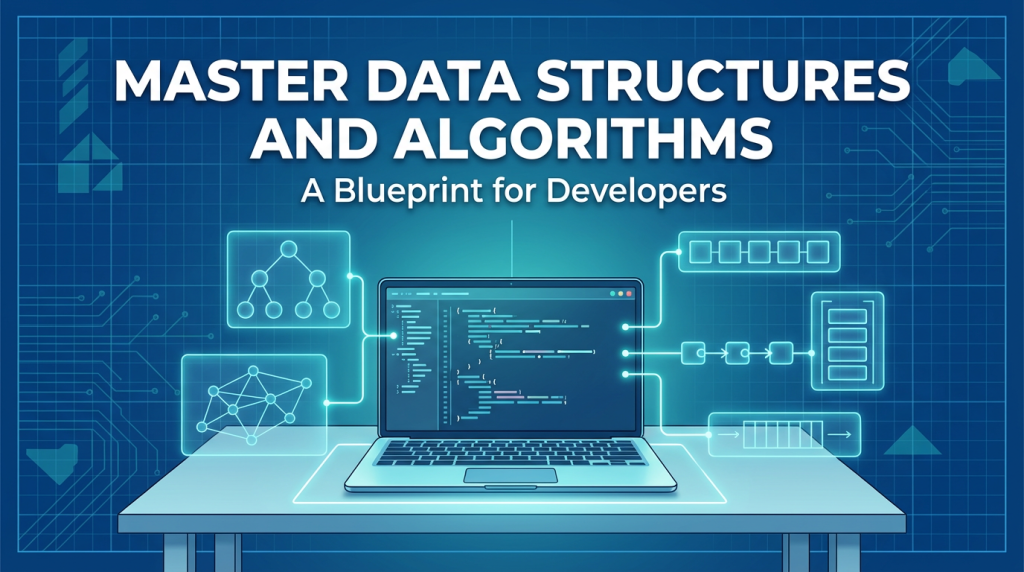
Let’s be real. When people talk about “mastering data structures and algorithms,” it sounds like you’re being asked to scale Everest, but the directions are scribbled in code only a wizard could read. You see it everywhere job posts, interview stories, those moments when your code buckles under real-world data. And honestly, this isn’t just about passing some test. It’s about rewiring how you think. You stop being someone who just writes code and start becoming someone who builds actual solutions.
So, here’s the deal: there’s no magic shortcut. Mastery? It takes work. But this guide hands you a blueprint that actually holds up. We’re not going to just memorize stuff and hope it sticks. We’re going to dig deep really get how things work, bring everything down to earth, and make the whole mess of complexity manageable. Doesn’t matter if you’re cramming for finals, breaking into tech from another field, or you’ve been coding for years but still feel those gaps. This is for you. We’re building that mindset, one logical step at a time.
Part 1: The Foundation:– Why Bother?
Before we jump into the “how,” let’s lock down the “why.” People love to say DSA is just for interviews. That’s missing the point by a mile. It’s actually the backbone of writing software that doesn’t fall apart when things get real.
Imagine it like this: data structures are how you organize your stuff. Algorithms are what you do with it. If you’re building a house, data structures are the materials and the floor plan. Algorithms? That’s your construction know how you actually get the thing built. Pick the wrong wood or botch the foundation, and you’ll end up with a house that’s shaky, expensive, maybe even dangerous.
The Real Impact: More Than Just Whiteboard Drills
- Performance at Scale: Think of scrolling your social feed. If the app had to check every single post to find your friend’s update, you’d never see it. But with the right data structure like a B-Tree the answer pops up in a heartbeat. That’s DSA doing work behind the scenes.
- Resource Management: Google Maps doesn’t just grab any old route. It picks the best one, weighing traffic, distance, and time. That’s graph algorithms pulling the strings, saving tons of computing power and energy.
- System Design Basics: Could you build a ride sharing app’s matching system without knowing about spatial data structures like Geohashes or Quadtrees? Or put together a cache without understanding the trade offs between a LinkedHashSet and a TreeMap? DSA is the language these systems speak.
- Problem-Solving Muscle: DSA gives you a toolkit. You hit a new problem, you don’t freeze. You start seeing patterns “Oh, this is about connections, probably a graph thing. Need the shortest path? Let’s try BFS.”
You don’t need to memorize a hundred algorithms. What matters is getting the core ideas down so you can (1) pick the right tool, (2) know how it’ll perform, and (3) tweak or invent solutions when you need to. That’s the real goal.
Part 2: The Mastery Framework:– A Phased Approach
Mastery doesn’t happen in a straight line. It’s more like circling back, drilling deeper each time. So, let’s break it down into four phases they overlap, but each one matters.
Phase 1: The Cognitive Shift:– Learning to Think in Space and Time
First things first: you’ve got to train your brain to see time and space as resources, just like memory or CPU. This is where everything starts.
- Time Complexity: How fast does your code run as you feed it more data? It’s not about the actual number of seconds what matters is how that time scales.
- Space Complexity: How much memory does your code eat up as the input grows?
Big O Notation: Your New Lens
Big O is the shorthand we use to talk about growth. Don’t just memorize that a for loop is O(n). Dig into why.
- O(1) – Constant Time: Grabbing an item from an array by its index. Doesn’t matter if there are ten things or ten million it’s always just one step.
- O(n) – Linear Time: Simple loop, touching every element once. Double the input, double the time.
- O(n²) – Quadratic Time: Nested loops over the same data. Double the input, and suddenly the time quadruples. This is where small problems blow up fast like comparing every user to every other user.
- O(log n) – Logarithmic Time: Divide and conquer magic. Every step halves the problem. Think binary search going from 1,000 to 1,000,000 items just means a few extra steps.
- O(n log n): Where efficient sorting algorithms like Merge Sort and QuickSort live. Slower than linear, but way better than quadratic.
Try This: Grab a simple piece of your code maybe something that finds a duplicate in a list. Figure out its time and space complexity. Now, think: what if you swapped in a HashSet instead of a list? Suddenly, you go from O(n²) to O(n). That’s a big jump.
Phase 2: Building the Toolkit:- Core Structures & Their Personalities
Definitions are fine, but to really master data structures, you need to know their personalities. When do you call on each one? What are their quirks?
The Linear Family: Order and Access
- Arrays & ArrayLists: All about that block of memory. Super fast to access by index (O(1)). Great when you know the size in advance or need to loop through things in order. But if you have to insert or delete in the middle? Not so great everything shifts (O(n)). Think: the pixels on your screen, or a soundtrack loaded for a game level.
- Linked Lists: Think of a chain of nodes. Fast insertions and deletions at the head or tail (O(1)), and the size can grow or shrink as needed. But if you want to grab something in the middle, you have to walk the chain (O(n)). Think: constantly changing playlists, or a browser’s back/forward history.
- Stacks (LIFO): Stack of plates. Push to add, pop to remove. Use it when you need to reverse things or track states. Think: the “Undo” button in a text editor, parsing math expressions, or backtracking in a maze.
- Queues (FIFO): Like standing in line at the bank. Enqueue adds to the back, dequeue removes from the front. Perfect for handling things in order. Think: printer job queues, web server request buffers, or Breadth First Search in a graph.
The Associative Family: Keys and Values
- Hash Tables (HashMaps, Dictionaries): Your turbocharged filing cabinet. Hand it a key, it hashes it to find the right spot, and stores your value. Super fast O(1) lookup, insert, and delete unless your hash function stinks, then it slows down (O(n)). No built-in order. Think: database indexes, user session storage, or counting word frequencies in a doc.
- Trees: Masters of hierarchy.
- Binary Search Trees (BST): Every node’s left child is smaller, right is bigger. Fast O(log n) search, insert, and delete if the tree stays balanced. If you keep adding sorted data, though, it can turn into a slow linked list (O(n)).
- Self-Balancing Trees (AVL, Red-Black): These are the neat freaks. They automatically rotate to stay balanced, so you always get O(log n) performance. Used everywhere ordered data is key TreeMap in Java, file system hierarchies, or database range queries.
- Heaps (Priority Queues): Special trees (usually binary) where the parent is always bigger (max-heap) or smaller (min-heap) than the kids. Fastest way (O(1)) to grab the top item, and O(log n) to insert or remove. Use them when you always need the “next best” thing. Think: hospital triage, server load balancing, or Dijkstra’s shortest path algorithm.
The Relational Family: Modeling Connections
- Graphs: The ultimate relationship model. A set of vertices (nodes) connected by edges.
- Adjacency List: Here, you use a dictionary. Each node has a list of its neighbors. This works great for graphs that aren’t too crowded like most people’s social networks. You probably have a few hundred friends, not millions.
- Adjacency Matrix: This one’s a 2D array. If there’s a connection from node i to node j, you mark it in the matrix. It’s handy when your graph is really dense or you need to quickly check if a connection exists. Downside? It eats up a lot of space—think O(V²). Imagine mapping every possible flight between 100 big cities.
- Use Cases: Networks (social, computer), web page links (Google’s PageRank), mapping and navigation, dependency resolution (what to compile first).
Phase 3: The Algorithmic Strategies:– Patterns of Thought
Now you’re learning the real meta skills. Algorithms aren’t just code they’re ways of thinking, shortcuts for solving all kinds of problems.
- Brute Force: Just try everything. Seriously, don’t skip this step. Ask yourself, “If I had unlimited time, how would I solve this?” That’s your baseline. Then immediately go, “Alright, how can I do better?”
- Divide and Conquer: The recursive heavy hitter. You break a problem into smaller pieces, solve each one (often with recursion), then piece the answers back together. Think Merge Sort, QuickSort, or Binary Search. If you can split a problem in half and work on each half separately, you’re in business.
- Greedy Algorithms: The eternal optimist. At every step, grab what looks best right now and hope it all works out in the end. Sometimes it does and when it does, it’s fast. Dijkstra’s algorithm for shortest paths is greedy. So’s Huffman coding. But watch out: making change with certain coin sets is the classic way a greedy method can blow up in your face.
- Dynamic Programming (DP): The strategist. Don’t do the same work twice. Break the problem into chunks that overlap, solve each chunk just once, and stash the answer for next time. It’s basically recursion with a memory. Two main flavors: Top-down (start big, cache as you go) and bottom-up (build up from the smallest cases). The “aha!” comes when you spot overlapping subproblems and an optimal answer that builds from smaller optimal answers. Fibonacci is the poster child here naive recursion is painfully slow, but DP makes it a breeze.
- Backtracking: Trial and error, but smarter. Like brute force, but you give up on a path as soon as you know it won’t work. Try something, see where it goes, and if it’s a dead end, back up and try the next thing. N-Queens, generating all permutations, Sudoku all classic backtracking territory.
- Two Pointers & Sliding Window: The slick tricks for sequences. Two pointers: use two indices, maybe starting at opposite ends, working toward each other. Great for things like “find two numbers that add up to X.” Sliding window: keep a chunk of the array and move it along, perfect for problems like “longest substring with at most K distinct characters.”
Phase 4: Synthesis and Application:— Where It All Comes Together
You turn knowledge into mastery by practicing over and over and over.
The Practice Regimen:
- Start with concept problems. Head over to LeetCode, HackerRank, or Codewars. Pick a data structure say, Linked Lists or Trees and knock out 5–10 easy problems. This gets your hands used to the quirks and APIs.
- Move by pattern, not by problem difficulty. Once you’re comfy, group problems by pattern. Have a “Dynamic Programming” week. Next, maybe “Backtracking.” This helps your brain see patterns, not just memorize solutions.
- The 30-Minute Rule: Wrestle with a problem for at least 25–30 minutes. Draw it, talk it through. If you’re still stuck, then look at the solution. But don’t just read it dig in. What was the trick you missed? How would you spot it next time? The next day, try to solve it from scratch again. That’s where learning sticks.
- Go for depth, not just quantity. A hundred deeply understood problems beats three hundred shallow ones. For every medium or hard problem you solve, write a quick summary what’s the time and space complexity, what other approaches could work, and what’s the core pattern?
Project Integration:
All this theory is dry if you never use it. Build projects that force you to flex your DSA muscles.
- Project 1: Make a simple file deduplicator. Use a hash function (like SHA-256) to fingerprint files, stash those hashes in a HashSet, and spot duplicates instantly.
- Project 2: Build a caching layer for a web scraper or API. Use a LinkedHashMap to create an LRU cache when it fills up, kick out the oldest data.
- Project 3: Create a pathfinding visualizer for a 2D grid. Start with BFS for basic shortest paths, then upgrade to A* with a heuristic to speed things up. There’s nothing like seeing the algorithms actually do their thing on-screen.
Part 3: The Advanced Frontier:– Concepts for the Aspiring Expert
Once you’ve nailed the basics, it’s time to see what’s really going on under the hood of modern systems.
- Advanced Trees: B-Trees and B+ Trees these are the workhorses behind fast databases and filesystems. They cut down on disk reads and make everything snappier. Segment Trees and Fenwick Trees help you handle range queries and updates on arrays, quickly. Tries let you search strings by prefixes, so you get instant autocomplete magic.
- Advanced Graphs: Topological Sort is what powers build systems and figures out course schedules. Union-Find (or Disjoint Set) tracks network connectivity, and you’ll see it in Kruskal’s MST algorithm. Flow Networks let you model capacities think data traffic, or water moving through pipes.
- System Design Patterns: Here’s where you see these structures out in the wild. Consistent Hashing keeps distributed caches humming along (like in Dynamo or Cassandra). Bloom Filters help you answer questions like, “Is this URL definitely not in our cache?” all without wasting time. Skip Lists give you a clever, probabilistic alternative to balanced trees.
Part 4: The Human Element:– Sustaining the Journey
Mastery isn’t about a sprint; it’s about showing up, again and again. Here’s how you keep going (and how you keep your sanity).
- Embrace the Struggle: Honestly, you’ll feel dumb sometimes. That’s good. When you’re struggling, your brain is literally building new connections. The hard part is where the learning happens.
- Find a Community: Try explaining a tricky concept to someone else maybe on Discord, in a study group, or on a CS forum. If you can teach it, you really get it.
- Schedule Consistency: One hour a day beats a ten-hour marathon on some random Saturday. Make it a habit, something you do automatically, like brushing your teeth.
- Connect to Your “Why”: When your energy’s low, remind yourself why you started. Look back at a project where better data structures made things faster or smoother. Remember, you’re building the mental tools to make great software.
Conclusion: The Master’s Mindset
Mastering data structures and algorithms doesn’t mean you’ll never need to look something up again. It means you’ve built a kind of intuition. When you see a new problem, you don’t just stare at it blankly you spot patterns. “Oh, this is a graph traversal with weighted edges.” Or, “A heap will help here because I always need the minimum.”
You start to notice the digital world’s hidden architecture the trees inside your database, the graphs in your social network, the queues in your message broker. Suddenly, you’re not just writing code that works. You’re designing systems that perform.
This journey will change how you think. It’s not always easy. Sometimes, it’s downright frustrating. But it’s worth it. Start today. Pick one data structure. Get to know it, build it from scratch, solve five problems with it. Then move on to the next. Brick by brick, pattern by pattern, you’re building something solid. The mountain isn’t impossible. You’ve got the map. Now go start the climb.
Explore Our Programming Category