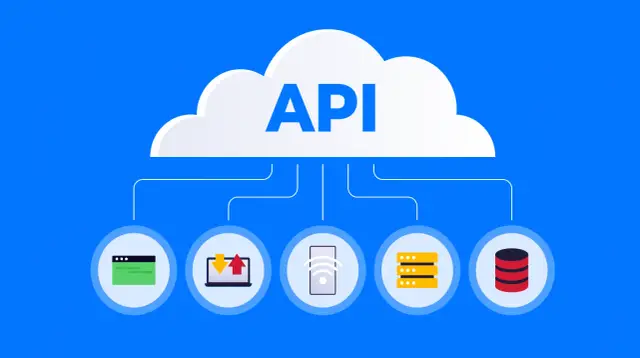
Quick Answer: What Is an API? An API (Application Programming Interface) is a protocol that enables one software application to interact with another. Picture it as a digital waiter who takes your order to the kitchen (the system), fetches the order for you, and you don’t have to worry about how the cooking happens in the kitchen. All the things that you do online, including paying, use APIs.
Introduction: The Invisible Engine Driving Your Digital Experience
You looked up the weather this morning. You ordered coffee through an app. You signed in to a website using your Google account. You made a payment through Apple Pay. What you probably didn’t realize was that each one of these interactions involved an API.
The API is the invisible backbone of the modern digital age. It isn’t glamorous. It doesn’t get keynote addresses at product launch events. Without APIs, however, there would be no connected world we are accustomed to today.
As per industry research conducted recently, more than 90% of software developers utilize APIs for their projects, while the worldwide API management industry is expected to reach above $10 billion by 2027. However, there are a lot of people, even some who are part of the tech community, who can’t really articulate how APIs work.
This is what this guide is all about. No matter if you’re a total beginner or an advanced API user wanting to learn more about their inner workings, this article will cover all you need to know: the basics, the evolution, the various types, some coding samples, security issues, and the future of APIs in the age of AI. But first, let’s talk about the basics no technical lingo here!
What is an API? A Simple Explanation Using Analogies
API means Application Programming Interface.
It is a complex term and thus is broken down into three simple words:
- Application: This is a computer program that does some useful job
- Programming: This is how developers work with it
- Interface: This is the point at which two items connect and communicate with each other
The crucial word here is “interface.” An interface is a method of communication between two different items. Your steering wheel of your car is the interface between you and the wheels. Your remote control is the interface between you and your television screen. API is the same idea but applied to computer programs.
The Restaurant Analogy (The One That Actually Sticks)
Think of yourself as dining in a restaurant.
You don’t enter the kitchen; collect the ingredients and prepare your meal. Rather, you inform the waiter about what you want. The waiter sends your order to the kitchen, where it is prepared, and then the waiter serves the dish back to you.
You don’t need to worry about:
- The layout of the kitchen
- The tools used in the kitchen
- The method of cooking the dish by the chef
All that you require is knowledge of how to order from the menu and what you will receive in return.
And that is precisely what an API does.
- You = the application making the request
- The waiter = the API
- The kitchen = the system holding the information/data or functionality that you need
- The menu = the API documentation (which tells you what you can order and how)
When you use the weather application on your phone, the application itself does not possess any weather satellites of its own. Rather, it makes a request via the API, and the weather service processes that request, provides the information, and passes it back to the application.
How APIs Work: The Request/Response Loop
You now know the definition, so let’s take a look at how it works. All operations carried out via an API are done using the request/response loop.
Step 1: The Request
A program known as the “client” makes an API request to a different program known as the “server”.
The API request generally contains:
- Endpoint: Where the API can be found, e.g., https://api.weather.com/current
- Method: What action to do (GET, POST, PUT, DELETE)
- Headers: Information about the request itself (authentication tokens etc.)
- Body: The data that needs to be sent with the request (if any)
An example of an API request in its raw form:
text
GET /v1/weather/current?city=London HTTP/1.1
Host: api.weatherservice.com
Authorization: Bearer abc123token
Accept: application/json
It means: “I would like to GET the current weather conditions in London, and here is my authorization token, with my request in JSON format.”
Step 2: Processing
The server will receive the request, validate it, authenticate the client, and then do its work. This could be anything from running a query on a database to performing a computation.
Step 3: The Response
The response from the server includes:
- Status code: This is a number to indicate if it succeeded or failed (200 means “OK,” 404 means “Not Found,” and 401 means “Unauthorized”)
- Headers: Data about the response
- Body: The real data (often in JSON format)
The response would typically look something like this:
json
{
  "city": "London",
  "temperature": 12,
  "conditions": "Cloudy",
  "humidity": 78,
  "timestamp": "2026-01-15T09:30:00Z"
}
HTTP Methods: The Verbs of APIs
In order to make an API request, you need to use a specific HTTP method that denotes your intent. It corresponds to various database operations:
| Method | Purpose | Example |
| GET | Retrieve data | Get a user’s profile |
| POST | Create new data. | Submit a new order |
| PUT | Update existing data. | Change your email address |
| DELETE | Remove data. | Delete a comment |
This approach is widely used in most public APIs. The process is so prevalent that developers refer to it as “CRUD,” Create, Read, Update, Delete.
The History of APIs: From Punch Cards to AI Agents
APIs were not created out of thin air. They have been developing for over five decades, and knowing their history is important to understand how they function.
The 1940s-1950s: Birth of the Idea
The notion of code reuse has been present since the dawn of the computer era. Thus, in 1949, the EDSAC (Electronic Delay Storage Automatic Calculator) computer at the University of Cambridge presented something innovative: the first subroutine library implemented on paper punch cards.
One did not have to write everything himself but could reuse code that was already written. This was an early attempt to implement the idea of the API, a certain interface to utilize someone else’s functionality.
1968: The Term Is Born
The term “Application Programming Interface” was first coined in a research paper delivered at the 1968 AFIPS Fall Joint Computer Conference. In the paper called “Data Structures and Techniques for Remote Computer Graphics,” it was shown how various pieces of software can communicate via specific interfaces.
The 1970s–1980s: APIs in Operating Systems
With greater modularity of software, the use of APIs grew. Operating systems such as UNIX included APIs allowing applications to access hardware services of the operating system. An API standard called POSIX (1988) helped to make code portable across various machines.
The 1990s: The Web Changes Everything
The development of the World Wide Web in the early 1990s raised a new challenge of communication between applications across the web.
In 1998 SOAP (Simple Object Access Protocol) came into existence. This protocol relied on XML and HTTP to allow remote procedure calls. While SOAP was very useful, it had one significant drawback: it was verbose and complex.
2000: REST Arrives
A dissertation by Roy Fielding gave birth to an architecture style named Representational State Transfer, or REST. This was an architecture style and not a protocol. REST focused on simplicity and statelessness along with standard HTTP methods.
REST made APIs easy to create and consume. The rise in popularity of web APIs like Google Maps, Twitter, and Amazon can be attributed to the principles of REST.
2010s: GraphQL & API Economy
GraphQL was introduced by Facebook in 2015. Contrary to REST, which often involves multiple calls to put together related data, GraphQL allows clients to get precisely what they want with one call.
This was the period when the API economy was born. Businesses discovered that APIs were not only technical but also products. The API for payments made Stripe worth billions, while the API for communications made Twilio worth the same. Suddenly, you could create a whole company out of an API.
2020s and Onward: AI, MCP, and Agentic APIs
Here we are at a turning point. Model Context Protocol (MCP) is becoming a protocol defining the way in which AI agents discover and consume APIs. Unlike having humans code API calls themselves, AI agents can now autonomously discover and call APIs as well as orchestrate workstreams around them.
This is the next big step forward: APIs built not only for humans but for machines as well.
Types of APIs: A Practical Taxonomy
It is important to understand that not all APIs have the same characteristics. They can be categorized based on architecture, accessibility, and functionality.
By Architecture
REST (Representational State Transfer)
Most prevalent web API architecture. RESTful APIs leverage HTTP methods (GET, POST, PUT, DELETE) and usually respond to requests using JSON (JavaScript Object Notation).
Key Features:
- Stateless: All necessary information is included in the request; no record is kept of requests on the server
- Resource-oriented: URLs represent resources (for example, /users/123 represents a particular user)
- Leverages standard HTTP response codes
REST is widely used due to its simplicity, scalability, and language independence.
SOAP (Simple Object Access Protocol)
A protocol that is more traditional and inflexible. SOAP APIs are based only on XML and have well-defined rules regarding message formatting.
However, SOAP is still in demand in corporate settings when working with financial institutions and hospitals. But for all the new projects, REST and GraphQL will be more beneficial to implement.
GraphQL
It was invented at Facebook and enables the client to request only those data points that he needs within one query. In contrast to REST with several endpoints such as “/users/123” and “/users/123/orders,” GraphQL uses only one endpoint, “/graphql,” where all queries are sent by the client.
GraphQL is very helpful for complicated queries but requires more server logic. It cannot replace REST.
Webhooks vs. Polling
The webhook can be described as a “reverse API” since your program will not be asking continuously “Is there any new data?” (polling), but the API will deliver data to your program whenever an event takes place.
By Accessibility
- Private APIs: Used by the organization internally only. Not made available for public use.
- Public APIs: Available for use by developers outside the organization. May include registration and API keys.
- Partner APIs: Available to selected business partners only.
By Use Case
- Data APIs: Enable access to data (weather, finance, geographical)
- Payment APIs: Facilitate payments (Stripe, PayPal)
- Communication APIs: Enable sending SMS or emails or making calls (Twilio)
- Authentication APIs: Enable authentication and logins (OAuth providers)
Real-World Examples of APIs (With Code)
Nothing beats practical examples to understand abstract ideas. Let’s see some real-world API implementations.
Example 1: Fetching Weather Information
Here is an example of fetching information from a weather API using Python and the requests library:
python
import requests

# API endpoint with query parameters
url = "https://api.openweathermap.org/data/2.5/weather"
params = {
    "q": "London",
    "appid": "your_api_key_here",
    "units": "metric"
}

# Make the API call
response = requests.get(url, params=params)

# Check if the request succeeded (status code 200)
if response.status_code == 200:
    data = response.json()
    print(f"Temperature: {data['main']['temp']}°C")
    print(f"Conditions: {data['weather'][0]['description']}")
else:
    print(f"Error: {response.status_code}")
This piece of code:
- Specifies the URL of the endpoint
- Adds parameters (city name, API key, units)
- Performs a GET request
- Checks the status code
- Uses the JSON response
Example 2: Creating a Resource (POST Request)
This is how you can create a new user using an API:
python
import requests
import json

url = "https://api.example.com/v1/users"
headers = {
    "Authorization": "Bearer your_access_token",
    "Content-Type": "application/json"
}
data = {
    "name": "Jane Developer",
    "email": "jane@example.com",
    "role": "admin"
}

response = requests.post(url, headers=headers, json=data)

if response.status_code == 201:  # 201 = Created
    new_user = response.json()
    print(f"User created with ID: {new_user['id']}")
POST uses the request body to submit data. A 201 created response denotes successful transmission of the request.
Example 3: Using a Public API Without Authentication
All APIs are not necessarily authenticated by keys. Take a look at the following example:
python
import requests

# Random user generator API (no auth required)
response = requests.get("https://randomuser.me/api/")

if response.status_code == 200:
    user = response.json()["results"][0]
    print(f"Name: {user['name']['first']} {user['name']['last']}")
    print(f"Email: {user['email']}")
    print(f"Country: {user['location']['country']}")
This shows the fundamental process: Make a request, look at the answer, and use the information.
API Security: Things You Should All Know About
APIs expose functions and data. This makes them a target. Knowledge about API security is not optional but necessary for everyone dealing with APIs.
The OWASP API Security Top 10
There is a list of the top 10 critical security risks for APIs maintained by the Open Web Application Security Project (OWASP). The following are the most important among them:
1. Broken Object Level Authorization (BOLA)
The API fails to verify the user’s authorization for accessing the specific resource. If, for instance, GET /api/users/123 returns user 123 data on request without any confirmation of whether the one making the request is user 123 or has permissions to access him, then it is BOLA.
It is the most common and damaging API security issue. In 2022, Optus was breached due to this flaw, leading to the exposure of customers’ records.
2. Broken Authentication
Poorly configured API authentication, such as guessable API keys, the absence of a token expiry date, or weak password reset flows, allows attackers to spoof their identity.
3. Excessive Data Exposure
Some APIs tend to send back excessive amounts of data with the hope that the client will filter out unnecessary information. However, attackers use the API directly without using the client. An example of exposing excessive data would be sending the whole user object when the API needs just a username.
4. Insufficient Resources & Rate Limiting
Rate limiting helps prevent denial-of-service attacks as well as brute-force attacks because otherwise, APIs can be overloaded by the number of requests.
Basic Security Practices
Here’s what actually matters
- Always employ HTTPS. Never exchange any information through plain HTTP.
- Every request should be authenticated. OAuth 2.0 and other standardized authentication schemes are preferred; do not make your own scheme.
- Sanitize all inputs. Never believe anything coming from the client.
- Enforce rate limiting. Preventing API misuse is important.
- Utilize API gateways. Azure API Management and AWS API Gateway are examples.
- Employ least privilege principles. An API should have no more permissions than it requires.
Authentication vs. Authorization
There is usually confusion with these two terminologies:
- Authentication checks your identity (login)
- Authorization checks your capabilities (permissions)
Both are necessary for APIs. Having a proper token doesn’t necessarily mean that you have the right permissions.
Advanced Corner: The API Lifecycle & Management
While developing and managing APIs on a large scale, there’s more to think about than simply building them to function properly.
The API Lifecycle
Design → Develop → Test → Deploy → Monitor → Deprecate
Each phase has its own concerns:
- Design: Design the contract (what endpoints exist, what input and output do they take)
- Development: Develop the code to support that logic
- Testing: Ensure that it works correctly, safely, and efficiently
- Deployment: Deploy it in production (and version it)
- Monitoring: Measure how well it’s working
- Sunsetting: Deprecate old versions
API Gateways
An API gateway sits between clients and backend services. It handles:
- Authentication and Authorization
- Rate Limiting
- Routing Requests
- Caching Responses
- Logging and Monitoring
Some popular gateways are Kong, Apigee, AWS API Gateway, and Azure API Management.
Versioning
APIs evolve. When they evolve, you cannot simply break the existing clients. Strategies for versioning an API include:
- URL-based versioning: /v1/users, /v2/users (most popular)
- Header versioning: Accept: application/vnd.api.v2+json
- Parameter-based versioning: /users?version=2
URL-based versioning is the simplest and most popular strategy.
OpenAPI Specification
OpenAPI specification (previously known as Swagger) is an industry standard for defining REST APIs. The open API description includes:
- Accessible endpoints
- Request/response formats
- Authentication mechanisms
- Error handling response
It helps in automating API documentation, generating client SDKs, and testing utilities.
The Future of APIs: AI, Agents, and MCP
The API landscape is shifting in a fundamental way. Here’s what’s coming.
AI Agents As Consumers Of APIs
Normally, humans write programs that consume APIs. Soon, AI agents will be able to discover and consume APIs independently.
It impacts the API design considerations as follows:
- Documentation should be machine-readable
- Semantics are required for agents to know what API does
- Errors should be described clearly so that an AI can recover from mistakes
- The security model should cover the interactions between agents
Model Context Protocol (MCP)
MCP is taking off as the de facto way that AI systems make capabilities accessible and usable. Rather than coding in an API call by hand, the agent could query for all available tools and their schema automatically.
MCP servers become capability brokers, making domain logic available in a standardized interface that works for humans as well as AI.
It’s a relatively new idea, but it shows what APIs will become: from readable by humans to machine-readable, from one-offs to composable, and from developer-controlled to agent-controlled.
The Walled Garden Problem
With AI increasing the value of APIs, certain corporations are starting to wall off these resources. According to “The API Evangelist,” Kin Lane, “Everything starts off very kumbaya, with open APIs at launch. Then, by the time you get to a Series D, everything is locked down.”
This is the conundrum of the future web: open APIs encourage innovation and interoperability while closed APIs protect business models.
Common Myths Debunked
“APIs are meant solely for programmers.”
Wrong! Every user of applications and websites relies on APIs indirectly or directly, and learning about APIs can be helpful in understanding how they function.
“REST is superior to SOAP.”
Not always. SOAP includes certain aspects that are absent in REST, including formal agreements (WSDL), security specifications (WS-Security), and reliable message delivery mechanisms. In enterprise-level systems that have strong regulatory compliance requirements, SOAP remains relevant.
“API keys are secure authentication methods.”
That’s not true. API keys are just identifiers, not authenticators. They can be leaked (on GitHub, via HTTP requests), and it is difficult to rotate them. Always use OAuth 2.0 or other standardized approaches for sensitive operations.
“GraphQL will kill REST.”
REST and GraphQL solve distinct issues. GraphQL shines in situations requiring adaptable data structures. REST is better suited to straightforward, cacheable resources.
Lessons for Practical Application: What To Do With All This Information
If You’re Learning to Code
- Practice coding using open APIs. Try free APIs without authentication, such as randomuser.me or jsonplaceholder.typicode.com.
- Master documentation reading. Being able to comprehend the terms of the API contract right away can be considered a superpower.
- Create some small apps: weather app, currency converter, random quotes generator, etc.
If You’re Building APIs
- Design first. Your OpenAPI spec comes before your actual code.
- Security must be your top priority from the get-go. BOLA and broken authentication are the most frequent types of vulnerabilities. Address these problems before they become a problem.
- Write comprehensive documentation. Your API’s documentation will either make it or break it.
- Versioning is crucial from the beginning. It’s inevitable that you’ll have to make some breaking changes.
If You’re Evaluating APIs
- Evaluate the security stance. Is there HTTPS? OAuth? Rate limiting?
- Refer to the documentation. If you cannot figure out how to make a simple call within 10 minutes, that API is badly designed.
- Seek community engagement. Questions on Stack Overflow, issues on GitHub, and active discussion forums all point to good API design.
Resources to Go Deeper
- OpenAPI Specification: spec.openapis.org
- OWASP API Security Top 10: owasp.org/www-project-api-security
- Postman Learning Center: Tutorials and examples on APIs
- RapidAPI Hub: Over thousands of public APIs to learn on
Conclusion
APIs aren’t a specialized technical topic. APIs are the glue that holds the whole digital world together. Every time you authenticate using Google, monitor shipments, or make online payments, an API does its job in the background. Every time a company connects with another company, implements an automated process, or exposes information to its customers, APIs do all that.
Knowing APIs, their nature, their operation, and how to protect them is becoming as essential as knowing the Internet itself. Irrespective of whether you create software applications, manage IT systems, or just need to get an idea about how technology works, APIs are an integral part of all this.
The industry changes rapidly. AI agents, MCP, and agentic workflows are new things that emerge in the space. The basics remain the same, but the consumers change. The professionals who will excel here will be those who know not only the basics but also the new trends. Start small. Select an API. Make a request. Observe the result. This is how everything begins.
Explore Our Cybersecurity Category. And if you are reading it up to here, leave a sweet comment to motivate us to write blog everyday.


