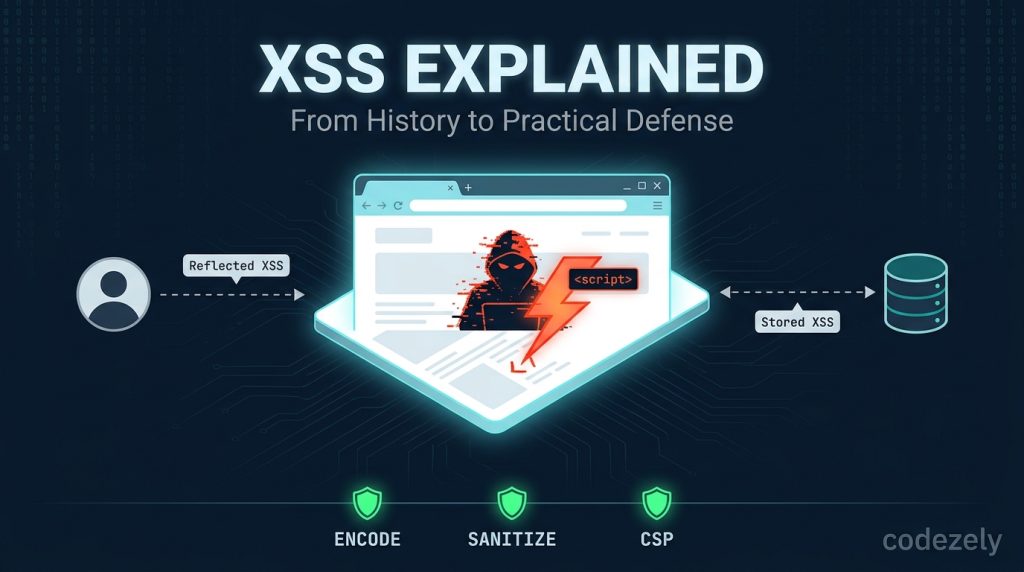
Some things to know before proceeding: I am a learner, like everyone else. What follows in this essay is all information I could gather officially from OWASP and CWE, or through other verified sources. This information depends on context, or on version, wherever it applies. I have never tried out an attack in real time on any site, nor have I executed all the code samples in practice.
What XSS Actually Is
Cross-site scripting, which is commonly known as XSS, occurs when the attacker executes his own JavaScript code through the trusted website in a trusted browser belonging to another individual.
This is my simplest understanding of the scenario: the website takes the input provided by the user, comments, search query, and profile name, among others, and displays it on its web page without sanitization. When the input provided by the user is plain text, then it is okay. However, when the input consists of code, the code will be executed.
The browser does not differentiate the code intended to be executed by the website from the malicious code injected through the attacker. All of them come from the same source from the point of view of the browser. XSS is not a problem of “bad characters” but of code injection.
A Short History (Because It Shows Why This Is Not Dead)
The first technical definition of XSS was introduced in 1999, as stated in a study of the literature of XSS attacks by a systematic mapping conducted in 2024. It means that this problem has been recognized for more than 20 years.
Initially, XSS was used for cookie thefts. An attacker would use an injection of a script to read a document. cookie and transmit the data to the attacker’s own server. Then came session hijacking.
In 2005, Amit Klein identified the third type of XSS, called DOM-based XSS. The breakthrough here was understanding that certain XSS did not affect the server at all—the whole process occurred in the browser’s DOM.
By around 2012, the research community had revamped the classifications into a new and simpler structure: server XSS and client XSS, each of which can either be stored or reflected. This makes sense because it emphasizes the location of the problem rather than just the method by which the attack travels.
After all this time, XSS is still widespread. According to the 2024 survey, XSS attacks continue to be considered as “significant threats” and are “targeting new web applications” despite years of research. This does not happen because the solutions are not available. It happens because these solutions are too easy to bypass.
Types of XSS Exploits, Organized Nicely
Three Classic Types (Still Relevant, But Limited)
In reflected XSS, the user’s input is directly used by the web application and reflected back in the response. Consider an example of the web page with “You searched for: [Your input here].” If the input isn’t handled properly, the script runs immediately. The attack payload is delivered through the link/form.
Stored XSS is when the malicious input is stored either in the database, comments section, or forums and is delivered to the users later. This kind of vulnerability is usually seen as the most dangerous one since it does not require the victim to click on the malicious link.
DOM-based XSS works in the browser only. The server’s response is not modified. The client-side script accesses the value of some DOM object (for example, location.href), and writes the value to another object without treating it as potentially dangerous.
The Better Model: Server vs. Client
OWASP now recommends thinking in two dimensions:
| Stored | Reflected | |
|---|---|---|
| Server XSS | Payload saved on server, later rendered | Payload reflected by server in response |
| Client XSS | Payload saved (server or client), unsafe DOM write | Payload from request/DOM, unsafe DOM write |
DOM-based XSS is a form of client XSS. This table is important since it shows where your vulnerability lies. Server XSS shows that there is a problem in output encoding on the server side. Client XSS implies that there is a problem in DOM manipulations in JavaScript.
Why XSS Is More Than “Alert Popups”
Alert(“XSS”) is a deceptive example of an XSS attack because it paints XSS as a joke. It is not.
The true results of XSS are listed by OWASP as session cookie exposure, followed by account hijacking, installation of Trojans, redirection to malicious websites, alteration of page content, and sometimes even complete account takeover. Even one XSS vulnerability in the admin panel can give a hacker the ability to do things as the admin.
It doesn’t matter if it’s stored or reflected; the effect is the same.
The Defenses That Actually Work
And here’s how we solve it. Here’s exactly what you need, from the most to least important.
1. Output Encoding (The Base)
The single most effective defense is output encoding during data insertion into HTML. What does output encoding do? It takes dangerous characters like < and > and translates them into entities like < and >.
Here’s the critical thing about output encoding. You must encode according to context. Different contexts like HTML body, HTML attribute, JavaScript, CSS, and URL each require different forms of encoding. Encoding HTML in a JavaScript context won’t help you. As CWE states explicitly, “Proper output encoding, escaping, and quoting are the most effective solutions for preventing XSS.”
2. Don’t Rely on Input Validation Alone
Input validation helps in reducing attack surfaces and identifying some attacks. But it cannot prevent XSS attacks all alone. How? Take an example of chat applications, where someone may send <3 for a heart shape. It is valid input. But when you include it in HTML, < becomes harmful. If you remove it, it breaks the user’s message. Output encoding solves it; input validation does not.
CWE suggests allowlist validation (“accept known good”) over denylist filtering (“reject known bad”), as denylists are always incomplete. But perfect input validation will not solve the issue of output encoding.
3. Default Escaping in Your Framework (And Don’t Turn It Off!)
In modern frameworks such as React, Vue, and Angular, the content escaping is performed by default for the regular data bindings. The problem arises when you consciously disable this security mechanism. The signs are pretty clear here: dangerouslySetInnerHTML in React and v-html in Vue. If your API function contains the words “dangerous,” “bypass,” “trust,” or “raw,” well, there’s a reason for that.
When the need arises to use HTML provided by the user (like rich text editors or comments with formatting), use a library like DOMPurify. Such libraries analyze HTML and strip off any dangerous tags, which is not possible with regular expressions.
4. Content Security Policy (CSP)
The Content Security Policy is an HTTP header that instructs the browser on which sources of scripts are trusted. In the case of a strict CSP policy using nonces or hashes, injected scripts would be prevented from running even if the point of injection were found by the hacker.
Here is how a nonce-based CSP works: a random value is generated for each request and placed in the CSP header as well as on all legitimate script tags. Since injected scripts do not have the right nonce, they are not executed by the browser.
Some common mistakes that make CSP ineffective are
- script-src ‘unsafe-inline’: allows inline scripts, which XSS uses
- script-src ‘unsafe-eval’: allows eval()
- Wildcards for sources (whole CDNs or schemes)
Begin with a report-only strategy, observe what fails, and then implement the restriction. Trusted Types is a relatively new browser security mechanism that can impose additional restrictions on unsafe DOM APIs such as innerHTML; by 2026, Trusted Types will be supported in the most recent browser versions.
5. HttpOnly and SameSite Cookies
This is not a defense against XSS but an attempt to mitigate its damage. HttpOnly makes it impossible for JavaScript to get the cookie using document. cookie, preventing the most straightforward session stealing attack. SameSite=Strict or SameSite=Lax helps to avoid cross-site requests.
However, please remember one important limitation. HttpOnly does not protect against XSS attacks. What HttpOnly prevents is cookie theft via document. cookie. The attacker, exploiting XSS, will still be able to execute actions in the name of the user, retrieve page data, or even use XMLHttp. Request to obtain additional information.
6. Subresource Integrity for Third Party Scripts
Should you be using a CDN for loading the scripts, SRI allows you to fix a cryptographic hash. In case of any tampering by CDN, the browser won’t run it.
This won’t stop an XSS attack on your own code. This will prevent your third-party code from being an XSS vector.
Things That Don’t Work (And Why They’re Used Anyway)
The blacklist filtering approach of removing script tags or onerror equals will just get you into trouble. Various encodings, case alterations, attribute handlers, SVG events, and parser tricks can easily circumvent such methods. Even OWASP provides some examples of XSS attacks without any usage of script tags, utilizing onload, onmouseover, and onerror attributes.
Client-side-only filtering is pointless for protection. There’s no need for an attacker to submit anything via your form. Believing that “read-only” websites don’t need any XSS protection is a myth. OWASP clearly states that even brochureware websites are prone to reflected XSS attacks.
Practical Checklist for a Beginner Developer
If you are developing something and you want to lower the risks of an XSS attack from day one:
- Use a framework that sanitizes by default. Go with the flow.
- Never use innerHTML with user data. If all you need is text use textContent. Use DOMPurify if you really need HTML.
- Encode on output, not on input. Save the raw data, encode at render-time.
- Configure HttpOnly and Secure flags for session cookies.
- Use a Content Security Policy. Start with Content-Security-Policy-Report-Only.
- Stay up-to-date with your sanitizer and your framework. Bypasses are found; updates will patch them.
Limitations and Honest Uncertainty
Live XSS attacks and running code on a vulnerable application could not be done for this article. The sample code given above are just examples of the pattern of code found in the documentation.
There are differences in the behavior of CSP and Trusted Types according to different versions of the browser. Trusted Types have been confirmed to work on the latest versions of browsers as of February 2026 , but not on older versions.
XSS cannot be solved using one single approach alone. As per OWASP, CWE, and various studies, there is a need for multiple defenses to prevent XSS.
Conclusion
XSS is not new technology; it was first found back in 1999, and continues to be around, as it can be easily missed during the process of protection. The concept is simple: untrusted input should not get into the user code ever. Encode output according to its context, take advantage of framework defaults, use sanitization where it is really needed, and apply a strict Content Security Policy (CSP) as additional protection. HttpOnly and SameSite attributes in cookies will help to reduce the impact, but not to eliminate the vulnerability.
Nothing works alone perfectly, and that is the lesson: the defense against XSS is about creating multiple layers of protection, and not in finding one filter. Blacklist filters, client-side validation only, and the belief that read-only applications are safe do not work for various reasons which were explained above. You will not need to remember any payloads if you start building your applications according to this principle of output encoding.
Also Explore Our Cybersecurity Category. And if you are reading it up to here, leave a sweet comment to motivate us to write blog everyday.


