For a long time, cybersecurity was all about building a fortress. Think of your company’s network like a medieval castle. You’d have big, strong walls (firewalls), a really deep moat (your network edge), and one guarded drawbridge (VPN access). Once someone was inside, you pretty much trusted them. They could wander from the courtyard to the main hall, getting to different things. This was the trust but check later way of doing things, and it kind of worked back when everyone was in the office and data stayed put.
But that castle idea? It’s totally old news now. Those walls? Gone. Your data isn’t just in some dusty server room; it’s in the cloud, everywhere. Your team isn’t just at their desks; they’re in cafes, airports, and working from home. They use all kinds of apps, some old ones on your own servers, some cloud based ones they get to straight from the internet. That drawbridge? Now it’s thousands of personal devices, smart gadgets, and outside contractors. The old edge of your network has just disappeared.
In today’s world with no clear boundaries, the old way of thinking isn’t just not good enough; it’s outright dangerous. If just one access key gets stolen inside your trusted area, it can lead to a huge mess as bad guys move around freely. This harsh truth brought about a big change in cybersecurity: Zero Trust.
What Zero Trust Really Means: A Basic Idea
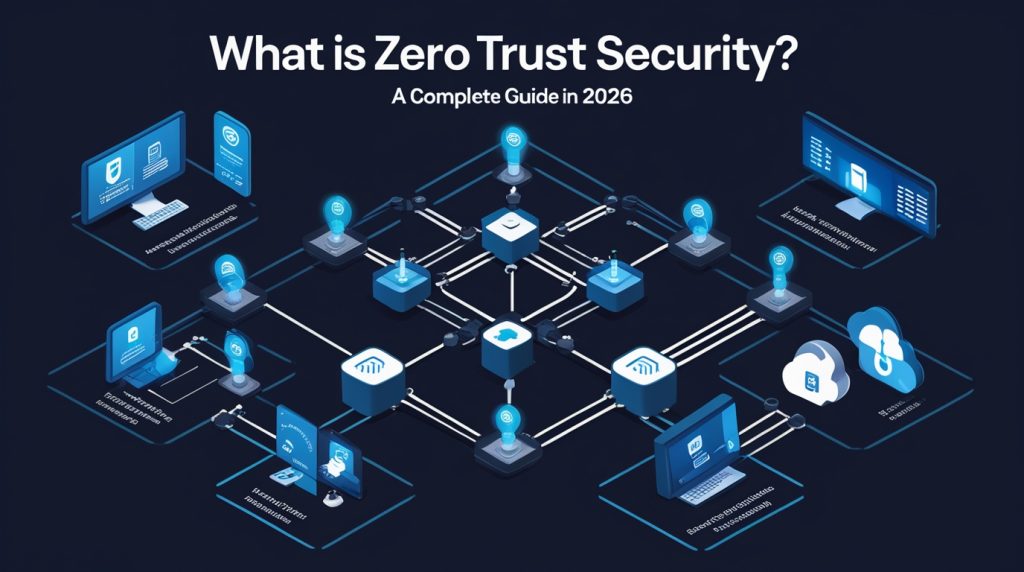
Let’s be clear: Zero Trust isn’t some product you can just buy. It’s a way of thinking about security, a core belief based on a simple idea: Never trust, always check.
The folks at NIST, who set the standard, say it well: Zero trust means you don’t automatically trust devices or user accounts just because of where they are (like being on your office network versus the internet) or who owns them (company or personal).
In plain talk: Just because a device is on your company Wi-Fi, or a person logged in from the office hours ago, it doesn’t mean they should get into the finance database or HR system right now. Every single request to access something has to be checked, approved, and scrambled before it’s allowed. And then, it keeps being checked the whole time they’re using it. Learn More
The Parts of a Zero Trust System: Building It Piece by Piece
Getting to Zero Trust is a journey, not something you flip a switch for. It relies on several connected parts that all work together.
1. Security that Focuses on Identity: The New Edge
When there are no network walls, who the user is and what device they’re using becomes the main control point. This is more than just a username and password.
- Strong Multi-Factor Authentication (MFA): You absolutely need this. It’s something you know (like a password) plus something you have (an authentication app or security key) or something you are (like your fingerprint).
- Constant Risk Checking: Logging in isn’t a one time thing. Is the user logging in from a new country just minutes after being home? Is their device missing important updates? Are they trying to download a super large amount of data? The system constantly checks how risky the session is and might ask for another check or simply block access.
2. Least Privilege Access: Only What You Need to Know
This acts like a careful gatekeeper for your stuff. People and systems should only have the exact permissions they need to do their specific job, and only for as long as they need them. This really cuts down on places attackers can get in.
- Role-Based Access Control (RBAC) & Attribute Based Access Control (ABAC): Access is given based on your job, where you are, how healthy your device is, time of day, and other details.
- Just-In-Time (JIT) Access: Instead of always having special access, users (especially IT admins) ask for it for a short, specific time when they need it, after explaining why and getting approval.
3. Micro-Segmentation: Keeping Problems Small
Think of this as putting hundreds of tiny, invisible firewalls inside your network. Instead of one big network where a hacked laptop can mess with everything, you split the network into small, separate areas. If an attacker gets into the marketing server, micro-segmentation stops them from jumping over to the research or accounting departments. This containment is key to stopping attackers from moving around easily.
4. Constant Monitoring and Analysis: The Watchful Eye
Zero Trust demands you can see everything. You can’t protect what you can’t see.
- Full Encryption: All data being sent and stored should be encrypted.
- Logs and Data Gathering: Collecting logs from users, devices, networks, and apps is super important.
- Security Analysis and AI: Human teams can’t handle all this data. AI powered systems (like SIEM and XDR) look at traffic in real-time, searching for unusual things and automated threats that old rules would miss.
5. Checking Device Health: Trusting the Machine
A correct login for a user on a laptop full of malware is a huge danger. Device trust is vital.
- Health Checks: Before letting someone in, the system checks: Is the operating system updated? Is the disk encrypted? Is a known antivirus running and up to date? Only devices that are healthy and meet the rules can connect to important stuff.
The Big Change: From Assume Trust to Assume Breach
This is perhaps the biggest shift in how we think about security that Zero Trust brings. Old security focused on stopping attacks: Keep the bad guys out. Zero Trust works with the idea of assume breach. It accepts that attackers will likely get in at some point. So, the system is set up to make the breach as small as possible using minimal access, micro-segmentation, and constant checks. It’s about making it super hard for attackers, even after they get their foot in the door.
The Real Benefits: Why Companies Are Making the Switch
Putting money into Zero Trust is a big deal, but the results are amazing:
- Better Security: Really shrinks the areas attackers can hit and limits what happens during a breach.
- Secures Modern Workers: Lets remote/hybrid employees, contractors, and people using their own devices get in safely without routing everything through a corporate VPN.
- Speeds Up Cloud and Digital Growth: Gives a consistent security approach for mixed and multi-cloud setups, taking away security as a blocker for new ideas.
- Easier Compliance: The detailed access controls and logging in Zero Trust make proving you follow rules (like GDPR, HIPAA) much simpler.
- Less Risk and Cost from a Breach: The main benefit potentially saving millions in recovery, reputation damage, and ransom payments.
How to Get It Done: Practical Steps
Starting with Zero Trust can feel like a lot. The trick is to think big, but begin small and do it bit by bit.
- Figure Out What You Need to Protect Most: Don’t try to secure everything at once. Find your most important data, systems, apps, and services. Start there.
- Map Out How Things Connect: Really understand how people and systems use your protected stuff. You can’t secure what you don’t actually get.
- Build Your Zero Trust System: Make the rules and controls based on those connections. This is where you put in strong MFA, minimal access, and micro-segmentation.
- Roll It Out and Watch Closely: Put the controls in place, starting with a small group. Watch everything carefully, adjust rules, and be ready for some users to take a little time to get used to constant checking.
- Grow and Improve: Slowly add the Zero Trust model to the next most important things, learning and making it better as you go.
The People Side: Good Communication is Essential
A Zero Trust rollout will fail if everyone just sees it as an IT command. Management needs to back it as something important for the business. Clearly explain why to everyone: this isn’t about not trusting employees; it’s about keeping them and the company safe from tricky threats in a dangerous digital world. Frame MFA and access requests as vital tools, not annoying roadblocks.
Wrapping Up: The Future of Security, Like It Or Not
Zero Trust isn’t just a fad. It’s the smart, necessary next step for cybersecurity in a world without clear boundaries. It understands how complex today’s tech is and changes security from being fixed and location-based to being active and focused on who you are.
Making this change needs effort, money, and a new way of thinking. But the other option holding onto the broken walls of the old castle is a much bigger risk. In the endless fight against online threats, Zero Trust gives us the plan for a strong, adaptable, and a lot safer future. It’s time to stop guarding the drawbridge and start checking every single request, every single time.
Explore Our Cybersecurity Category