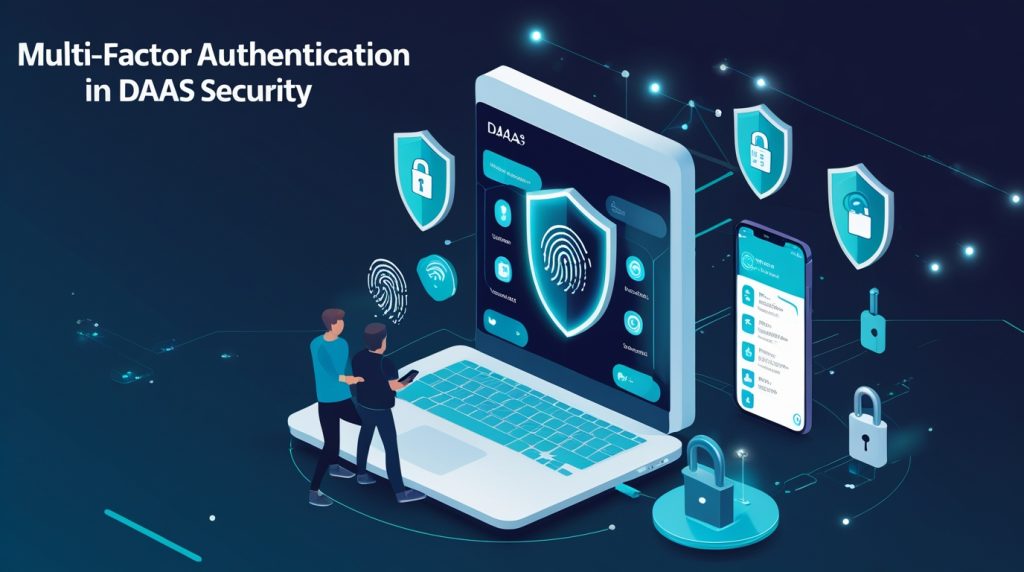
Cloud security just isn’t what it used to be—actually, scratch that, it can’t be. The old way of keeping things safe doesn’t stand a chance against today’s hackers. And passwords? They’re not enough. Attackers keep getting sharper, always sniffing out weak spots. That’s where Multi-Factor Authentication (MFA) comes in.
These days, MFA isn’t just a fancy add-on. If you’re running DaaS—whether it’s Device as a Service, Desktop as a Service, or Digital Authentication as a Service—you need MFA. Companies use it to lock down their cloud accounts, internal systems, and remote workspaces.
This guide covers what MFA is, how it fits with DaaS, why it’s a huge deal for security right now, how it actually works, and why it’s become standard for businesses everywhere. Learn More
What is Multi-Factor Authentication (MFA)?
With MFA, a password isn’t enough to get you in. You have to prove it’s really you—jump through a couple of extra hoops before you’re granted access.
Instead of betting everything on a password, MFA adds backup. So even if someone gets your login, these extra steps make breaking in a whole lot tougher.
Basically, MFA asks: “Are you really who you say you are?”
The Three Main Types of Authentication
MFA uses at least two out of three kinds of proof:
1. Something You Know
This one’s easy—your password, a PIN, or some security question you probably set years ago. It’s common, but honestly, it’s the weakest link. Passwords leak all the time.
2. Something You Have
Here, you show you’ve got a device or token only you should have. Think your phone, a hardware security key, an authentication app, or a smart card. If someone steals your password, they still need this piece to get in.
3. Something You Are
This is where biometrics step up: fingerprints, your face, your eyes, maybe even your voice. Biometrics are tough to fake—everyone’s are unique.
Why Does MFA Matter for DaaS?
DaaS lets people work from anywhere—desktops, apps, files, all in the cloud. But that flexibility means more opportunities for attackers, since everything’s online and open to remote logins.
MFA fits right in with DaaS. It ramps up security but doesn’t slow people down.
Why MFA and DaaS Make Sense Together
- It’s about who you are, not just what you’re using.
- People log in from all sorts of places and gadgets.
- Cloud setups need that “zero trust” mindset.
- Centralized sign-ins are easier to manage.
With MFA, you make sure only the right people get into your DaaS platforms—doesn’t matter if they’re at home, in a coffee shop, or halfway around the globe.
How Multi-Factor Authentication Works in Real Life
Turn on multi-factor authentication (MFA), and logging in feels a little different. Not harder—just safer.
Here’s how it usually goes:
- You type in your username and password.
- The system checks if that info is right.
- It asks for something extra—your second factor.
- You confirm your identity with that second step.
- If everything checks out, you’re in.
That extra step only takes a few seconds if you’re legit. For attackers, though, it’s a serious headache.
Common Ways MFA Shows Up in DaaS
Companies pick their MFA tools based on how tight they want security and how easy they want things for users.
One-Time Passwords (OTP)
- Created on the fly
- Sent to you by app, text, or email
- Only good for a short time
Authenticator Apps
- Make new codes every few seconds
- Don’t need an internet connection
- Safer than getting codes by text
Push Notifications
- You get a prompt on your phone when someone tries to log in
- Just tap to approve
- Quick and simple
Hardware Security Keys
- Little gadgets you plug in or tap with your phone
- Almost impossible to trick with phishing
- Popular where security matters most
Biometric Authentication
- Your fingerprint or your face unlocks your account
- Fast and secure
- Showing up on more and more phones
Why Just a Password Isn’t Good Enough Anymore
Passwords have been around forever, but honestly, they’re not cutting it these days.
Here’s why password-only security fails:
- People use the same password everywhere
- Weak passwords are easy to guess
- Phishing tricks people out of their logins
- Data leaks spill usernames and passwords all the time
Even the best password doesn’t stand a chance if malware or a scammer gets involved. MFA fixes a lot of this by adding another hurdle for attackers.
MFA and Zero Trust: A Perfect Match
Modern security is all about Zero Trust. That means: never assume, always double-check.
MFA sits right at the heart of Zero Trust.
How MFA Makes Zero Trust Work
- Every login gets checked—no exceptions
- The system considers where you are and what device you’re using
- Access can get shut down at any moment if things look sketchy
- Even insiders have a harder time causing trouble
In DaaS setups, mixing Zero Trust with MFA gives you control over who gets in, every single time. Learn More
Benefits of Multi-Factor Authentication
Multi-factor authentication (MFA) does more than just lock your accounts down tight. Honestly, it makes things smoother for the business, too.
Key Benefits
- Shuts down most account takeovers before they start
- Slashes your risk of a ransomware attack
- Helps you breeze through compliance audits
- Boosts trust with customers and partners
- Puts you in control of who can get in remotely
Researchers keep saying it: MFA blocks most attacks that go after user accounts.
MFA and Remote Work Security
Remote and hybrid work are everywhere now. It’s more convenient, sure, but attackers have more doors to try.
How MFA Protects Remote Workers
- Stops strangers from logging in from weird places
- Locks down your cloud desktops and applications
- Keeps your data safe, even if someone loses a laptop or phone
- Protects connections on sketchy public Wi-Fi
If your company uses DaaS to keep people working from anywhere, MFA isn’t just a good idea — it’s the standard now.
Challenges of Implementing MFA
MFA isn’t perfect, and rolling it out can get bumpy.
Common Challenges
- People complain about extra steps
- Setup can get messy at first
- Older systems might not cooperate
- Not every device plays nice
The upside? Most of these headaches go away with some planning and a bit of user training.
Best Practices for MFA Deployment
If you want MFA to actually work, you’ve got to roll it out the right way.
Recommended Best Practices
- Ditch SMS codes — use app-based or hardware MFA
- Make everyone use MFA, especially your admins
- Combine MFA with smart access rules
- Train your team to spot phishing and scams
- Keep an eye on your authentication logs
Great MFA setups don’t just lock things down. They also let people get their work done without a hassle.
MFA and Compliance Requirements
Regulators aren’t messing around. These days, a lot of them require or strongly push for MFA.
Regulations That Support MFA
- GDPR
- HIPAA
- PCI-DSS
- ISO 27001
Using MFA keeps you in line with these rules — and out of trouble when it comes to fines.
Future of Multi-Factor Authentication
MFA isn’t sitting still. As tech evolves, so does MFA.
Emerging Trends
- Passwordless logins
- AI-powered risk checks
- Behavioral biometrics
- Context-aware authentication
Pretty soon, MFA might just work in the background — invisible to users, but a nightmare for attackers.
Why MFA Is No Longer Optional
Cyber threats are getting sharper and nastier. MFA isn’t just a “nice-to-have” anymore. It’s the new baseline.
In DaaS environments, where everything runs in the cloud, skipping MFA leaves a giant hole in your defenses.
Ignoring MFA puts companies at risk for:
- Data breaches
- Major financial losses
- Wrecked reputations
- Regulatory headaches
Conclusion
Multi-factor authentication isn’t optional anymore — especially in DaaS setups. By demanding more than just a password, MFA throws up a real barrier against hackers and identity thieves.
With more businesses moving to the cloud and remote work sticking around, MFA isn’t just about today’s risks. It’s about being ready for whatever comes next.
In a world where identity matters more than ever, MFA makes sure only the right people get in. Everyone else stays out.
nice blogs sir your blogs makes me more understable and makes me easier to know about the cybersecurity keep it up sir keep uploading blogs.